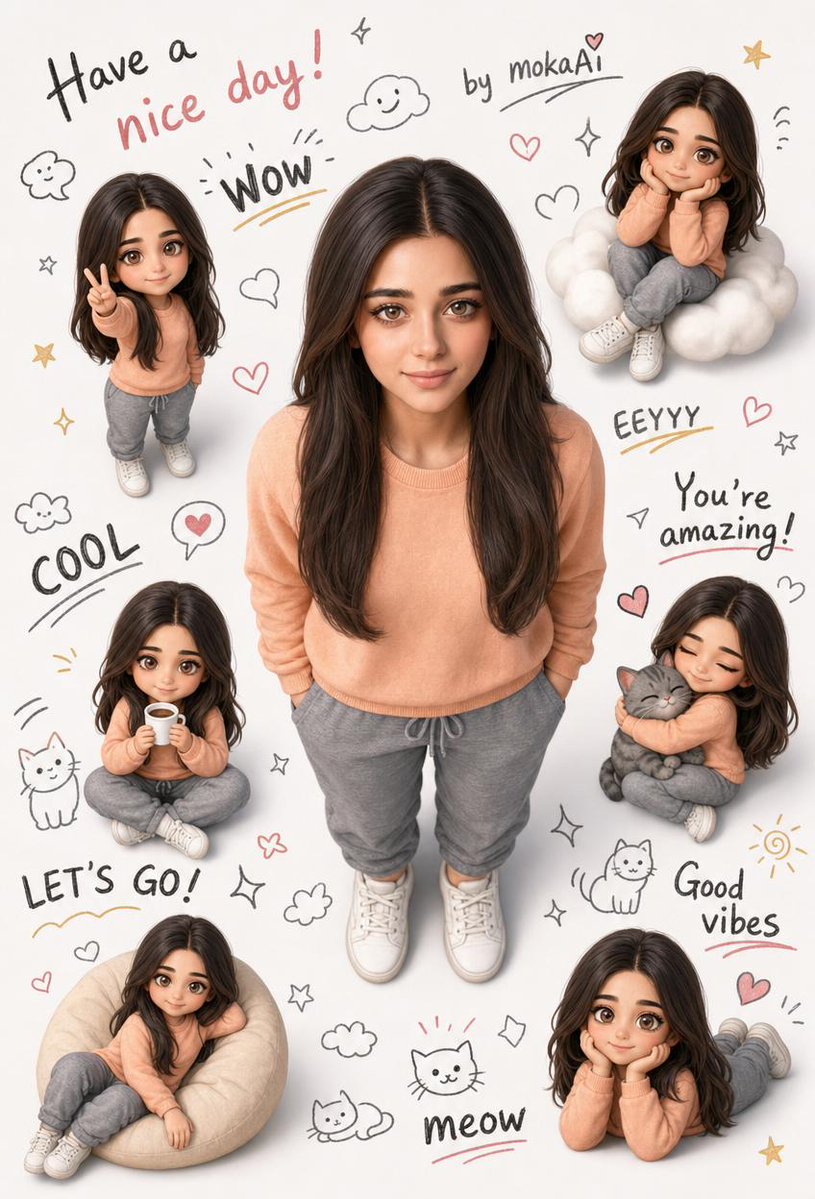
Potret Bergaya Semi-Realistis 3D
Sebuah tantangan untuk membuat potret bergaya semi-realistis 3D yang lucu menggunakan gambar referensi untuk mempertahankan identitas karakter dan detail pakaian sambil menambahkan versi chibi yang menggemaskan dan coretan-coretan.
Ini adalah contoh kasus GPT Image 2 untuk Potret & Karakter . Gunakan contoh siap salin di bawah ini untuk menghasilkan visual serupa, dan tinjau atribusi Awesome GPT Image 2 Prompts serta hak penggunaan komersial sebelum digunakan kembali.
Free 1K preview
Generate one preview image instantly, no sign-up required.
Free text preview doesn’t preserve reference-image consistency.
Mengingatkan
Prompt siap salin
Create a lovely 3D semi-realistic stylized portrait. Rely entirely on the facial features, clothing, and identity information in the attached reference image. Do not change any details of the face, hairstyle, or clothing. Main character: full body standing, located in the center of the image. Arms crossed, hands in pockets. Head slightly raised, looking directly at the camera with a natural smile. Camera angle is directly above – bird's-eye view, vertically aligned with the head. Feet are fully visible, without cropping. Distribute 5-6 miniature chibi versions of the same character around the character in various poses: making the victory sign, sitting on a cloud, holding a cup, hugging a cat, sitting comfortably, hands supporting the chin and smiling. The background should be clean white. Fill the empty spaces with hand-drawn doodles: stars, clouds, hearts, cats, smiley faces, sparkles. Write in different sizes of handwritten fonts in the background: "{argument name="message" default="Have a nice day!"}", "by {argument name="signature" default="mokaAi"}", "WOW", "COOL", "EEYYY", "You’re amazing!", "LET’S GO!", "Good vibes", "meow". Soft daylight illumination, high detail, professional quality. Aspect ratio: 9:16Variabel perintah
Placeholder argumen yang dapat diedit ditemukan dalam prompt, beserta nilai defaultnya.
Best for
- - Potret & Karakter visual exploration
- - Image generation and reference-image edits
- - Reusable briefs that keep source attribution visible
Change these parts
- - Subject, product, character, or scene
- - Aspect ratio, camera, lighting, and background
- - Brand, text, color, and output constraints
Recommended model and settings
- - Model: gpt-image-2
- - Input mode: Gambar ke Gambar
- - Aspect ratio: source
- - Commercial status: review original source
How to use this prompt
- 1. Copy the prompt and preserve its structure for the first test.
- 2. Replace the subject, context, and publishing channel.
- 3. Change one camera, lighting, or style variable per iteration.
- 4. Inspect the output, source, text, and rights before reuse.
Limitations, source, and reuse cautions
- - Generated output is an editable draft, not factual, legal, or rights evidence.
- - Review the linked source, people, brands, logos, text, and third-party media before commercial use.
Lebih banyak kasus dalam kategori ini
Diprioritaskan berdasarkan kategori, kompatibilitas mode input, kualitas, dan risiko yang lebih rendah.






Catatan penggunaan kembali dan sumber
Gunakan perintah ini dengan aman setelah melihat pratinjau kasus.
- 1.Salin perintah tersebut atau buka langsung di Dovoo dengan tombol pembuatan.
- 2.Sesuaikan variabel, rasio aspek, dan gambar referensi untuk kebutuhan Anda sendiri.
- 3.Sebelum mempublikasikan atau menggunakan untuk tujuan berbayar, verifikasi hak sumber, persyaratan atribusi, dan risiko merek atau citra.