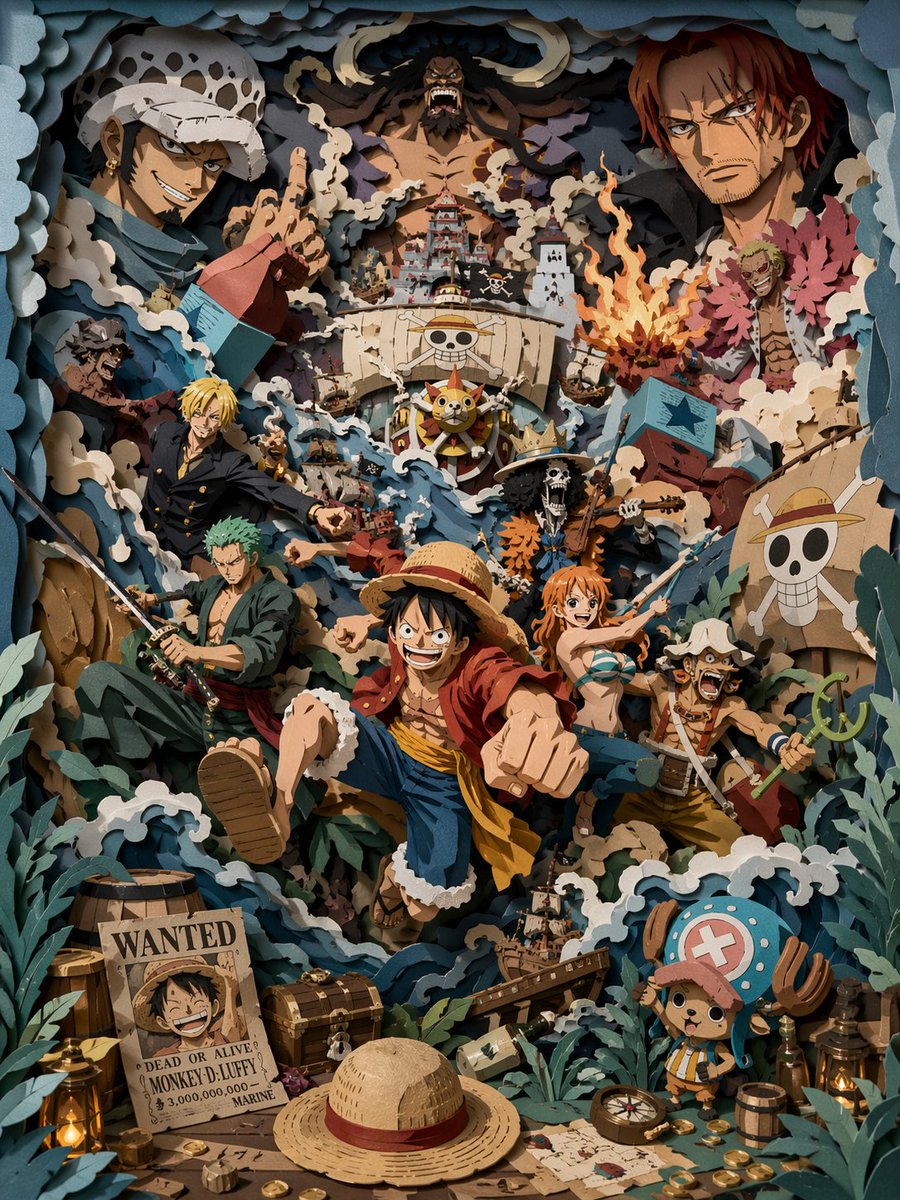
Adegan Bajak Laut Potongan Kertas 3D
Petunjuk terperinci untuk membuat adegan potongan kertas 3D berlapis-lapis dengan saturasi tinggi yang menampilkan kru bajak laut bergaya dalam petualangan laut yang kacau, lengkap dengan rendering octane dan tekstur kertas realistis.
Ini adalah contoh kasus GPT Image 2 untuk Ilustrasi & Seni . Gunakan contoh siap salin di bawah ini untuk menghasilkan visual serupa, dan tinjau atribusi Awesome GPT Image 2 Prompts serta hak penggunaan komersial sebelum digunakan kembali.
Free 1K preview
Generate one preview image instantly, no sign-up required.
Mengingatkan
Prompt siap salin
Eye-level view, looking straight at a high-saturation 3D multi-layered paper carving scene. The overall colors are grayish-blue, creamy white, and deep forest green, accented with amber warm light. All elements must be physical paper layered structures, with hard-cut edges and clearly visible thick paper cross-sections. Extremely rich composition, a high-energy {argument name="scene theme" default="pirate group scene"} set in a chaotic sea adventure. Multiple stylized pirate characters are presented in exaggerated actions, with a {argument name="core character" default="young captain wearing a straw hat"} in the middle layer charging forward, surrounded by crew members with distinct poses. Layered ships, surging waves, and swirling currents run through the foreground, middle, and background, with multiple ships colliding and tilting in different spatial layers, sails torn, and flags flying. Silhouettes of giant opposing characters appear in the background layer to enhance the sense of oppression and spatial hierarchy. The foreground is filled with narrative elements: treasure chests, gold coins, maps, barrels, ropes, lanterns, and a wanted poster with a smiling pirate. A mascot-like small character is placed in the corner as a visual anchor. All atmospheric elements are presented in paper carving form: waves, splashes, smoke, debris, and movement lines, strengthening the chaos and sense of motion. The main subject is in the middle layer, with elements interacting across layers to express movement through overlap and spatial relationships. Soft light from a single direction creates clear inter-layer shadows. Overall matte paper texture, no glowing, no soft edges, no volumetric light. Octane render, 8K, clear details --ar 3:4 --stylize 450Variabel perintah
Placeholder argumen yang dapat diedit ditemukan dalam prompt, beserta nilai defaultnya.
Best for
- - Ilustrasi & Seni visual exploration
- - Image generation and reference-image edits
- - Reusable briefs that keep source attribution visible
Change these parts
- - Subject, product, character, or scene
- - Aspect ratio, camera, lighting, and background
- - Brand, text, color, and output constraints
Recommended model and settings
- - Model: gpt-image-2
- - Input mode: Teks ke Gambar
- - Aspect ratio: source
- - Commercial status: review original source
How to use this prompt
- 1. Copy the prompt and preserve its structure for the first test.
- 2. Replace the subject, context, and publishing channel.
- 3. Change one camera, lighting, or style variable per iteration.
- 4. Inspect the output, source, text, and rights before reuse.
Limitations, source, and reuse cautions
- - Generated output is an editable draft, not factual, legal, or rights evidence.
- - Review the linked source, people, brands, logos, text, and third-party media before commercial use.
Lebih banyak kasus dalam kategori ini
Diprioritaskan berdasarkan kategori, kompatibilitas mode input, kualitas, dan risiko yang lebih rendah.






Catatan penggunaan kembali dan sumber
Gunakan perintah ini dengan aman setelah melihat pratinjau kasus.
- 1.Salin perintah tersebut atau buka langsung di Dovoo dengan tombol pembuatan.
- 2.Sesuaikan variabel, rasio aspek, dan gambar referensi untuk kebutuhan Anda sendiri.
- 3.Sebelum mempublikasikan atau menggunakan untuk tujuan berbayar, verifikasi hak sumber, persyaratan atribusi, dan risiko merek atau citra.