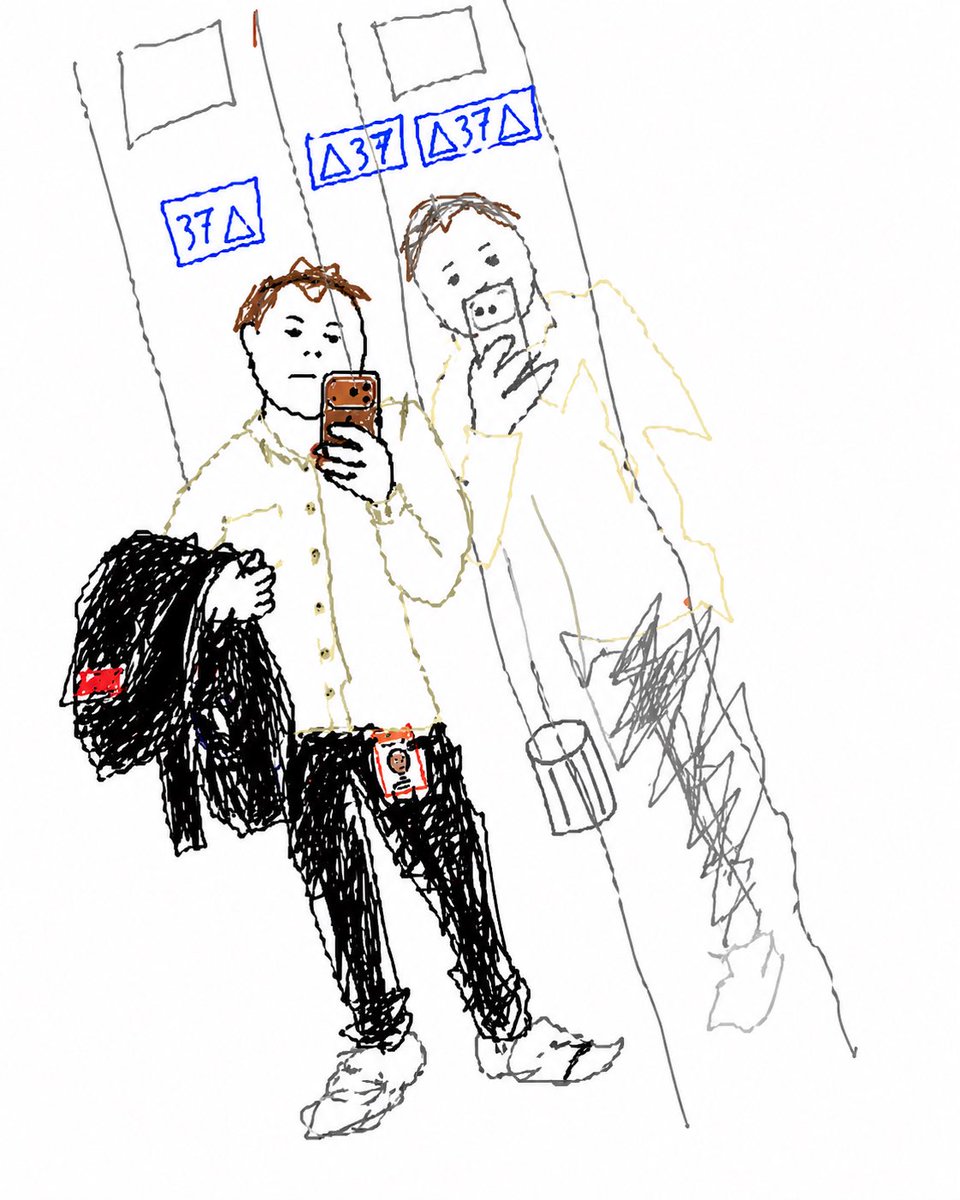
एलिवेटर सेल्फी को डूडल में बदलें
यह निर्देश मूल संरचना और प्रमुख पहचानने योग्य विवरणों को संरक्षित करते हुए, एक संदर्भ दर्पण सेल्फी को एक सरल हाथ से खींचे गए रेखाचित्र में परिवर्तित करता है।
यह चित्र और चरित्र के लिए एक GPT Image 2 प्रॉम्प्ट केस है। इसी तरह के विज़ुअल बनाने के लिए नीचे दिए गए कॉपी-रेडी प्रॉम्प्ट का उपयोग करें, और पुनः उपयोग करने से पहले Awesome GPT Image 2 Prompts एट्रिब्यूशन और व्यावसायिक उपयोग अधिकारों की समीक्षा करें।
क्या आपको प्रॉम्प्ट्स का पूरा सेट चाहिए? इसका उपयोग करें चित्र और चरित्र अधिक संबंधित उदाहरणों के लिए विषय हब देखें, या खोलें GPT Image 2 त्वरित सूची संपूर्ण उदाहरण अनुक्रमणिका, पुन: प्रयोज्य संरचनाओं और स्रोत श्रेय के लिए।
Free 1K preview
Generate one preview image instantly, no sign-up required.
Free text preview doesn’t preserve reference-image consistency.
779/4000
प्रॉम्प्ट
प्रतिलिपि के लिए तैयार संकेत
Using the provided reference image, recreate the same mirror selfie composition as a very rough childlike doodle/sketch on a plain white background. Keep the subject’s pose, outfit, phone, jacket over one arm, ID badge, elevator mirrors, floor, and reflected figure in the same positions, but redraw everything with thin uneven hand-drawn lines, messy scribbles, and minimal detail, like a quick MS Paint or notebook sketch. Preserve the 3 blue elevator floor displays and simplify them into hand-drawn blue signs. Keep the face area obscured as a soft blurred block. Use sparse color accents only where they stand out in the reference: blue elevator numbers, brown hair/phone, black jacket and pants, white shirt and shoes, and the small red details on the jacket tag and badge.
Best for
- - चित्र और चरित्र visual exploration
- - Image generation and reference-image edits
- - Reusable briefs that keep source attribution visible
Change these parts
- - Subject, product, character, or scene
- - Aspect ratio, camera, lighting, and background
- - Brand, text, color, and output constraints
Recommended model and settings
- - Model: gpt-image-2
- - Input mode: छवि से छवि
- - Aspect ratio: source
- - Commercial status: review original source
How to use this prompt
- 1. Copy the prompt and preserve its structure for the first test.
- 2. Replace the subject, context, and publishing channel.
- 3. Change one camera, lighting, or style variable per iteration.
- 4. Inspect the output, source, text, and rights before reuse.
Limitations, source, and reuse cautions
- - Generated output is an editable draft, not factual, legal, or rights evidence.
- - Review the linked source, people, brands, logos, text, and third-party media before commercial use.
Awesome GPT Image 2 Prompts से आयातित। श्रेय देना आवश्यक है। वाणिज्यिक उपयोग की allowed ; सशुल्क उपयोग से पहले स्रोत अधिकारों की समीक्षा करें।
इस श्रेणी में और भी मामले
श्रेणी, इनपुट मोड अनुकूलता, गुणवत्ता और कम जोखिम को प्राथमिकता दी गई है।

Stylish Man Street Lamp Portrait
छवि से छवि

Sci-Fi Cyan Lighting Effect
छवि से छवि

GPT Image 2 Real-Life Character Street Snap
टेक्स्ट से छवि

Oversized Head Cartoon Caricature Prompt
छवि से छविमध्यम जोखिम

Street Selfie with Cat in Matching Cap
टेक्स्ट से छवि

Studio Portrait of Woman with Sunglasses
टेक्स्ट से छवि
पुनः उपयोग और स्रोत नोट्स
केस का पूर्वावलोकन करने के बाद इस प्रॉम्प्ट का सुरक्षित रूप से उपयोग करें।
- 1.प्रॉम्प्ट को कॉपी करें या जनरेशन बटन का उपयोग करके इसे सीधे डोवू में खोलें।
- 2.अपने उपयोग के अनुसार वैरिएबल, आस्पेक्ट रेशियो और संदर्भ छवियों को समायोजित करें।
- 3.प्रकाशन या सशुल्क उपयोग से पहले, स्रोत अधिकारों, श्रेय देने की आवश्यकताओं और ब्रांड या छवि से जुड़े जोखिमों की पुष्टि करें।