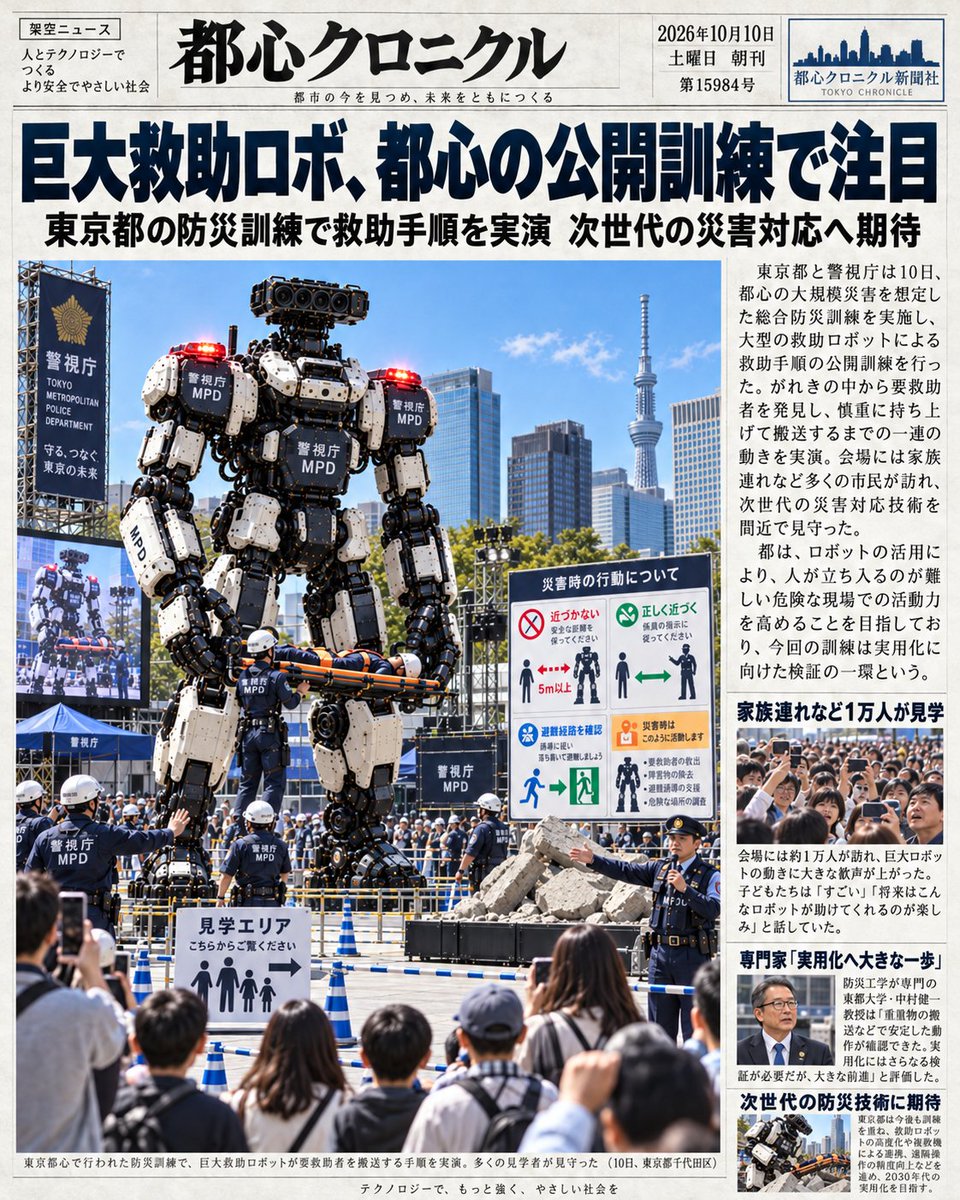
Japanese Newspaper Front Page: Giant Rescue Robot
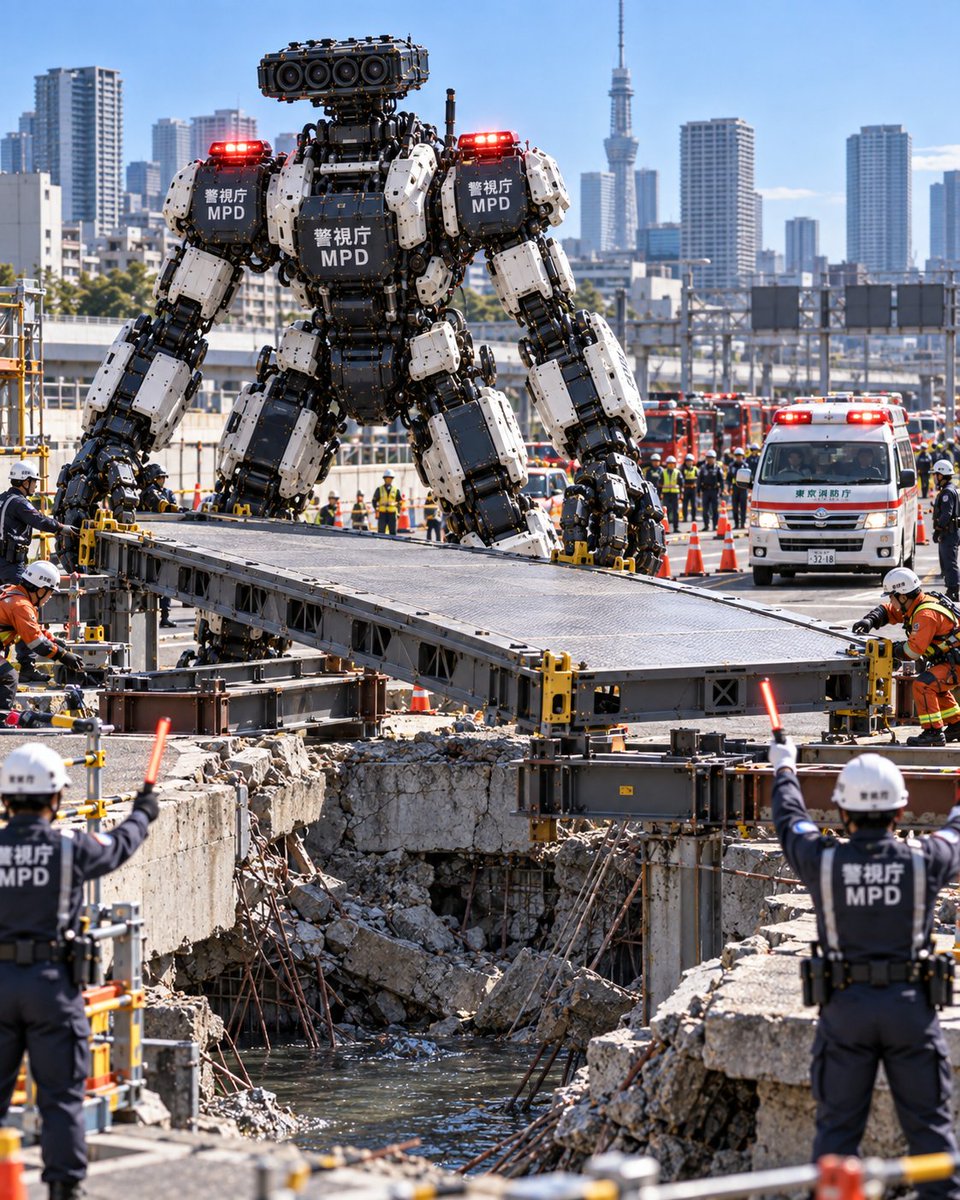
A photorealistic mockup of a Japanese newspaper front page reporting on a public training exercise for a giant police rescue robot in Tokyo.
यह ग्राफिक और पोस्टर के लिए एक GPT Image 2 प्रॉम्प्ट केस है। इसी तरह के विज़ुअल बनाने के लिए नीचे दिए गए कॉपी-रेडी प्रॉम्प्ट का उपयोग करें, और पुनः उपयोग करने से पहले Awesome GPT Image 2 Prompts एट्रिब्यूशन और व्यावसायिक उपयोग अधिकारों की समीक्षा करें।
क्या आपको प्रॉम्प्ट्स का पूरा सेट चाहिए? इसका उपयोग करें ग्राफिक और पोस्टर अधिक संबंधित उदाहरणों के लिए विषय हब देखें, या खोलें GPT Image 2 त्वरित सूची संपूर्ण उदाहरण अनुक्रमणिका, पुन: प्रयोज्य संरचनाओं और स्रोत श्रेय के लिए।
Free 1K preview
Generate one preview image instantly, no sign-up required.
2312/4000
प्रॉम्प्ट
प्रतिलिपि के लिए तैयार संकेत
Goal: Create a realistic Japanese newspaper front page featuring a giant rescue robot demonstration.
Canvas: Vertical portrait layout, high-resolution print style, white background with black text and color photos.
Layout: Standard newspaper masthead at the top, large headline below it, main photo on the left taking up 60% of the width, sidebar column on the right with smaller text and images.
Text content:
- Masthead (Top Center): Large bold Kanji "都心クロニクル" (Tokyo Chronicle). Small English text below: "都市の今を見つめ、未来をともに". Top right box: Date "2026年10月10日", Day "土曜日", Edition "第15984号", Logo "都心クロニクル新聞社 TOKYO CHRONICLE". Top left box: Category "架空ニュース" (Fictional News), slogan "人とテクノロジーで つくる より安全でやさしい社会".
- Main Headline (Below Masthead): Huge bold blue/black text "巨大救助ロボ、都心の公開訓練で注目". Sub-headline below in smaller black text: "東京都の防災訓練で救助手順を実演 次世代の災害対応へ期待".
- Sidebar Text (Right Column): Multiple paragraphs of Japanese news copy describing the event. Key phrases visible: "東京都と警視庁は10日...", "会場には家族連れなど多くの市民が訪れ...", "ロボットを活用により...". Bold subheads in sidebar: "家族連れなど1万人が見学", "専門家「実用化へ大きな一歩」", "次世代の防災技術に期待".
- Photo Captions: Bottom caption under main image: "東京都心で行われた防災訓練で、巨大救助ロボットが要救助者を搬送する手順を実演。多くの見学者が見守った(10日、東京都千代田区)". Footer line: "テクノロジーで、もっと強く、やさしい社会を".
Subject details:
- Main Image: A massive bipedal humanoid robot standing in an urban plaza. The robot is white and black with heavy industrial plating, labeled "警視庁 MPD" on its chest, shoulders, and legs. It has red warning lights on its shoulders and head. It is holding a stretcher with a person on it horizontally in its hands.
- Background: Modern Tokyo skyline including the Tokyo Skytree tower in the distance. Blue sky with light clouds.
- Foreground/Midground: Police officers in dark uniforms and white helmets directing a crowd. A sign reading "見学エリア こちらからご覧下さい" (Viewing Area - Please view from here) with stick figure icons. A crowd of spectators (back of heads) watching. A large LED screen on the left showing a close-up of the robot's face. A safety instruction board on the right titled "災害時の行動について" with diagrams showing "近づかない" (Do not approach) and "正しく近づく" (Approach correctly).
Visual style: Photorealistic, journalistic photography, bright daylight, sharp focus, authentic newspaper typography and grid structure.
Best for
- - ग्राफिक और पोस्टर visual exploration
- - Image generation and reference-image edits
- - Reusable briefs that keep source attribution visible
Change these parts
- - Subject, product, character, or scene
- - Aspect ratio, camera, lighting, and background
- - Brand, text, color, and output constraints
Recommended model and settings
- - Model: gpt-image-2
- - Input mode: टेक्स्ट से छवि
- - Aspect ratio: source
- - Commercial status: review original source
How to use this prompt
- 1. Copy the prompt and preserve its structure for the first test.
- 2. Replace the subject, context, and publishing channel.
- 3. Change one camera, lighting, or style variable per iteration.
- 4. Inspect the output, source, text, and rights before reuse.
Limitations, source, and reuse cautions
- - Generated output is an editable draft, not factual, legal, or rights evidence.
- - Review the linked source, people, brands, logos, text, and third-party media before commercial use.
Awesome GPT Image 2 Prompts से आयातित। श्रेय देना आवश्यक है। वाणिज्यिक उपयोग की allowed ; सशुल्क उपयोग से पहले स्रोत अधिकारों की समीक्षा करें।
इस श्रेणी में और भी मामले
श्रेणी, इनपुट मोड अनुकूलता, गुणवत्ता और कम जोखिम को प्राथमिकता दी गई है।


पुनः उपयोग और स्रोत नोट्स
केस का पूर्वावलोकन करने के बाद इस प्रॉम्प्ट का सुरक्षित रूप से उपयोग करें।
- 1.प्रॉम्प्ट को कॉपी करें या जनरेशन बटन का उपयोग करके इसे सीधे डोवू में खोलें।
- 2.अपने उपयोग के अनुसार वैरिएबल, आस्पेक्ट रेशियो और संदर्भ छवियों को समायोजित करें।
- 3.प्रकाशन या सशुल्क उपयोग से पहले, स्रोत अधिकारों, श्रेय देने की आवश्यकताओं और ब्रांड या छवि से जुड़े जोखिमों की पुष्टि करें।