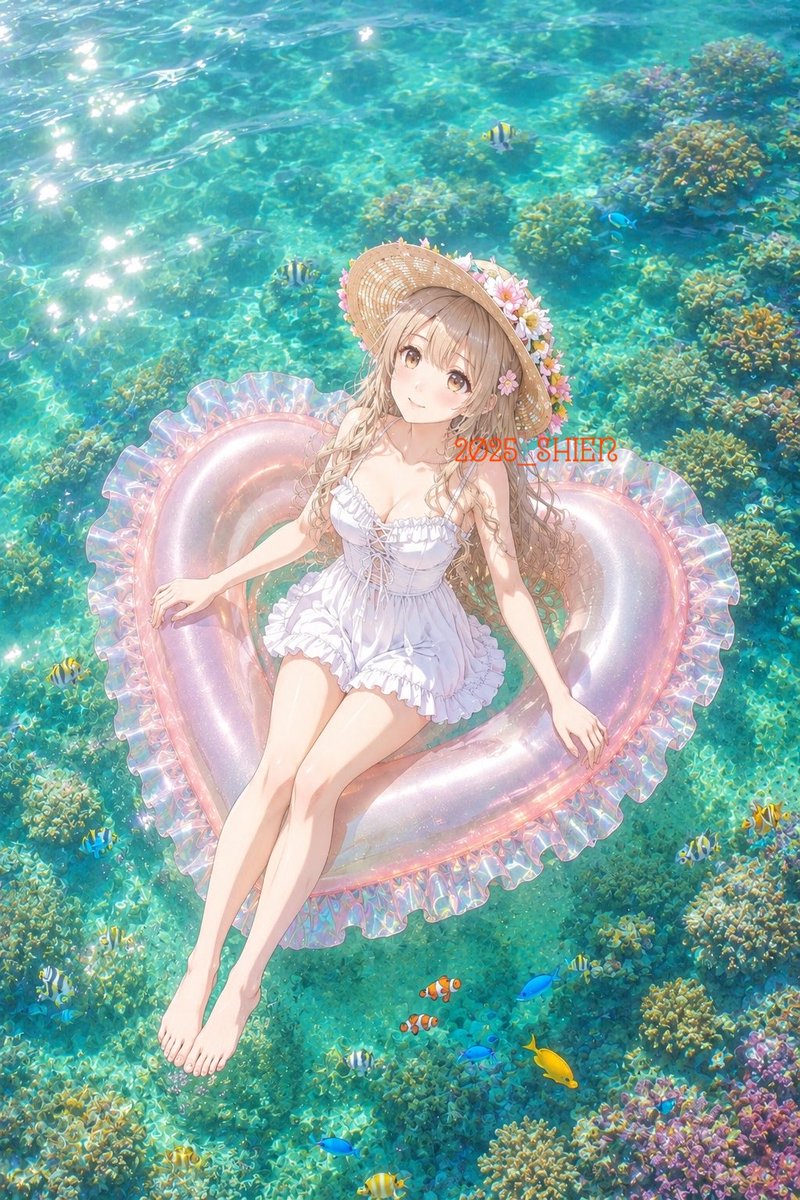
Anime Girl on Heart Float
A luminous vertical anime summer scene of a girl floating over a clear coral reef, useful for serene vacation-themed illustration generation.
यह एनीमे और गेम के लिए एक GPT Image 2 प्रॉम्प्ट केस है। इसी तरह के विज़ुअल बनाने के लिए नीचे दिए गए कॉपी-रेडी प्रॉम्प्ट का उपयोग करें, और पुनः उपयोग करने से पहले Awesome GPT Image 2 Prompts एट्रिब्यूशन और व्यावसायिक उपयोग अधिकारों की समीक्षा करें।
क्या आपको प्रॉम्प्ट्स का पूरा सेट चाहिए? इसका उपयोग करें एनीमे और गेम अधिक संबंधित उदाहरणों के लिए विषय हब देखें, या खोलें GPT Image 2 त्वरित सूची संपूर्ण उदाहरण अनुक्रमणिका, पुन: प्रयोज्य संरचनाओं और स्रोत श्रेय के लिए।
Free 1K preview
Generate one preview image instantly, no sign-up required.
1555/4000
प्रॉम्प्ट
प्रतिलिपि के लिए तैयार संकेत
Create a dreamy anime-style summer illustration viewed from high above, showing a young woman relaxing on a translucent heart-shaped inflatable float in shallow tropical seawater. The scene should feel like a calm early-summer day: brilliant turquoise water, strong sun sparkles on the upper left, visible rippling caustics, and detailed coral reef formations beneath the clear surface. The girl has long light ash-blonde hair, soft brown eyes, fair skin, and a gentle peaceful smile; she wears a ruffled white one-piece swimsuit with lace-up details and a wide straw sunhat decorated with pink and white flowers. Her body is reclined diagonally on the float, head near the upper center, bare legs extended toward the lower left, one hand resting on the float edge and the other relaxed to the side. The float is pearly transparent pink with iridescent highlights and a frilled ruffle rim, shaped like a heart. Include exactly 15 visible fish around the reef: 6 small yellow-and-black striped tropical fish, 5 bright blue fish, 2 orange-and-white clownfish, 1 solid yellow tang-like fish, and 1 tiny dark fish. Add abundant coral clusters in green, gold, teal, and violet, especially along the right and bottom edges. Place small semi-transparent red overlay text reading {argument name="overlay text" default="2025_SHIE?"} across the upper-right area of the float. Use luminous pastel coloring, delicate linework, soft anime rendering, high detail, romantic vacation mood, vertical 2:3 composition, no border, no extra characters, and no additional text.प्रॉम्प्ट वैरिएबल
प्रॉम्प्ट में पाए जाने वाले संपादन योग्य तर्क प्लेसहोल्डर, उनके डिफ़ॉल्ट मानों के साथ।
चर
overlay text
गलती करना
2025_SHIE?
Best for
- - एनीमे और गेम visual exploration
- - Image generation and reference-image edits
- - Reusable briefs that keep source attribution visible
Change these parts
- - Subject, product, character, or scene
- - Aspect ratio, camera, lighting, and background
- - Brand, text, color, and output constraints
Recommended model and settings
- - Model: gpt-image-2
- - Input mode: टेक्स्ट से छवि
- - Aspect ratio: source
- - Commercial status: review original source
How to use this prompt
- 1. Copy the prompt and preserve its structure for the first test.
- 2. Replace the subject, context, and publishing channel.
- 3. Change one camera, lighting, or style variable per iteration.
- 4. Inspect the output, source, text, and rights before reuse.
Limitations, source, and reuse cautions
- - Generated output is an editable draft, not factual, legal, or rights evidence.
- - Review the linked source, people, brands, logos, text, and third-party media before commercial use.
Awesome GPT Image 2 Prompts से आयातित। श्रेय देना आवश्यक है। वाणिज्यिक उपयोग की allowed ; सशुल्क उपयोग से पहले स्रोत अधिकारों की समीक्षा करें।
इस श्रेणी में और भी मामले
श्रेणी, इनपुट मोड अनुकूलता, गुणवत्ता और कम जोखिम को प्राथमिकता दी गई है।

GPT Image 2 Real-Life Character Street Snap
टेक्स्ट से छवि

MotoGP POV Cornering Shot
टेक्स्ट से छवि

Orange Rooftop Fashion Photo Prompt
टेक्स्ट से छवि

Luxury Travel Fashion Portrait Prompt
टेक्स्ट से छवि

Cute Focus Desk Flat Lay and Kawaii Illustration
टेक्स्ट से छवि

Street Selfie with Cat in Matching Cap
टेक्स्ट से छवि
पुनः उपयोग और स्रोत नोट्स
केस का पूर्वावलोकन करने के बाद इस प्रॉम्प्ट का सुरक्षित रूप से उपयोग करें।
- 1.प्रॉम्प्ट को कॉपी करें या जनरेशन बटन का उपयोग करके इसे सीधे डोवू में खोलें।
- 2.अपने उपयोग के अनुसार वैरिएबल, आस्पेक्ट रेशियो और संदर्भ छवियों को समायोजित करें।
- 3.प्रकाशन या सशुल्क उपयोग से पहले, स्रोत अधिकारों, श्रेय देने की आवश्यकताओं और ब्रांड या छवि से जुड़े जोखिमों की पुष्टि करें।