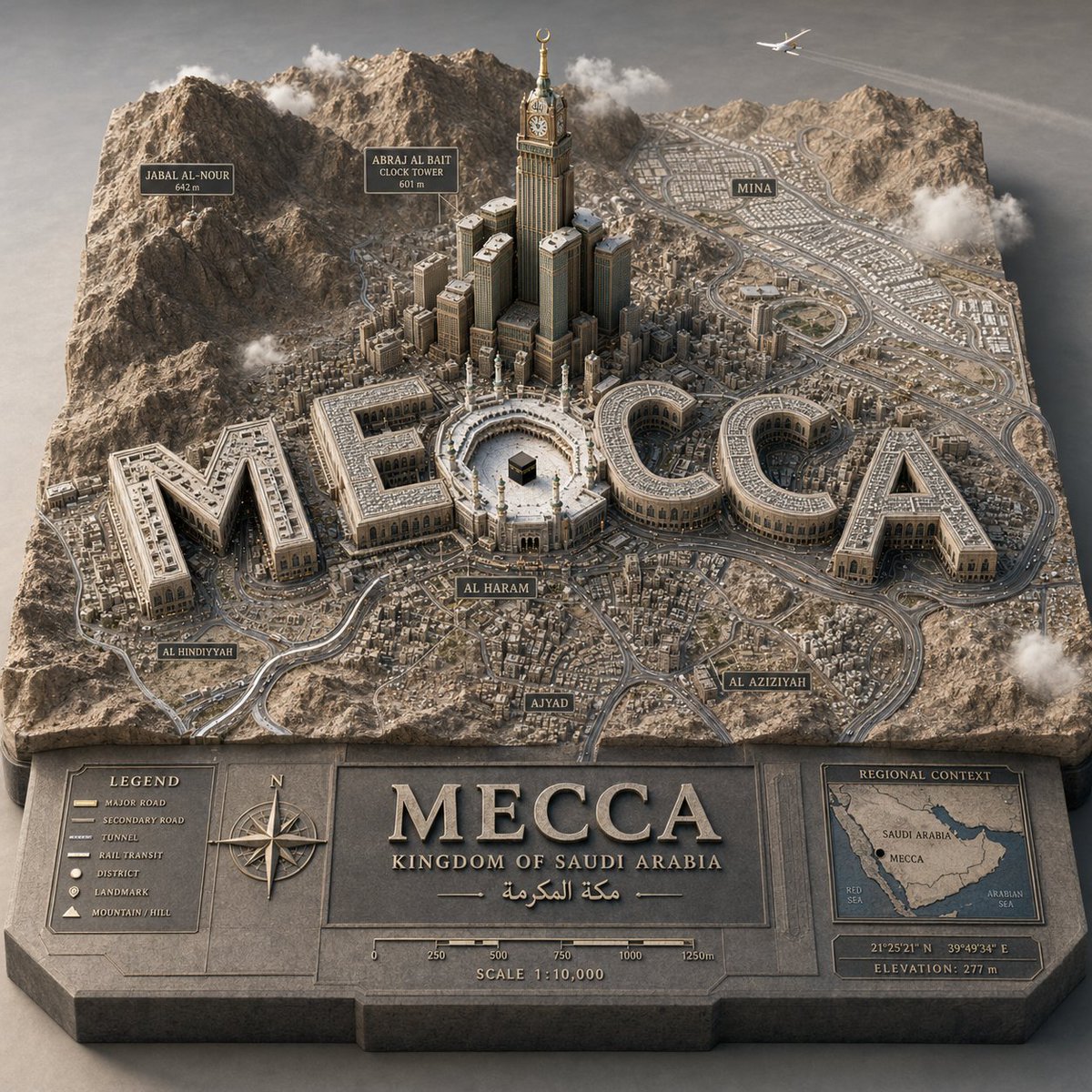
3डी कार्टोग्राफिक सिटी डायोरामा
एक जटिल पैरामीट्रिक दृश्य ग्राफ, जिसका उद्देश्य वास्तुकला में एकीकृत स्मारकीय टाइपोग्राफी के साथ उच्च स्तरीय 3डी शहरी राहत मानचित्र तैयार करना है।
यह अन्य प्रेरणा के लिए एक GPT Image 2 प्रॉम्प्ट केस है। इसी तरह के विज़ुअल बनाने के लिए नीचे दिए गए कॉपी-रेडी प्रॉम्प्ट का उपयोग करें, और पुनः उपयोग करने से पहले Awesome GPT Image 2 Prompts एट्रिब्यूशन और व्यावसायिक उपयोग अधिकारों की समीक्षा करें।
क्या आपको प्रॉम्प्ट्स का पूरा सेट चाहिए? इसका उपयोग करें अन्य प्रेरणा अधिक संबंधित उदाहरणों के लिए विषय हब देखें, या खोलें GPT Image 2 त्वरित सूची संपूर्ण उदाहरण अनुक्रमणिका, पुन: प्रयोज्य संरचनाओं और स्रोत श्रेय के लिए।
Free 1K preview
Generate one preview image instantly, no sign-up required.
1716/4000
प्रॉम्प्ट
प्रतिलिपि के लिए तैयार संकेत
PYTHON_SCENE_GRAPH :: PARAMETRIC_CITY_RELIEF class Variables: city = "{argument name="city" default="[CITY]"}" city_name_text = "{argument name="city name" default="literal city name from input"}" region_context = "infer country, terrain, climate, culture, urban identity" topography = "infer mountains, rivers, coastlines, plains, islands, deserts, hills" urban_grid = "infer district density, roads, transit corridors, urban pattern" landmarks = "infer landmark_set(city)" signature_core = "infer most symbolic central landmark or public space" style = "luxury 3D cartographic city model" class TerrainSlab: form = "thick raised cutout map base" surface = Variables.topography edges = "engraved title panel, legend, compass, scale, inset regional map" material = "matte stone/plaster/cartographic model material" class CityTypography: text = Variables. city_name_text form = "monumental 3D letters" function = "each letter is an inhabitable building mass" placement = "integrated into city map, not floating" rule = "word must remain readable from aerial view" class UrbanLayer: roads = Variables.urban_grid districts = "infer neighborhoods and density zones" landmarks = Variables.landmarks core = Variables.signature_core labels = "derive place labels from city geography" class Atmosphere: camera = "elevated three-quarter macro" lighting = "soft premium studio daylight" details = "vehicles, clouds, aircraft, trees, people only if appropriate" def render(): return """ Render {argument name="target city" default="[CITY]"} as a raised terrain-map diorama where the city name becomes monumental architecture, surrounded by inferred geography, landmarks, labels, roads, and atlas-style cartographic details. """प्रॉम्प्ट वैरिएबल
प्रॉम्प्ट में पाए जाने वाले संपादन योग्य तर्क प्लेसहोल्डर, उनके डिफ़ॉल्ट मानों के साथ।
चर
city
गलती करना
[CITY]
चर
city name
गलती करना
literal city name from input
चर
target city
गलती करना
[CITY]
Best for
- - अन्य प्रेरणा visual exploration
- - Image generation and reference-image edits
- - Reusable briefs that keep source attribution visible
Change these parts
- - Subject, product, character, or scene
- - Aspect ratio, camera, lighting, and background
- - Brand, text, color, and output constraints
Recommended model and settings
- - Model: gpt-image-2
- - Input mode: टेक्स्ट से छवि
- - Aspect ratio: source
- - Commercial status: review original source
How to use this prompt
- 1. Copy the prompt and preserve its structure for the first test.
- 2. Replace the subject, context, and publishing channel.
- 3. Change one camera, lighting, or style variable per iteration.
- 4. Inspect the output, source, text, and rights before reuse.
Limitations, source, and reuse cautions
- - Generated output is an editable draft, not factual, legal, or rights evidence.
- - Review the linked source, people, brands, logos, text, and third-party media before commercial use.
Awesome GPT Image 2 Prompts से आयातित। श्रेय देना आवश्यक है। वाणिज्यिक उपयोग की allowed ; सशुल्क उपयोग से पहले स्रोत अधिकारों की समीक्षा करें।
इस श्रेणी में और भी मामले
श्रेणी, इनपुट मोड अनुकूलता, गुणवत्ता और कम जोखिम को प्राथमिकता दी गई है।






पुनः उपयोग और स्रोत नोट्स
केस का पूर्वावलोकन करने के बाद इस प्रॉम्प्ट का सुरक्षित रूप से उपयोग करें।
- 1.प्रॉम्प्ट को कॉपी करें या जनरेशन बटन का उपयोग करके इसे सीधे डोवू में खोलें।
- 2.अपने उपयोग के अनुसार वैरिएबल, आस्पेक्ट रेशियो और संदर्भ छवियों को समायोजित करें।
- 3.प्रकाशन या सशुल्क उपयोग से पहले, स्रोत अधिकारों, श्रेय देने की आवश्यकताओं और ब्रांड या छवि से जुड़े जोखिमों की पुष्टि करें।