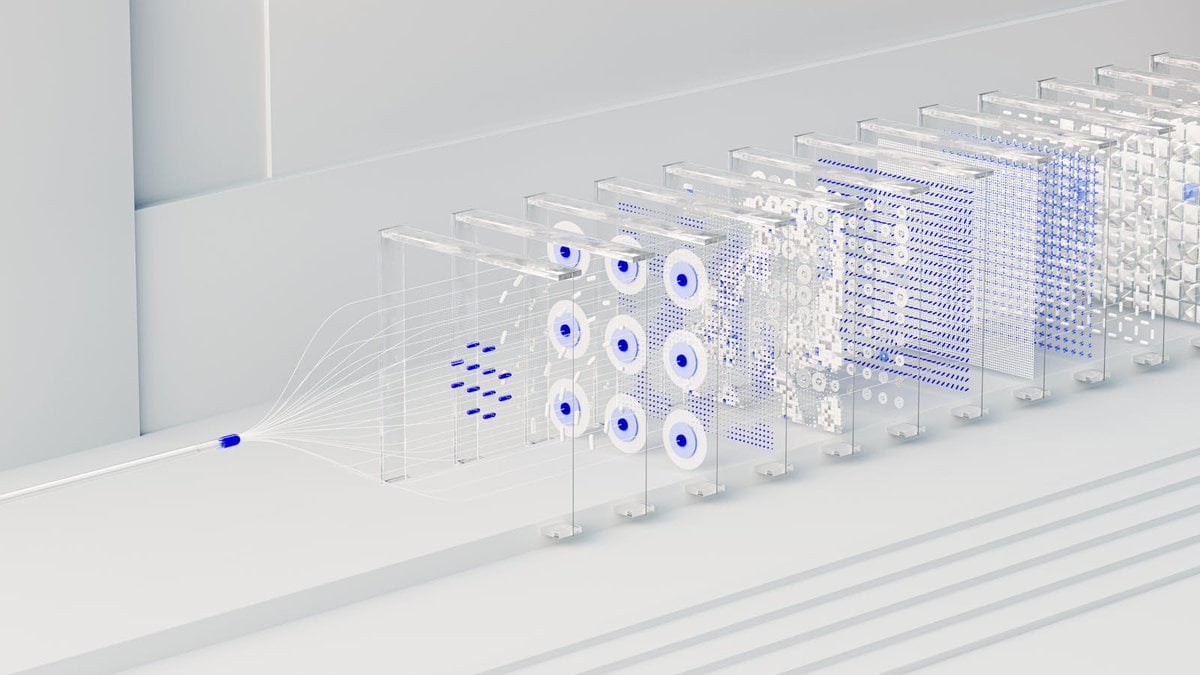
3डी अमूर्त डेटा पाइपलाइन विज़ुअलाइज़ेशन
Source-attributed GPT Image 2 image prompt from the Awesome GPT Image 2 Prompts repository.
यह चित्रण एवं कला के लिए एक GPT Image 2 प्रॉम्प्ट केस है। इसी तरह के विज़ुअल बनाने के लिए नीचे दिए गए कॉपी-रेडी प्रॉम्प्ट का उपयोग करें, और पुनः उपयोग करने से पहले Awesome GPT Image 2 Prompts एट्रिब्यूशन और व्यावसायिक उपयोग अधिकारों की समीक्षा करें।
क्या आपको प्रॉम्प्ट्स का पूरा सेट चाहिए? इसका उपयोग करें चित्रण एवं कला अधिक संबंधित उदाहरणों के लिए विषय हब देखें, या खोलें GPT Image 2 त्वरित सूची संपूर्ण उदाहरण अनुक्रमणिका, पुन: प्रयोज्य संरचनाओं और स्रोत श्रेय के लिए।
Free 1K preview
Generate one preview image instantly, no sign-up required.
Free text preview doesn’t preserve reference-image consistency.
987/4000
प्रॉम्प्ट
प्रतिलिपि के लिए तैयार संकेत
A clean, minimalist 3D render visualizing a {argument name="concept" default="neural network data processing pipeline"}. On the left, a single white cable with a glowing {argument name="accent color" default="blue"} tip splits into multiple thin, sweeping white strands. These strands feed into a linear sequence of exactly 10 transparent, glass-like rectangular panels standing upright on a {argument name="environment" default="sterile white stepped surface"}. Each glass panel illustrates a different stage of transformation using geometric patterns in white and {argument name="accent color" default="blue"}. From left to right, the panels feature: floating dashes, a 3x3 grid of concentric circles, a dense dot matrix, scattered white pixel blocks, horizontal dashed lines, a fine mesh grid, and finally 3D cubic structures. The lighting is bright, soft, and high-key, creating a pristine corporate tech aesthetic with a shallow depth of field that gently blurs the furthest panels.प्रॉम्प्ट वैरिएबल
प्रॉम्प्ट में पाए जाने वाले संपादन योग्य तर्क प्लेसहोल्डर, उनके डिफ़ॉल्ट मानों के साथ।
चर
concept
गलती करना
neural network data processing pipeline
चर
accent color
गलती करना
blue
चर
environment
गलती करना
sterile white stepped surface
Best for
- - चित्रण एवं कला visual exploration
- - Image generation and reference-image edits
- - Reusable briefs that keep source attribution visible
Change these parts
- - Subject, product, character, or scene
- - Aspect ratio, camera, lighting, and background
- - Brand, text, color, and output constraints
Recommended model and settings
- - Model: gpt-image-2
- - Input mode: छवि से छवि
- - Aspect ratio: source
- - Commercial status: restricted
How to use this prompt
- 1. Copy the prompt and preserve its structure for the first test.
- 2. Replace the subject, context, and publishing channel.
- 3. Change one camera, lighting, or style variable per iteration.
- 4. Inspect the output, source, text, and rights before reuse.
Limitations, source, and reuse cautions
- - Generated output is an editable draft, not factual, legal, or rights evidence.
- - Review the linked source, people, brands, logos, text, and third-party media before commercial use.
Awesome GPT Image 2 Prompts से आयातित। श्रेय देना आवश्यक है। वाणिज्यिक उपयोग की allowed ; सशुल्क उपयोग से पहले स्रोत अधिकारों की समीक्षा करें।
इस श्रेणी में और भी मामले
श्रेणी, इनपुट मोड अनुकूलता, गुणवत्ता और कम जोखिम को प्राथमिकता दी गई है।






पुनः उपयोग और स्रोत नोट्स
केस का पूर्वावलोकन करने के बाद इस प्रॉम्प्ट का सुरक्षित रूप से उपयोग करें।
- 1.प्रॉम्प्ट को कॉपी करें या जनरेशन बटन का उपयोग करके इसे सीधे डोवू में खोलें।
- 2.अपने उपयोग के अनुसार वैरिएबल, आस्पेक्ट रेशियो और संदर्भ छवियों को समायोजित करें।
- 3.प्रकाशन या सशुल्क उपयोग से पहले, स्रोत अधिकारों, श्रेय देने की आवश्यकताओं और ब्रांड या छवि से जुड़े जोखिमों की पुष्टि करें।