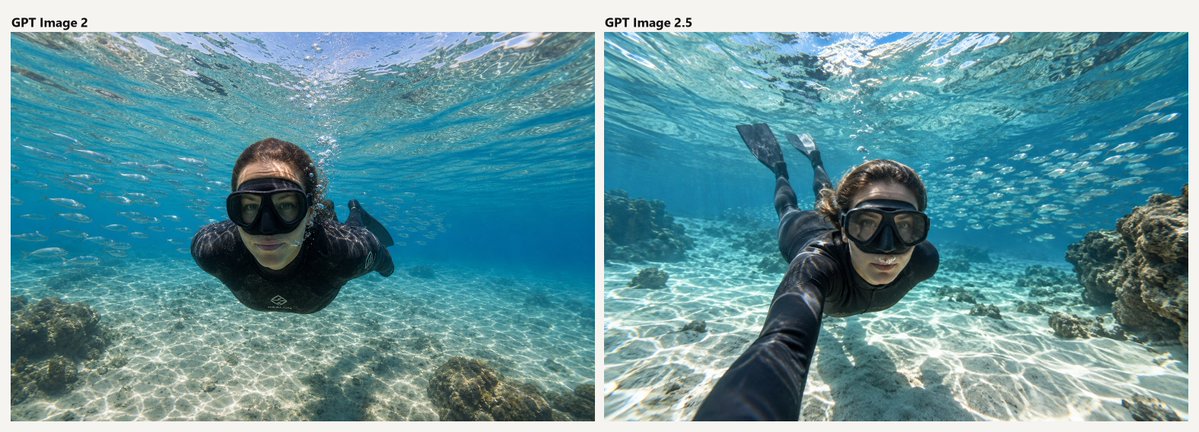
Underwater AI Model Comparison
Creates a two-panel labeled comparison graphic of photorealistic underwater snorkeler images for visual model benchmarking.
Il s'agit d'un exemple de visuel pour la catégorie { GPT Image 2 Graphique et affiche . Utilisez le visuel ci-dessous pour générer des éléments visuels similaires et vérifiez les conditions d'utilisation (attribution Awesome GPT Image 2 Prompts et droits d'utilisation commerciale) avant toute réutilisation.
Besoin de l'ensemble complet des invites ? Utilisez le Graphique et affiche Consultez le centre thématique pour plus d'exemples connexes, ou ouvrez le GPT Image 2 catalogue rapide pour l'index complet des exemples, les structures réutilisables et l'attribution des sources.
Free 1K preview
Generate one preview image instantly, no sign-up required.
2424/4000
Prompt
invite prête à être copiée
Goal: Create a wide side-by-side comparison image showing two underwater snorkeling photos of the same scene, as if comparing model outputs.

Canvas: Horizontal 2:1 aspect ratio on an off-white background, with two large rectangular photo panels placed side by side and separated by a narrow vertical gutter. Add small black bold labels above the panels: left label reads {argument name="left label" default="GPT Image 2"}, right label reads {argument name="right label" default="GPT Image 2.5"}.

Layout: Use exactly 2 photo panels. The left panel occupies the left half and the right panel occupies the right half. Keep the labels aligned near the upper-left corner of each panel. No borders other than the off-white background margin and the central gap.

Subject details: Both panels show a realistic underwater wide-angle action-camera photograph in clear tropical turquoise water. The subject is {argument name="subject" default="a young woman snorkeler"} wearing a black wetsuit or rash guard, a large black snorkel mask, and black fins. She is swimming horizontally toward the camera just below the rippling water surface. Sunlight creates bright caustic patterns across the shallow sandy seabed. Small fish are visible in the blue water, and coral or rocky reef formations appear near the edges.

Left panel: The snorkeler is centered and closer to the camera, facing forward with arms tucked back, body streamlined, black mask dominating the face. The water is bright cyan, the sandy bottom is shallow and patterned with sun ripples, and a small reef rock sits in the lower-left foreground. The overall look is clean, slightly artificial, and symmetrical.

Right panel: The snorkeler is angled diagonally from lower center toward upper left, with one arm extended toward the camera in a selfie-like perspective. Her fins are visible behind her near the top-left area, and larger reef rocks appear on the right side. The water has richer color contrast, stronger surface shimmer, more fish in the background, and a more dynamic wide-angle composition.

Visual style: Photorealistic underwater photography, natural sunlight, crisp details, GoPro-style wide-angle lens, high clarity, realistic water refraction, vivid aquamarine and sandy white tones.

Constraints: Include exactly 2 labeled panels and exactly 2 visible text labels. Do not add extra captions, watermarks, UI elements, arrows, or decorative graphics.
Variables d'invite
Espaces réservés aux arguments modifiables présents dans l'invite, avec leurs valeurs par défaut.
Variable
left label
Défaut
GPT Image 2
Variable
right label
Défaut
GPT Image 2.5
Variable
subject
Défaut
a young woman snorkeler
Best for
- - Graphique et affiche visual exploration
- - Image generation and reference-image edits
- - Reusable briefs that keep source attribution visible
Change these parts
- - Subject, product, character, or scene
- - Aspect ratio, camera, lighting, and background
- - Brand, text, color, and output constraints
Recommended model and settings
- - Model: gpt-image-2
- - Input mode: Texte vers image
- - Aspect ratio: source
- - Commercial status: review original source
How to use this prompt
- 1. Copy the prompt and preserve its structure for the first test.
- 2. Replace the subject, context, and publishing channel.
- 3. Change one camera, lighting, or style variable per iteration.
- 4. Inspect the output, source, text, and rights before reuse.
Limitations, source, and reuse cautions
- - Generated output is an editable draft, not factual, legal, or rights evidence.
- - Review the linked source, people, brands, logos, text, and third-party media before commercial use.
Importé de Awesome GPT Image 2 Prompts . L'attribution est requise. Le statut d'utilisation commerciale est allowed ; veuillez vérifier les droits d'auteur avant toute utilisation payante.
Plus de cas dans cette catégorie
Priorisé par catégorie, compatibilité du mode d'entrée, qualité et risque moindre.

Autumn Cozy Casual Outfit Prompt
Texte vers image

Street Selfie with Cat in Matching Cap
Texte vers image

Gray Denim Lace-Up Top Prompt for GPT Image 2
Texte vers image

Morning Bed Stretching Legs Prompt
Texte vers image
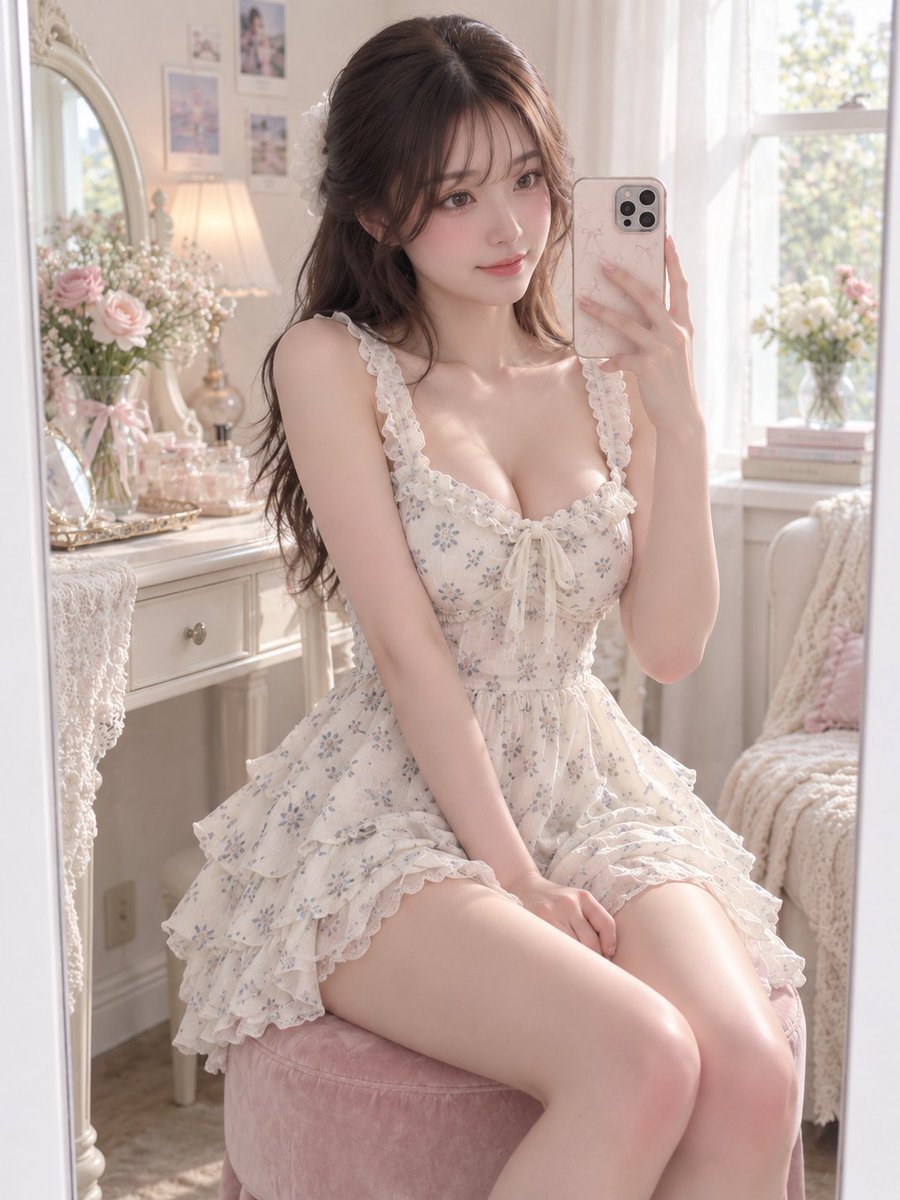
GPT Image 2 Prompt for Mirror Selfie with Flowers
Texte vers image

Hiker in Red Jacket
Texte vers image
Réutilisation et notes de source
Utilisez cette invite en toute sécurité après avoir prévisualisé le dossier.
- 1.Copiez l'invite ou ouvrez-la directement dans Dovoo avec le bouton de génération.
- 2.Ajustez les variables, le format d'image et les images de référence en fonction de votre cas d'utilisation.
- 3.Avant toute publication ou utilisation payante, vérifiez les droits d'auteur, les exigences d'attribution et les risques liés à la marque ou à l'image.