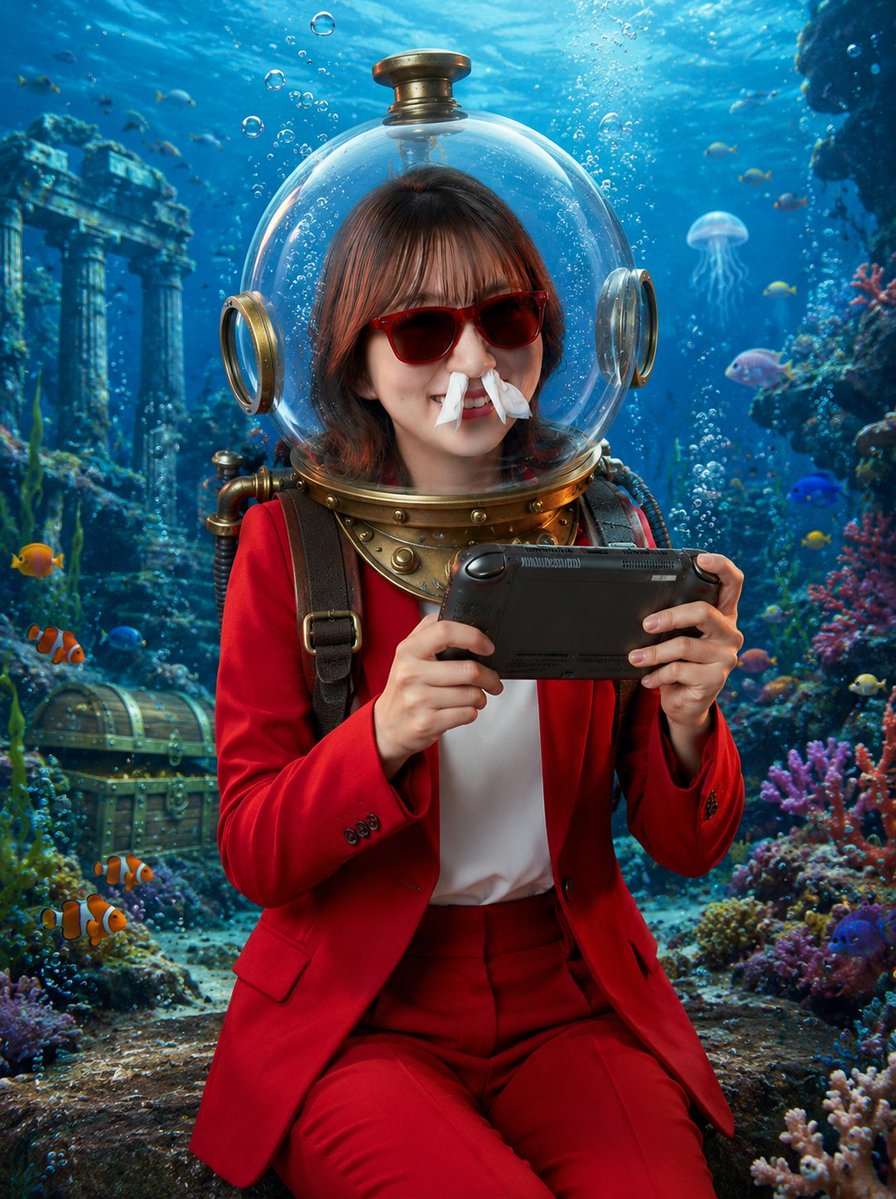
Underwater Gamer in Diving Helmet
A photorealistic fantasy portrait of a suited woman playing a handheld console inside a vintage diving helmet in a colorful underwater ruin.
Il s'agit d'un exemple de visuel pour la catégorie { GPT Image 2 Portrait et personnage . Utilisez le visuel ci-dessous pour générer des éléments visuels similaires et vérifiez les conditions d'utilisation (attribution Awesome GPT Image 2 Prompts et droits d'utilisation commerciale) avant toute réutilisation.
Besoin de l'ensemble complet des invites ? Utilisez le Portrait et personnage Consultez le centre thématique pour plus d'exemples connexes, ou ouvrez le GPT Image 2 catalogue rapide pour l'index complet des exemples, les structures réutilisables et l'attribution des sources.
Free 1K preview
Generate one preview image instantly, no sign-up required.
1319/4000
Prompt
invite prête à être copiée
Create a photorealistic vertical underwater fantasy portrait of a young woman wearing a vintage brass diving helmet with a clear spherical glass dome, seated in an ancient submerged ruin. Show every face clearly with natural, detailed facial features, covering the facial features while leaving the hair, helmet, neck, and outfit visible. She has medium-length dark brown hair visible inside the dome and wears a vivid {argument name="suit color" default="red"} tailored blazer and matching trousers over a white shirt, with dark shoulder straps and brass diving gear around the collar. She holds a black handheld game console horizontally with both hands as if excitedly playing underwater. The scene is bright, cinematic, and highly detailed: turquoise-blue ocean water, sunbeams from above, rising air bubbles, colorful coral reefs on both sides, small tropical fish, two orange clownfish in the lower left foreground, a translucent jellyfish in the mid-right background, an old treasure chest on the seafloor at left, and ancient stone columns and ruins in the rear left. Use realistic lighting, glossy reflections on the glass helmet, brass metal details, soft depth of field, vibrant reef colors, and a magical adventurous mood. Vertical 3:4 composition, centered subject from knees upward, no text, no watermark.Variables d'invite
Espaces réservés aux arguments modifiables présents dans l'invite, avec leurs valeurs par défaut.
Variable
suit color
Défaut
red
Best for
- - Portrait et personnage visual exploration
- - Image generation and reference-image edits
- - Reusable briefs that keep source attribution visible
Change these parts
- - Subject, product, character, or scene
- - Aspect ratio, camera, lighting, and background
- - Brand, text, color, and output constraints
Recommended model and settings
- - Model: gpt-image-2
- - Input mode: Texte vers image
- - Aspect ratio: source
- - Commercial status: review original source
How to use this prompt
- 1. Copy the prompt and preserve its structure for the first test.
- 2. Replace the subject, context, and publishing channel.
- 3. Change one camera, lighting, or style variable per iteration.
- 4. Inspect the output, source, text, and rights before reuse.
Limitations, source, and reuse cautions
- - Generated output is an editable draft, not factual, legal, or rights evidence.
- - Review the linked source, people, brands, logos, text, and third-party media before commercial use.
Importé de Awesome GPT Image 2 Prompts . L'attribution est requise. Le statut d'utilisation commerciale est allowed ; veuillez vérifier les droits d'auteur avant toute utilisation payante.
Plus de cas dans cette catégorie
Priorisé par catégorie, compatibilité du mode d'entrée, qualité et risque moindre.

Hell Hound Character Sheet Infographic
Texte vers image

Cinematic Blue Backlit Portrait
Texte vers image

GPT Image 2 Real-Life Character Street Snap
Texte vers image

Studio Portrait of Woman with Sunglasses
Texte vers image

Street Selfie with Cat in Matching Cap
Texte vers image

Morning Bed Stretching Legs Prompt
Texte vers image
Réutilisation et notes de source
Utilisez cette invite en toute sécurité après avoir prévisualisé le dossier.
- 1.Copiez l'invite ou ouvrez-la directement dans Dovoo avec le bouton de génération.
- 2.Ajustez les variables, le format d'image et les images de référence en fonction de votre cas d'utilisation.
- 3.Avant toute publication ou utilisation payante, vérifiez les droits d'auteur, les exigences d'attribution et les risques liés à la marque ou à l'image.