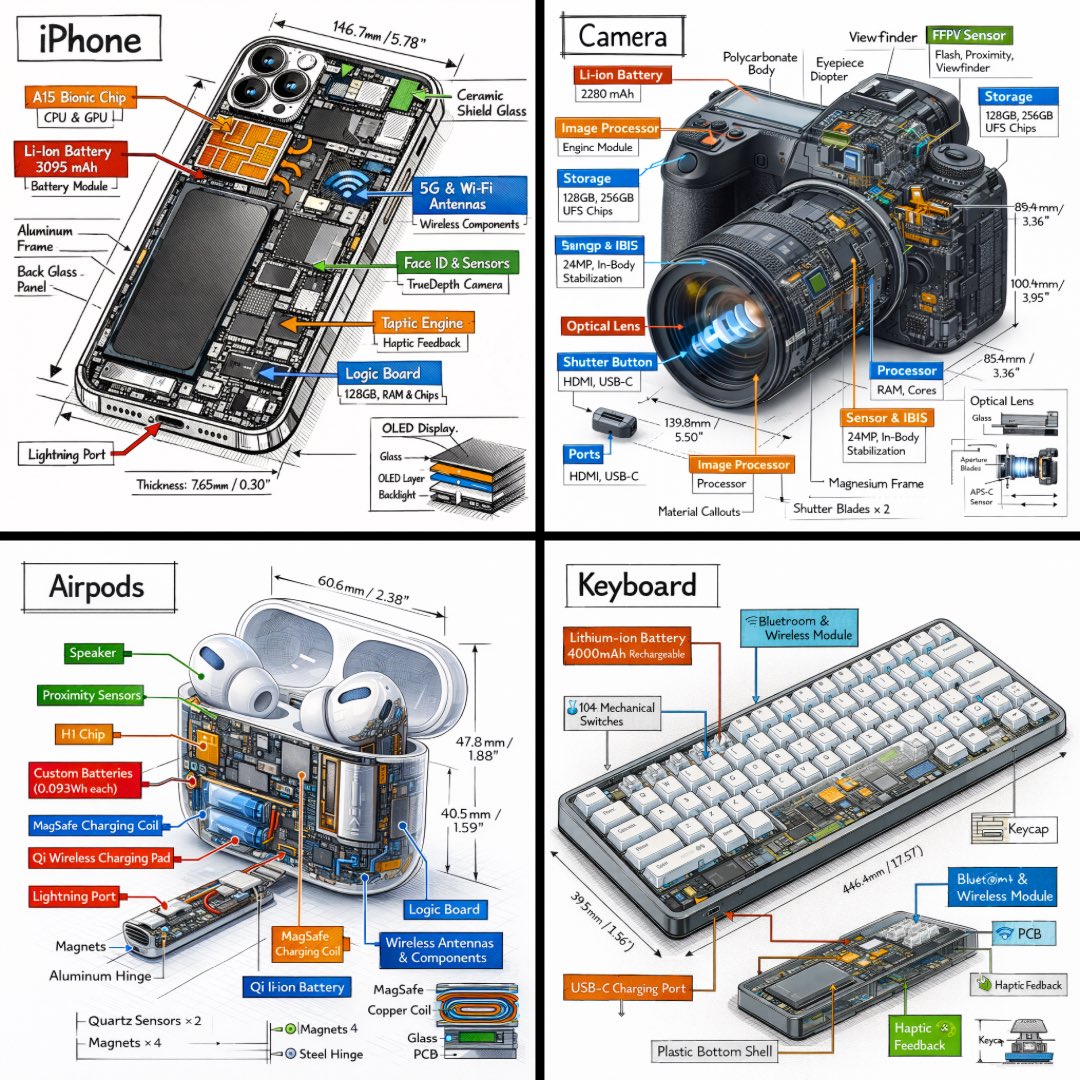
Infographie technique isométrique de démontage
Génère des infographies isométriques de style ingénierie professionnelle avec des annotations dessinées à la main, des légendes colorées et des schémas techniques de tout objet.
Il s'agit d'un exemple de visuel pour la catégorie { GPT Image 2 Graphique et affiche . Utilisez le visuel ci-dessous pour générer des éléments visuels similaires et vérifiez les conditions d'utilisation (attribution Awesome GPT Image 2 Prompts et droits d'utilisation commerciale) avant toute réutilisation.
Free 1K preview
Generate one preview image instantly, no sign-up required.
Prompt
invite prête à être copiée
Generate a technical infographic of {argument name="object" default="OBJECT"} rendered from a {argument name="viewpoint" default="45-degree isometric 3D viewpoint"}, with the object slightly tilted to expose depth and three-dimensional structure.

Blend a photorealistic render of the object with hand-drawn black ink technical annotations on a clean pure-white background. Include:
- Color-coded callout boxes labeling each key component
- Transparent / cutaway sections that reveal internal parts
- Precise measurements, dimensions, and scale markers
- Material descriptions and quantity counts
- Color-coded directional arrows for function and flow: RED for power/battery, BLUE for data/connectivity, ORANGE for thermal/processor, GREEN for sensors/haptics
- Simple schematics or cross-section diagrams where useful

Place the "{argument name="object" default="OBJECT"}" title inside a hand-sketched technical frame in the top-left corner.
Style: black architectural-pen linework, sketchy yet precise; the object remains fully visible; vibe of a professional engineering teardown or museum exhibit. Clean layout with balanced negative space.
Perspective: 45-degree isometric tilt that dramatically reveals depth, dimension, and internal architecture, like a product engineering manual.
Color usage: roughly 10-15% accent density, black dominant, white background.
Output: 1080x1080, ultra-crisp, optimized for social feeds.
Variables d'invite
Espaces réservés aux arguments modifiables présents dans l'invite, avec leurs valeurs par défaut.
Best for
- - Graphique et affiche visual exploration
- - Image generation and reference-image edits
- - Reusable briefs that keep source attribution visible
Change these parts
- - Subject, product, character, or scene
- - Aspect ratio, camera, lighting, and background
- - Brand, text, color, and output constraints
Recommended model and settings
- - Model: gpt-image-2
- - Input mode: Texte vers image
- - Aspect ratio: source
- - Commercial status: review original source
How to use this prompt
- 1. Copy the prompt and preserve its structure for the first test.
- 2. Replace the subject, context, and publishing channel.
- 3. Change one camera, lighting, or style variable per iteration.
- 4. Inspect the output, source, text, and rights before reuse.
Limitations, source, and reuse cautions
- - Generated output is an editable draft, not factual, legal, or rights evidence.
- - Review the linked source, people, brands, logos, text, and third-party media before commercial use.
Plus de cas dans cette catégorie
Priorisé par catégorie, compatibilité du mode d'entrée, qualité et risque moindre.






Réutilisation et notes de source
Utilisez cette invite en toute sécurité après avoir prévisualisé le dossier.
- 1.Copiez l'invite ou ouvrez-la directement dans Dovoo avec le bouton de génération.
- 2.Ajustez les variables, le format d'image et les images de référence en fonction de votre cas d'utilisation.
- 3.Avant toute publication ou utilisation payante, vérifiez les droits d'auteur, les exigences d'attribution et les risques liés à la marque ou à l'image.