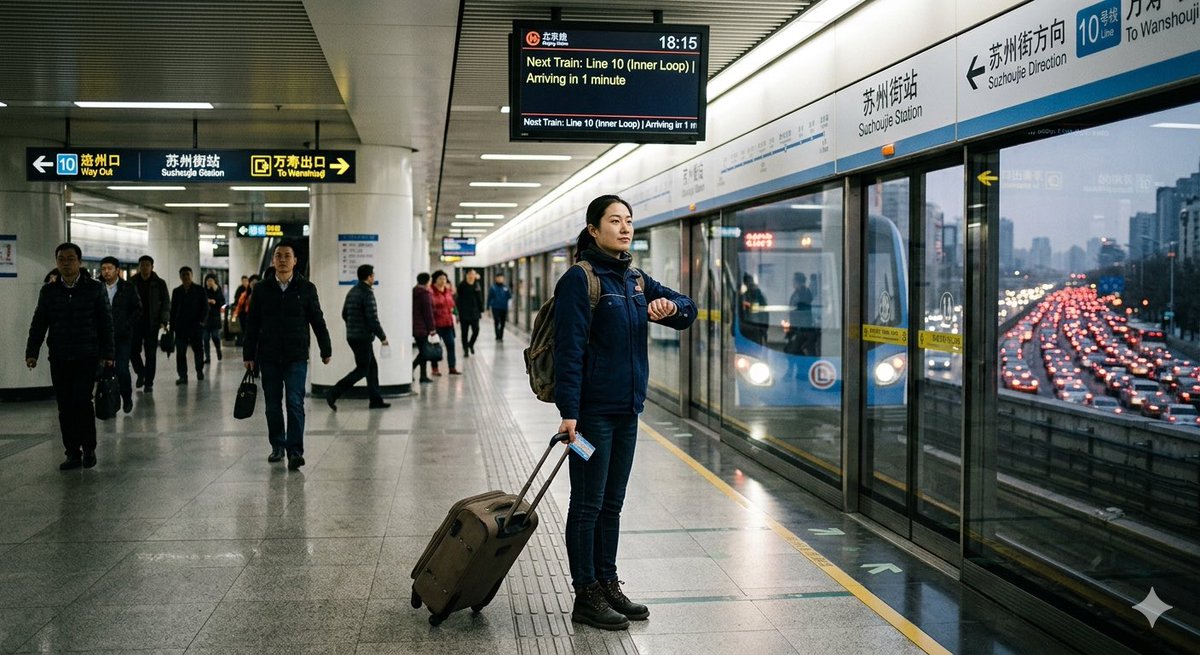
Métro aux heures de pointe vs circulation
Une scène réaliste de quai de métro contrastant la ponctualité d'un trajet en métro avec les embouteillages importants à l'extérieur, utile pour illustrer la certitude et les choix de déplacement urbains.
Il s'agit d'un exemple de visuel pour la catégorie { GPT Image 2 Intérieur et architecture . Utilisez le visuel ci-dessous pour générer des éléments visuels similaires et vérifiez les conditions d'utilisation (attribution Awesome GPT Image 2 Prompts et droits d'utilisation commerciale) avant toute réutilisation.
Free 1K preview
Generate one preview image instantly, no sign-up required.
Prompt
invite prête à être copiée
Create a realistic documentary-style wide-angle photograph inside {argument name="station name" default="Suzhoujie Station"} on Beijing Subway {argument name="metro line" default="Line 10"} during early evening rush hour, with a cool fluorescent indoor lighting mood and a sense of calm certainty contrasted with traffic chaos outside. The camera is at platform level, horizontal 16:9 composition, looking down a clean modern metro platform with glossy gray tile floor, white columns, ribbed metal ceiling, and glass platform screen doors on the right. In the center foreground, show one main traveler: an adult man in a dark blue winter jacket, jeans, black boots, scarf, and backpack, standing upright near the yellow safety line, checking his wristwatch while holding the handle of a brown rolling suitcase; he also holds a small transit card or ticket in one hand. Show every face clearly with natural, detailed facial features. Behind him, include exactly 13 other visible commuters spread across the platform and corridor, some walking toward camera, some waiting by the doors, Show every face clearly with natural, detailed facial features. On the right, behind the glass doors, show a blue subway train stopped at the platform with its headlights visible. Through the glass and station opening beyond the train, show an elevated expressway packed with dense red brake lights and slow-moving cars, creating a vivid contrast between predictable subway travel and gridlocked road traffic. Include exactly 3 prominent information/signage elements: 1 overhead black wayfinding sign on the left with arrows and bilingual text for Line 10, Way Out, Sushuguo Station, and To Wanshouji; 1 overhead digital train-arrival board near the top center showing the time 18:15 and text like “Next Train: Line 10 (Inner Loop) Arriving in 1 minute”; 1 long platform wall sign above the train doors on the right with Chinese and English station/direction text including “Suzhoujie Station,” “Suzhoujie Direction,” “Line 10,” and “To Wanshouji.” Use natural reflections on the polished floor and glass, slightly muted green-blue cinematic color grading, realistic lens perspective, high detail, no cartoon style, no extra logos, no watermark.Variables d'invite
Espaces réservés aux arguments modifiables présents dans l'invite, avec leurs valeurs par défaut.
Best for
- - Intérieur et architecture visual exploration
- - Image generation and reference-image edits
- - Reusable briefs that keep source attribution visible
Change these parts
- - Subject, product, character, or scene
- - Aspect ratio, camera, lighting, and background
- - Brand, text, color, and output constraints
Recommended model and settings
- - Model: gpt-image-2
- - Input mode: Texte vers image
- - Aspect ratio: source
- - Commercial status: review original source
How to use this prompt
- 1. Copy the prompt and preserve its structure for the first test.
- 2. Replace the subject, context, and publishing channel.
- 3. Change one camera, lighting, or style variable per iteration.
- 4. Inspect the output, source, text, and rights before reuse.
Limitations, source, and reuse cautions
- - Generated output is an editable draft, not factual, legal, or rights evidence.
- - Review the linked source, people, brands, logos, text, and third-party media before commercial use.
Plus de cas dans cette catégorie
Priorisé par catégorie, compatibilité du mode d'entrée, qualité et risque moindre.






Réutilisation et notes de source
Utilisez cette invite en toute sécurité après avoir prévisualisé le dossier.
- 1.Copiez l'invite ou ouvrez-la directement dans Dovoo avec le bouton de génération.
- 2.Ajustez les variables, le format d'image et les images de référence en fonction de votre cas d'utilisation.
- 3.Avant toute publication ou utilisation payante, vérifiez les droits d'auteur, les exigences d'attribution et les risques liés à la marque ou à l'image.