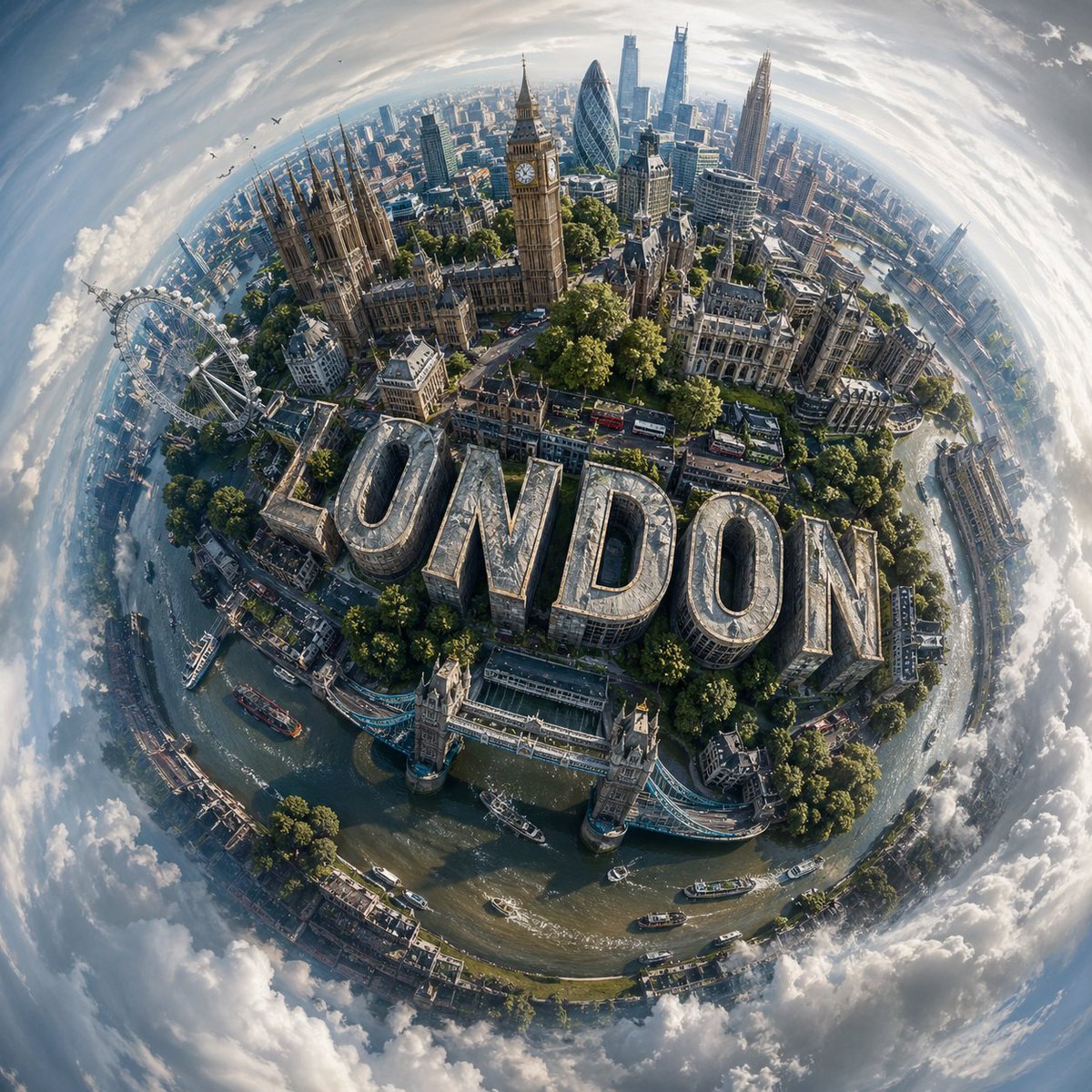
Paysage urbain miniature sphérique
Un guide très détaillé pour la création d'un « monde miniature » sphérique en 3D d'une ville spécifique, intégrant des monuments emblématiques et une typographie personnalisée.
Il s'agit d'un exemple de visuel pour la catégorie { GPT Image 2 Paysage et nature . Utilisez le visuel ci-dessous pour générer des éléments visuels similaires et vérifiez les conditions d'utilisation (attribution Awesome GPT Image 2 Prompts et droits d'utilisation commerciale) avant toute réutilisation.
Free 1K preview
Generate one preview image instantly, no sign-up required.
Prompt
invite prête à être copiée
Design a visually striking “miniature world” composition of {argument name="city name" default="CITY NAME"}, where the city’s most recognizable landmarks and architectural elements wrap organically around a compact, globe-like terrain, creating the illusion of a self-contained urban planet.

Blend the skyline and environment so they curve naturally with the surface, forming a cohesive spherical composition rather than a flat panorama. The perspective should feel elevated and slightly angled, as if captured from a drifting aerial viewpoint, enhancing depth and dimensional distortion.

Incorporate bold, contemporary 3D lettering that spells “{argument name="text" default="CITY NAME"}”, embedding it seamlessly into the cityscape; for example, integrated into streets, rooftops, or terrain, so it feels like a structural part of the environment.
Illuminate the scene with soft daylight under a lightly overcast sky, allowing diffused lighting to create subtle shadows and realistic highlights across buildings, vegetation, and roads.
Surround the miniature planet with an expansive, atmospheric sky that gently transitions into abstract, swirling cloud formations, adding a dreamlike quality without distracting from the central subject.

Use a balanced, lifelike color scheme tailored to {argument name="location" default="CITY NAME"}, featuring natural greens, sky blues, and grounded architectural tones, while maintaining vibrancy and clarity.

Render the final image in ultra-detailed photorealism, emphasizing texture accuracy, depth, and environmental realism, with a polished cinematic finish.
Variables d'invite
Espaces réservés aux arguments modifiables présents dans l'invite, avec leurs valeurs par défaut.
Best for
- - Paysage et nature visual exploration
- - Image generation and reference-image edits
- - Reusable briefs that keep source attribution visible
Change these parts
- - Subject, product, character, or scene
- - Aspect ratio, camera, lighting, and background
- - Brand, text, color, and output constraints
Recommended model and settings
- - Model: gpt-image-2
- - Input mode: Texte vers image
- - Aspect ratio: source
- - Commercial status: review original source
How to use this prompt
- 1. Copy the prompt and preserve its structure for the first test.
- 2. Replace the subject, context, and publishing channel.
- 3. Change one camera, lighting, or style variable per iteration.
- 4. Inspect the output, source, text, and rights before reuse.
Limitations, source, and reuse cautions
- - Generated output is an editable draft, not factual, legal, or rights evidence.
- - Review the linked source, people, brands, logos, text, and third-party media before commercial use.
Plus de cas dans cette catégorie
Priorisé par catégorie, compatibilité du mode d'entrée, qualité et risque moindre.






Réutilisation et notes de source
Utilisez cette invite en toute sécurité après avoir prévisualisé le dossier.
- 1.Copiez l'invite ou ouvrez-la directement dans Dovoo avec le bouton de génération.
- 2.Ajustez les variables, le format d'image et les images de référence en fonction de votre cas d'utilisation.
- 3.Avant toute publication ou utilisation payante, vérifiez les droits d'auteur, les exigences d'attribution et les risques liés à la marque ou à l'image.