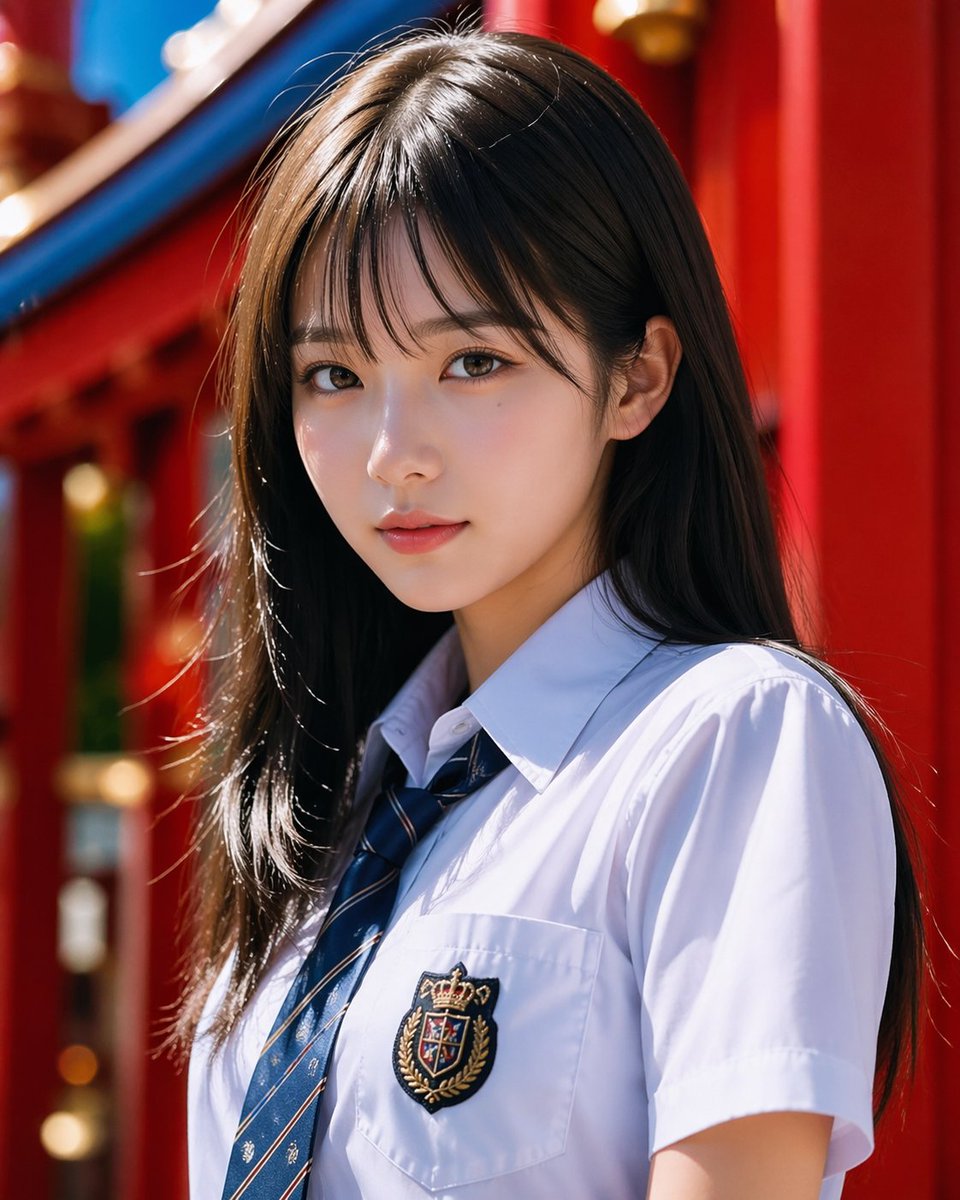
Portrait photoréaliste d'écolière dans un sanctuaire
Cette image génère un portrait réaliste, de style mode, d'une jeune fille en uniforme scolaire devant un sanctuaire à l'architecture rouge éclatante, idéal pour la photographie de beauté ou la création de visuels de personnages soignés.
Il s'agit d'un exemple de visuel pour la catégorie { GPT Image 2 Portrait et personnage . Utilisez le visuel ci-dessous pour générer des éléments visuels similaires et vérifiez les conditions d'utilisation (attribution Awesome GPT Image 2 Prompts et droits d'utilisation commerciale) avant toute réutilisation.
Free 1K preview
Generate one preview image instantly, no sign-up required.
Prompt
invite prête à être copiée
A realistic-style half-length portrait, featuring a {argument name="subject" default="Japanese high school girl"} standing in bright natural sunlight, with a vertical composition. She has long, straight {argument name="hair color" default="dark brown"} hair that is shiny and lustrous, parted in the middle and slightly to the side, falling naturally over her shoulders. She is wearing a crisp white short-sleeved school uniform shirt with a navy blue striped tie, and a delicate embroidered badge on her left chest pocket, featuring a crown and crest. Have her stand at a slight angle, in a relaxed pose, with her head turned slightly to one side, creating a sense of sophisticated snapshot fashion. The background is set in a vibrant {argument name="background setting" default="Red shrine architecture"}, with blurred details of rich red pillars and curved blue roof elements. Utilize a shallow depth of field and soft bokeh to keep the subject in sharp focus. The lighting should be clean, high-contrast, and flattering, with bright highlights on the hair and shirt, showcasing realistic fabric folds and natural skin tones, presenting a refined and high-end portrait aesthetic similar to Japanese commercial photography.Variables d'invite
Espaces réservés aux arguments modifiables présents dans l'invite, avec leurs valeurs par défaut.
Best for
- - Portrait et personnage visual exploration
- - Image generation and reference-image edits
- - Reusable briefs that keep source attribution visible
Change these parts
- - Subject, product, character, or scene
- - Aspect ratio, camera, lighting, and background
- - Brand, text, color, and output constraints
Recommended model and settings
- - Model: gpt-image-2
- - Input mode: Texte vers image
- - Aspect ratio: source
- - Commercial status: review original source
How to use this prompt
- 1. Copy the prompt and preserve its structure for the first test.
- 2. Replace the subject, context, and publishing channel.
- 3. Change one camera, lighting, or style variable per iteration.
- 4. Inspect the output, source, text, and rights before reuse.
Limitations, source, and reuse cautions
- - Generated output is an editable draft, not factual, legal, or rights evidence.
- - Review the linked source, people, brands, logos, text, and third-party media before commercial use.
Plus de cas dans cette catégorie
Priorisé par catégorie, compatibilité du mode d'entrée, qualité et risque moindre.






Réutilisation et notes de source
Utilisez cette invite en toute sécurité après avoir prévisualisé le dossier.
- 1.Copiez l'invite ou ouvrez-la directement dans Dovoo avec le bouton de génération.
- 2.Ajustez les variables, le format d'image et les images de référence en fonction de votre cas d'utilisation.
- 3.Avant toute publication ou utilisation payante, vérifiez les droits d'auteur, les exigences d'attribution et les risques liés à la marque ou à l'image.