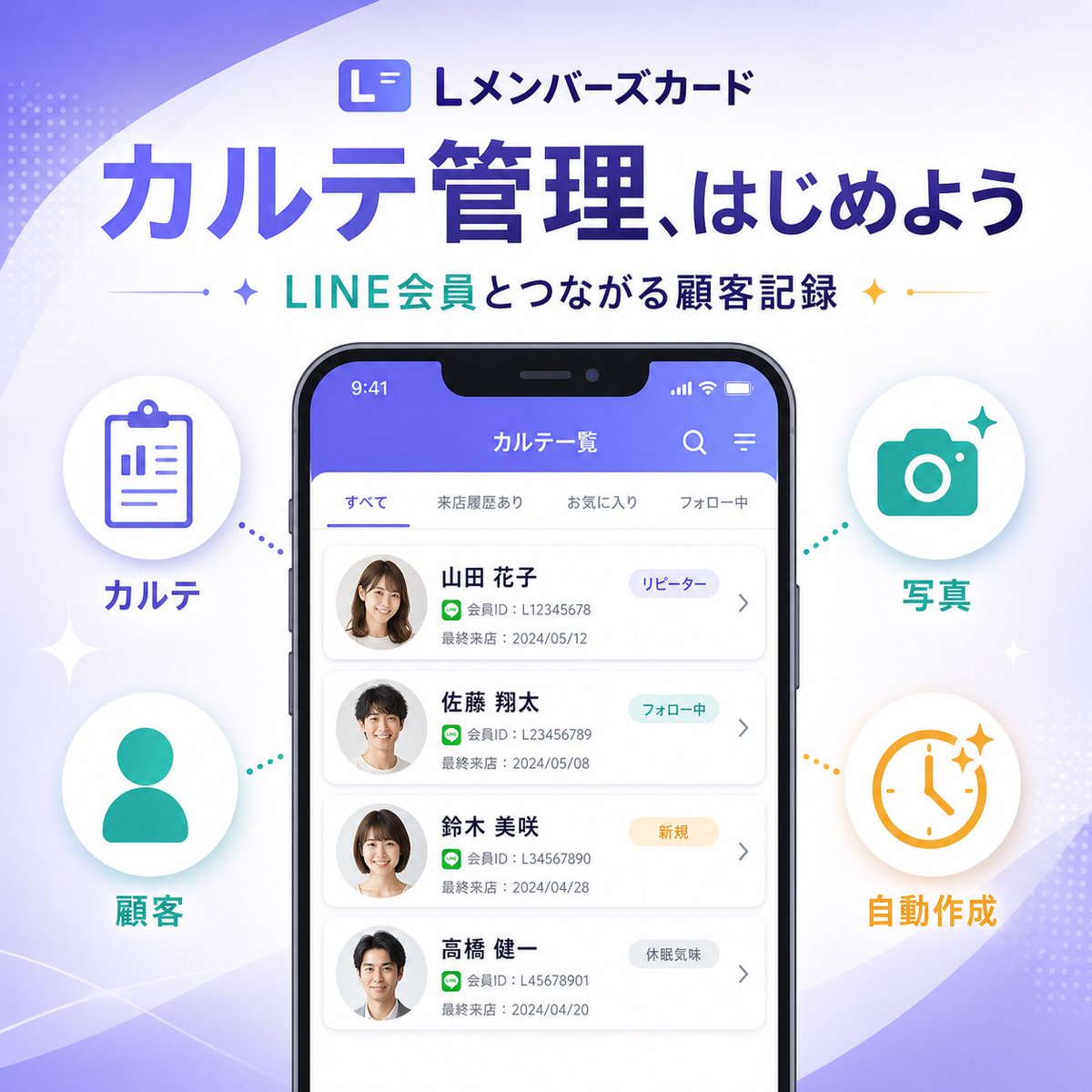
Bannière promotionnelle SaaS japonaise
Une bannière marketing SaaS carrée et élégante de style japonais, présentant une maquette d'interface utilisateur de smartphone et quatre icônes infographiques, idéale pour annoncer une nouvelle fonctionnalité produit sur les réseaux sociaux ou les pages de destination.
Il s'agit d'un exemple de visuel pour la catégorie { GPT Image 2 Graphique et affiche . Utilisez le visuel ci-dessous pour générer des éléments visuels similaires et vérifiez les conditions d'utilisation (attribution Awesome GPT Image 2 Prompts et droits d'utilisation commerciale) avant toute réutilisation.
Free 1K preview
Generate one preview image instantly, no sign-up required.
Prompt
invite prête à être copiée
{
  "type": "SaaS feature update promotional infographic banner",
  "style": "clean modern Japanese tech marketing, high-quality infographic, soft gradient background, polished UI mockup, minimal and trustworthy",
  "canvas": {
    "aspect_ratio": "1:1",
    "background": "white base with flowing lavender and pale purple abstract wave shapes in the corners, faint dotted halftone textures, subtle sparkle accents"
  },
  "branding": {
    "top_logo": {
      "icon": "rounded square app icon with a stylized white L on a purple gradient background",
      "text": "Lメンバーズカード"
    },
    "headline": "{argument name=\"headline text\" default=\"カルテ管理、はじめよう\"}",
    "subheadline": "{argument name=\"subheadline text\" default=\"LINE会員とつながる顧客記録\"}",
    "headline_style": "large bold Japanese sans-serif in deep purple",
    "subheadline_style": "medium bold Japanese sans-serif with teal and dark navy emphasis, small star icons and thin divider lines on both sides"
  },
  "layout": {
    "centerpiece": "large front-facing smartphone mockup centered vertically, slightly lower than the headline",
    "sections": [
      {
        "title": "left features",
        "position": "left side of phone",
        "count": 2,
        "labels": [
          "カルテ",
          "Customer"
        ],
        "items": [
          {
            "shape": "white circular badge with soft shadow",
            "icon": "purple clipboard line icon",
            "label": "カルテ",
            "accent": "purple dotted connector pointing toward phone"
          },
          {
            "shape": "white circular badge with soft shadow",
            "icon": "teal person silhouette icon",
            "label": "Customer",
            "accent": "teal dotted connector pointing toward phone"
          }
        ]
      },
      {
        "title": "right features",
        "position": "right side of phone",
        "count": 2,
        "labels": [
          "Photo",
          "Automatically generated"
        ],
        "items": [
          {
            "shape": "white circular badge with soft shadow",
            "icon": "teal camera icon",
            "label": "Photo",
            "accent": "teal dotted connector pointing toward phone"
          },
          {
            "shape": "white circular badge with soft shadow",
            "icon": "orange clock icon with sparkles",
            "label": "Automatically generated",
            "accent": "orange dotted connector pointing toward phone"
          }
        ]
      }
    ],
    "decorations_count": 6
  },
  "app_screen": {
    "screen_title": "カルテ一覧",
    "status_bar": {
      "time": "9:41",
      "battery": true,
      "signal": true
    },
    "top_icons_count": 2,
    "top_icons": [
      "search",
      "menu"
    ],
    "tabs": {
      "count": 4,
      "labels": [
        "すべて",
        "来店履歴あり",
        "お気に入り",
        "フォロー中"
      ],
      "active": "すべて"
    },
    "customer_cards": {
      "count": 4,
      "items": [
        {
          "name": "{argument name=\"customer name 1\" default=\"Yamada Hanako\"}",
          "member_id": "L12345678",
          "last_visit": "2024/05/12",
          "tag": "リピーター",
          "avatar": "blurred female headshot"
        },
        {
          "name": "Sato Shota",
          "member_id": "L123456789",
          "last_visit": "2024/05/08",
          "tag": "フォロー中",
          "avatar": "blurred male headshot"
        },
        {
          "name": "Suzuki Misaki",
          "member_id": "L34567890",
          "last_visit": "2024/04/28",
          "tag": "New User",
          "avatar": "blurred female headshot"
        },
        {
          "name": "Takahashi Kenichi",
          "member_id": "L45678901",
          "last_visit": "2024/04/20",
          "tag": "Inactive User",
          "avatar": "blurred male headshot"
        }
      ]
    },
    "ui_style": "rounded white list cards on a very light gray background, purple app header, subtle shadows, Japanese sans-serif typography"
  },
  "color_palette": {
    "primary": "#5B5CEB to #6C63FF",
    "secondary": "#22C7B8",
    "accent": "#F4B23A",
    "text_dark": "#2B2E5B",
    "white": "#FFFFFF"
  },
  "rendering": "crisp vector-like marketing graphic with realistic smartphone frame, centered balanced composition, premium SaaS launch banner aesthetic"
}
Variables d'invite
Espaces réservés aux arguments modifiables présents dans l'invite, avec leurs valeurs par défaut.
Best for
- - Graphique et affiche visual exploration
- - Image generation and reference-image edits
- - Reusable briefs that keep source attribution visible
Change these parts
- - Subject, product, character, or scene
- - Aspect ratio, camera, lighting, and background
- - Brand, text, color, and output constraints
Recommended model and settings
- - Model: gpt-image-2
- - Input mode: Texte vers image
- - Aspect ratio: source
- - Commercial status: review original source
How to use this prompt
- 1. Copy the prompt and preserve its structure for the first test.
- 2. Replace the subject, context, and publishing channel.
- 3. Change one camera, lighting, or style variable per iteration.
- 4. Inspect the output, source, text, and rights before reuse.
Limitations, source, and reuse cautions
- - Generated output is an editable draft, not factual, legal, or rights evidence.
- - Review the linked source, people, brands, logos, text, and third-party media before commercial use.
Plus de cas dans cette catégorie
Priorisé par catégorie, compatibilité du mode d'entrée, qualité et risque moindre.






Réutilisation et notes de source
Utilisez cette invite en toute sécurité après avoir prévisualisé le dossier.
- 1.Copiez l'invite ou ouvrez-la directement dans Dovoo avec le bouton de génération.
- 2.Ajustez les variables, le format d'image et les images de référence en fonction de votre cas d'utilisation.
- 3.Avant toute publication ou utilisation payante, vérifiez les droits d'auteur, les exigences d'attribution et les risques liés à la marque ou à l'image.