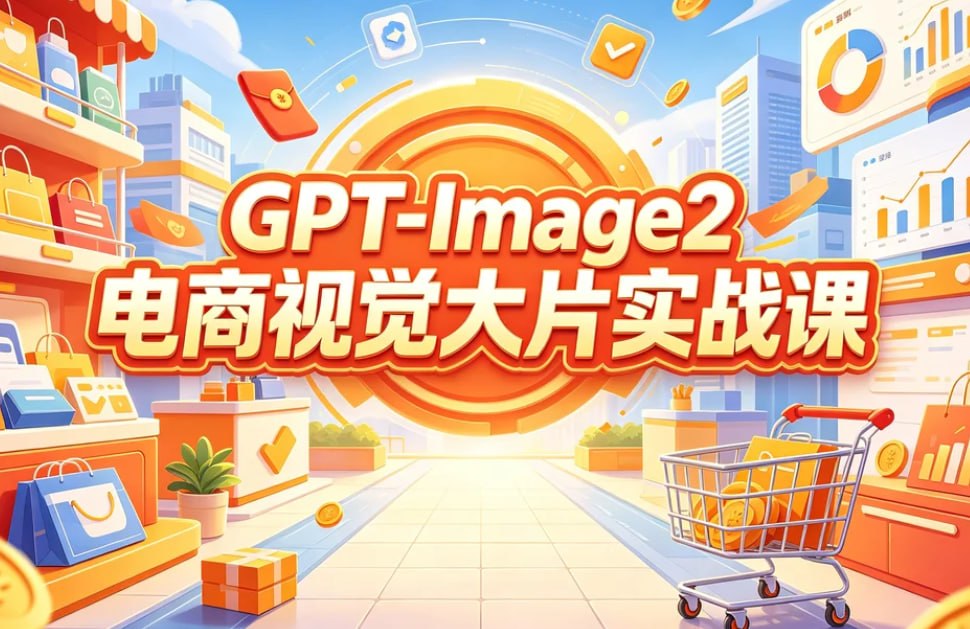
GPT-Image2 E-Commerce Course Banner
A bright cartoon-style Chinese promotional banner for a GPT-Image2 e-commerce visual design course, suitable for social media course marketing.
Il s'agit d'un exemple de visuel pour la catégorie { GPT Image 2 Graphique et affiche . Utilisez le visuel ci-dessous pour générer des éléments visuels similaires et vérifiez les conditions d'utilisation (attribution Awesome GPT Image 2 Prompts et droits d'utilisation commerciale) avant toute réutilisation.
Besoin de l'ensemble complet des invites ? Utilisez le Graphique et affiche Consultez le centre thématique pour plus d'exemples connexes, ou ouvrez le GPT Image 2 catalogue rapide pour l'index complet des exemples, les structures réutilisables et l'attribution des sources.
Free 1K preview
Generate one preview image instantly, no sign-up required.
2918/4000
Prompt
invite prête à être copiée
Goal: Create a bright horizontal promotional poster for an AI e-commerce visual design course, in a cheerful 3D cartoon commercial illustration style.

Canvas: 970×563 landscape banner, full-bleed, high saturation, warm orange-yellow center glow, clean vector-like 3D rendering, crisp edges, no photo realism.

Layout: Put a huge circular orange target/sunburst badge in the exact center background, radiating rings and light rays. Overlay the main course title in the middle with two stacked lines: top line reads {argument name="English title text" default="GPT-Image2"}, bottom line reads {argument name="Chinese headline text" default="E-commerce Visual Blockbuster Practical Course"}. Use very large bold rounded display lettering, white fill with red-orange shadow, thick orange outline, and a subtle yellow highlight glow so the text dominates the composition.

Scene: Build a stylized e-commerce shopping street or mall corridor receding toward the glowing center. On the left, show a storefront shelf with product bottles and multiple shopping bags. On the right, show analytics dashboards and retail display counters. Include a shopping cart in the lower right foreground filled with orange product boxes and gold coins. Use a tiled walkway leading into the center for depth.

Discrete visible elements to include: exactly 1 central orange circular sunburst badge; exactly 2 main text lines; exactly 1 shopping cart in the lower right; exactly 3 dashboard/report panels on the right side, including one large pie-chart panel at the top right, one large line-and-bar chart panel at mid right, and one orange chart card near the lower right; exactly 7 prominent shopping bags total, including 4 on the left shelves/counters, 1 orange flying bag near upper left-center, 1 small orange flying bag mid-left, and 1 orange bag/card on the lower right counter; exactly 2 visible product bottles on the upper-left shelf; exactly 2 gift boxes on the floor/counters, one orange gift box at the bottom center-left and one small blue-orange gift box on a right display; exactly 1 potted green plant near the lower left-center; exactly 3 floating app icons above the headline, including a blue upload/cloud icon, an orange checkmark icon, and a red wallet/card icon; exactly 5 gold coins scattered through the scene.

Visual style: Use a polished Chinese e-commerce advertising aesthetic, playful isometric perspective, soft shadows, glossy highlights, orange-red-yellow brand palette with sky-blue accents, blue city buildings in the background, fluffy white clouds, confetti streaks, coins, and motion arcs. Make the atmosphere optimistic, efficient, and course-launch oriented.

Constraints: Text must be perfectly legible and centered. Keep the composition balanced, with the shopping objects framing the headline rather than blocking it. Do not add people, faces, watermarks, QR codes, or extra small unreadable text.
Variables d'invite
Espaces réservés aux arguments modifiables présents dans l'invite, avec leurs valeurs par défaut.
Variable
English title text
Défaut
GPT-Image2
Variable
Chinese headline text
Défaut
E-commerce Visual Blockbuster Practical Course
Best for
- - Graphique et affiche visual exploration
- - Image generation and reference-image edits
- - Reusable briefs that keep source attribution visible
Change these parts
- - Subject, product, character, or scene
- - Aspect ratio, camera, lighting, and background
- - Brand, text, color, and output constraints
Recommended model and settings
- - Model: gpt-image-2
- - Input mode: Texte vers image
- - Aspect ratio: source
- - Commercial status: review original source
How to use this prompt
- 1. Copy the prompt and preserve its structure for the first test.
- 2. Replace the subject, context, and publishing channel.
- 3. Change one camera, lighting, or style variable per iteration.
- 4. Inspect the output, source, text, and rights before reuse.
Limitations, source, and reuse cautions
- - Generated output is an editable draft, not factual, legal, or rights evidence.
- - Review the linked source, people, brands, logos, text, and third-party media before commercial use.
Importé de Awesome GPT Image 2 Prompts . L'attribution est requise. Le statut d'utilisation commerciale est allowed ; veuillez vérifier les droits d'auteur avant toute utilisation payante.
Plus de cas dans cette catégorie
Priorisé par catégorie, compatibilité du mode d'entrée, qualité et risque moindre.

Street Selfie with Cat in Matching Cap
Texte vers image

Cute Focus Desk Flat Lay and Kawaii Illustration
Texte vers image

Gray Denim Lace-Up Top Prompt for GPT Image 2
Texte vers image

Boisterous Shrimpers Entering Pub
Texte vers image

Tuxedo Cat Photo and Line Art Diptych
Texte vers image

Orange Rooftop Fashion Photo Prompt
Texte vers image
Réutilisation et notes de source
Utilisez cette invite en toute sécurité après avoir prévisualisé le dossier.
- 1.Copiez l'invite ou ouvrez-la directement dans Dovoo avec le bouton de génération.
- 2.Ajustez les variables, le format d'image et les images de référence en fonction de votre cas d'utilisation.
- 3.Avant toute publication ou utilisation payante, vérifiez les droits d'auteur, les exigences d'attribution et les risques liés à la marque ou à l'image.