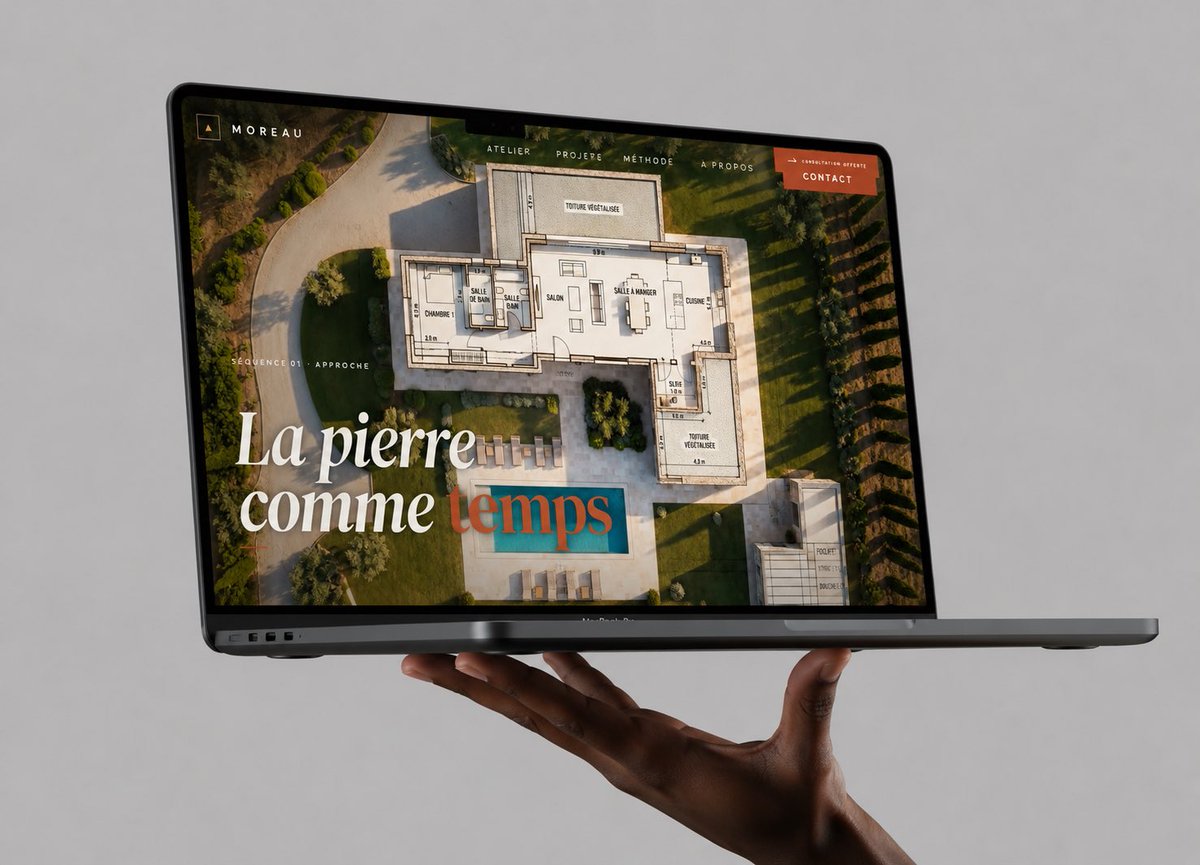
Maquette de site web avec ordinateur portable flottant
Une maquette photoréaliste haut de gamme de MacBook présentant un site web de portfolio d'architecture, utile pour mettre en valeur un travail de conception web dans une publication soignée sur les réseaux sociaux.
Il s'agit d'un exemple de visuel pour la catégorie { GPT Image 2 Produit et commercial . Utilisez le visuel ci-dessous pour générer des éléments visuels similaires et vérifiez les conditions d'utilisation (attribution Awesome GPT Image 2 Prompts et droits d'utilisation commerciale) avant toute réutilisation.
Free 1K preview
Generate one preview image instantly, no sign-up required.
Prompt
invite prête à être copiée
Create a high-end photorealistic studio mockup of a dark gray MacBook Pro laptop floating horizontally in front of a seamless light gray background, supported from below by one realistic dark-skinned hand with the palm up and fingers gently curled under the laptop. The laptop is open at a shallow angle, viewed from the front-left in three-quarter perspective, with the thin black bezel, webcam notch, ports on the left edge, and slim base visible. On the screen, show a luxury architecture/stonework portfolio website for {argument name="brand name" default="MOREAU"}: a full-bleed aerial photograph of a modern villa garden with a swimming pool, overlaid with a semi-transparent architectural floor plan drawing. Add a minimalist top navigation bar with exactly 5 visible items: “ATELIER”, “PROJERE”, “MÉTHODE”, “À PROPOS”, and an orange button labeled {argument name="button text" default="CONTACT"}. In the upper-left screen corner place a small square monogram icon and the word “MOREAU”. On the left side of the screen add small uppercase text “SÉQUENCE 01 · APPROCHE”. Add a large elegant serif headline in the lower-left reading {argument name="headline text" default="La pierre comme temps"}, with the first words in white and the final word in muted teal/terracotta overlay styling. Use warm golden-hour lighting inside the website image, refined editorial typography, premium agency branding, realistic reflections on the glass screen, subtle shadows beneath the laptop and hand, crisp focus, no watermark, no extra devices, no clutter.Variables d'invite
Espaces réservés aux arguments modifiables présents dans l'invite, avec leurs valeurs par défaut.
Best for
- - Produit et commercial visual exploration
- - Image generation and reference-image edits
- - Reusable briefs that keep source attribution visible
Change these parts
- - Subject, product, character, or scene
- - Aspect ratio, camera, lighting, and background
- - Brand, text, color, and output constraints
Recommended model and settings
- - Model: gpt-image-2
- - Input mode: Texte vers image
- - Aspect ratio: source
- - Commercial status: review original source
How to use this prompt
- 1. Copy the prompt and preserve its structure for the first test.
- 2. Replace the subject, context, and publishing channel.
- 3. Change one camera, lighting, or style variable per iteration.
- 4. Inspect the output, source, text, and rights before reuse.
Limitations, source, and reuse cautions
- - Generated output is an editable draft, not factual, legal, or rights evidence.
- - Review the linked source, people, brands, logos, text, and third-party media before commercial use.
Plus de cas dans cette catégorie
Priorisé par catégorie, compatibilité du mode d'entrée, qualité et risque moindre.






Réutilisation et notes de source
Utilisez cette invite en toute sécurité après avoir prévisualisé le dossier.
- 1.Copiez l'invite ou ouvrez-la directement dans Dovoo avec le bouton de génération.
- 2.Ajustez les variables, le format d'image et les images de référence en fonction de votre cas d'utilisation.
- 3.Avant toute publication ou utilisation payante, vérifiez les droits d'auteur, les exigences d'attribution et les risques liés à la marque ou à l'image.