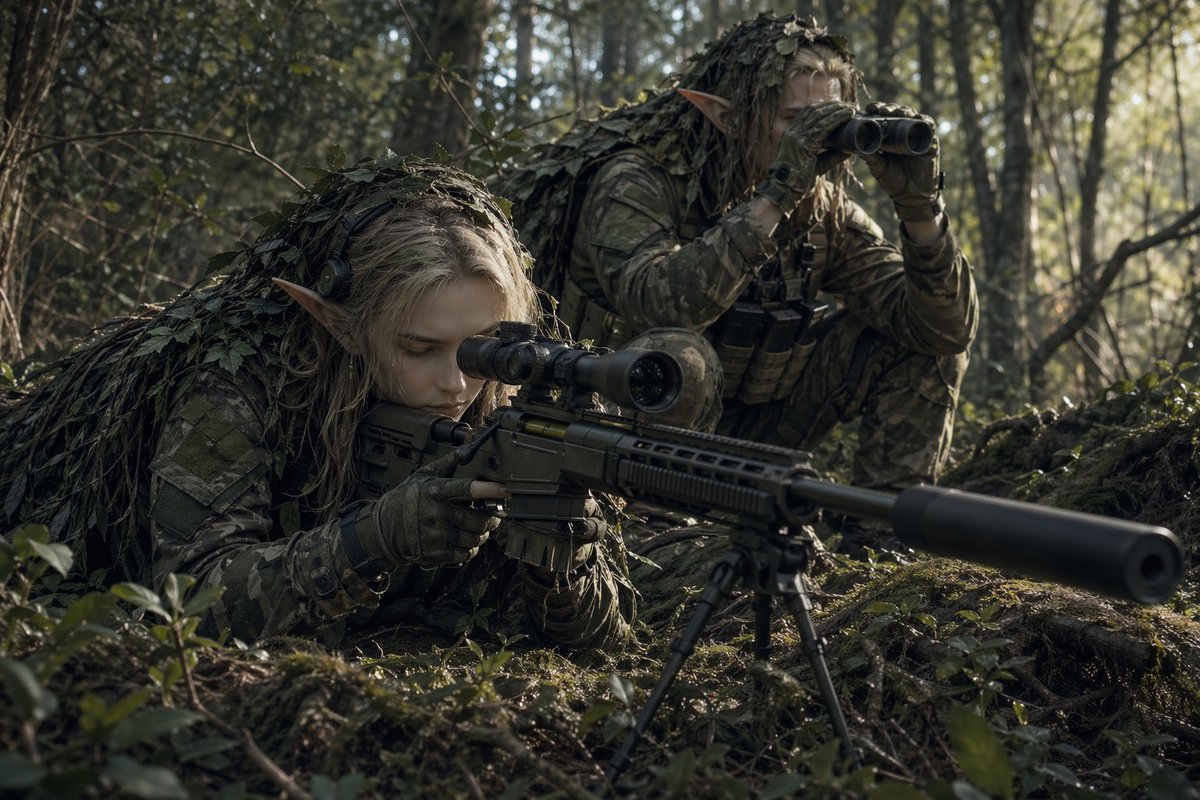
Une équipe de tireurs d'élite elfes dans une embuscade en forêt
Cette commande génère une image photoréaliste de combat fantastique représentant deux éclaireurs elfes camouflés dans une forêt, idéale pour des illustrations conceptuelles de films, des illustrations clés de jeux ou des visuels de jeux de rôle sur table.
Il s'agit d'un exemple de visuel pour la catégorie { GPT Image 2 Portrait et personnage . Utilisez le visuel ci-dessous pour générer des éléments visuels similaires et vérifiez les conditions d'utilisation (attribution Awesome GPT Image 2 Prompts et droits d'utilisation commerciale) avant toute réutilisation.
Besoin de l'ensemble complet des invites ? Utilisez le Portrait et personnage Consultez le centre thématique pour plus d'exemples connexes, ou ouvrez le GPT Image 2 catalogue rapide pour l'index complet des exemples, les structures réutilisables et l'attribution des sources.
Free 1K preview
Generate one preview image instantly, no sign-up required.
1319/4000
Prompt
invite prête à être copiée
A cinematic ultra-realistic fantasy military scene in a dense woodland forest at ground level, showing 2 elf snipers concealed in camouflage while scouting a target. In the foreground, one elf with long pale-blond hair and clearly pointed ears lies prone behind a modern precision sniper rifle, aiming through a mounted scope. The rifle is long and tactical, fitted with a large suppressor, scope, and a deployed bipod planted in the mossy forest floor. The elf wears full modern woodland camouflage, tactical gloves, and a leaf-covered ghillie hood and shoulder covering that blends into the undergrowth. Behind and slightly to the right, a second elf crouches low, also with pointed ears and long light hair, wearing matching camouflage and a leafy ghillie cloak, holding binoculars to their eyes while observing. Add tactical chest gear and pouches on the rear scout. Set the scene in a shadowy temperate forest with tall thin trees, tangled branches, moss, roots, and scattered leaves, lit by soft early-morning natural sunlight filtering through the trees from the right side. Use muted green, brown, and gray tones, realistic textures, shallow depth of field, dramatic focus on the rifle and the two camouflaged elves, immersive war-photography composition, tense stealth atmosphere, and high-detail photorealism.
Best for
- - Portrait et personnage visual exploration
- - Image generation and reference-image edits
- - Reusable briefs that keep source attribution visible
Change these parts
- - Subject, product, character, or scene
- - Aspect ratio, camera, lighting, and background
- - Brand, text, color, and output constraints
Recommended model and settings
- - Model: gpt-image-2
- - Input mode: Texte vers image
- - Aspect ratio: source
- - Commercial status: review original source
How to use this prompt
- 1. Copy the prompt and preserve its structure for the first test.
- 2. Replace the subject, context, and publishing channel.
- 3. Change one camera, lighting, or style variable per iteration.
- 4. Inspect the output, source, text, and rights before reuse.
Limitations, source, and reuse cautions
- - Generated output is an editable draft, not factual, legal, or rights evidence.
- - Review the linked source, people, brands, logos, text, and third-party media before commercial use.
Importé de Awesome GPT Image 2 Prompts . L'attribution est requise. Le statut d'utilisation commerciale est allowed ; veuillez vérifier les droits d'auteur avant toute utilisation payante.
Plus de cas dans cette catégorie
Priorisé par catégorie, compatibilité du mode d'entrée, qualité et risque moindre.

Female Clown Cyborg Portrait
Texte vers image

Greyscale Puzzle Portrait with Color Accent
Texte vers image

Glitch Aesthetic Surreal Portrait
Texte vers image

Asymmetrical Realistic Human Face
Texte vers image

Natural Face Realism Modifier
Texte vers image

Martial Arts Legend Character Bible Sheet
Texte vers image
Réutilisation et notes de source
Utilisez cette invite en toute sécurité après avoir prévisualisé le dossier.
- 1.Copiez l'invite ou ouvrez-la directement dans Dovoo avec le bouton de génération.
- 2.Ajustez les variables, le format d'image et les images de référence en fonction de votre cas d'utilisation.
- 3.Avant toute publication ou utilisation payante, vérifiez les droits d'auteur, les exigences d'attribution et les risques liés à la marque ou à l'image.