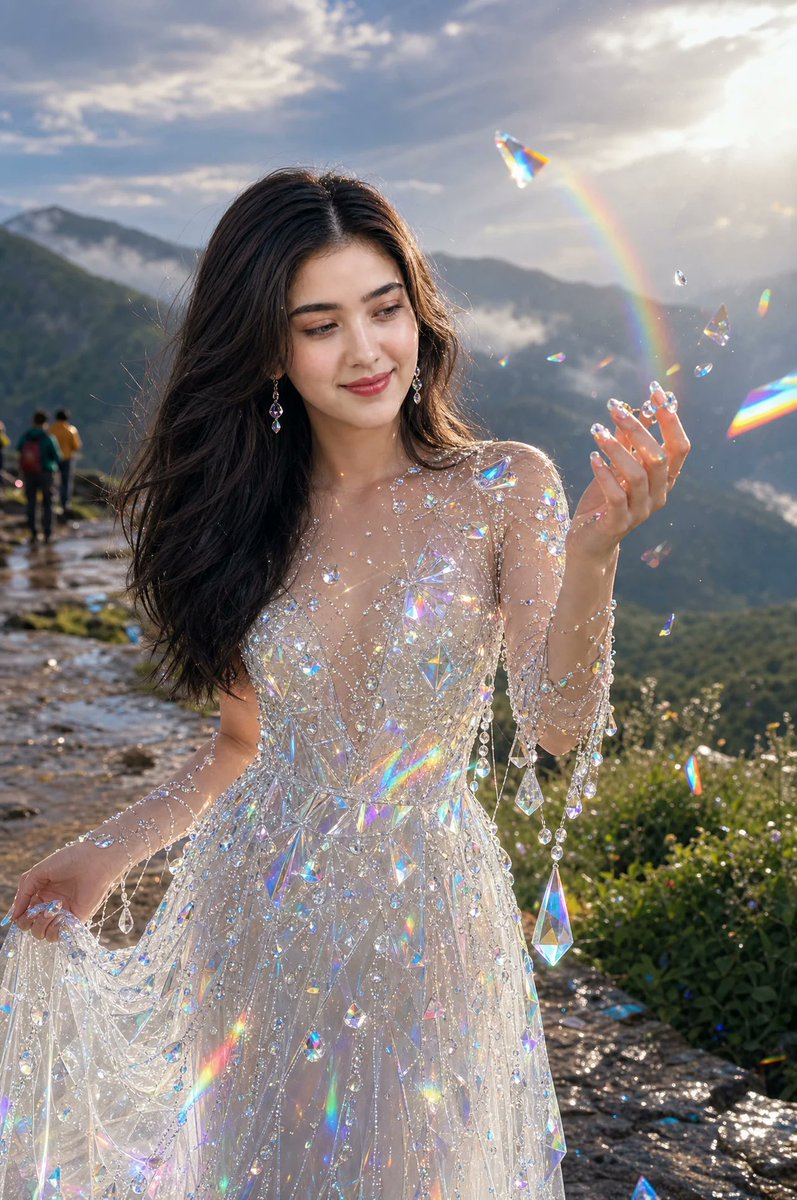
Crystal Gown Mountain Portrait
A photorealistic fantasy fashion portrait of a woman in an iridescent crystal gown on a misty mountaintop at golden hour.
Il s'agit d'un exemple de visuel pour la catégorie { GPT Image 2 Mode et beauté . Utilisez le visuel ci-dessous pour générer des éléments visuels similaires et vérifiez les conditions d'utilisation (attribution Awesome GPT Image 2 Prompts et droits d'utilisation commerciale) avant toute réutilisation.
Besoin de l'ensemble complet des invites ? Utilisez le Mode et beauté Consultez le centre thématique pour plus d'exemples connexes, ou ouvrez le GPT Image 2 catalogue rapide pour l'index complet des exemples, les structures réutilisables et l'attribution des sources.
Free 1K preview
Generate one preview image instantly, no sign-up required.
1275/4000
Prompt
invite prête à être copiée
Create a photorealistic golden-hour fantasy portrait of {argument name="character name" default="a beautiful young woman"} standing naturally on a quiet mountaintop viewpoint path after rain. She has long flowing dark brown hair, soft natural makeup, delicate drop earrings, and a serene smile while looking at her raised right hand. She wears an ethereal sheer white crystal-embellished gown covered with countless iridescent beads, rhinestones, hanging strands, and large prism-like teardrop crystals; her left hand gently lifts part of the sparkling skirt. Around her, floating transparent crystal shards and prisms catch the sunlight and create vivid rainbow refractions, small lens flares, and glittering specks across the dress and air. The background shows misty green mountain ridges, a wet stone trail with a tiny group of hikers far behind on the left, wild greenery on the right, and dramatic clouds lit by a bright low sun in the upper right. Use shallow depth of field, cinematic backlighting, realistic skin texture, wind-blown hair, luminous highlights, high-detail fabric and jewelry, dreamy magical realism, vertical 2:3 composition, ultra-realistic fashion photography. Avoid text, logos, watermarks, distorted hands, extra fingers, or plastic-looking skin.Variables d'invite
Espaces réservés aux arguments modifiables présents dans l'invite, avec leurs valeurs par défaut.
Variable
character name
Défaut
a beautiful young woman
Best for
- - Mode et beauté visual exploration
- - Image generation and reference-image edits
- - Reusable briefs that keep source attribution visible
Change these parts
- - Subject, product, character, or scene
- - Aspect ratio, camera, lighting, and background
- - Brand, text, color, and output constraints
Recommended model and settings
- - Model: gpt-image-2
- - Input mode: Texte vers image
- - Aspect ratio: source
- - Commercial status: review original source
How to use this prompt
- 1. Copy the prompt and preserve its structure for the first test.
- 2. Replace the subject, context, and publishing channel.
- 3. Change one camera, lighting, or style variable per iteration.
- 4. Inspect the output, source, text, and rights before reuse.
Limitations, source, and reuse cautions
- - Generated output is an editable draft, not factual, legal, or rights evidence.
- - Review the linked source, people, brands, logos, text, and third-party media before commercial use.
Importé de Awesome GPT Image 2 Prompts . L'attribution est requise. Le statut d'utilisation commerciale est allowed ; veuillez vérifier les droits d'auteur avant toute utilisation payante.
Plus de cas dans cette catégorie
Priorisé par catégorie, compatibilité du mode d'entrée, qualité et risque moindre.

Spring Editorial Fashion Collage
Texte vers image

Fashion Studio Portrait with Blue Rim Lighting
Texte vers image

Surreal Macro Fashion Illusion
Image vers image

New Chinese-Style Editorial Portrait
Texte vers image

Transparent Earbuds on Stone Pedestal
Texte vers image

Pink Hijab Mirror Selfie Portrait
Texte vers image
Réutilisation et notes de source
Utilisez cette invite en toute sécurité après avoir prévisualisé le dossier.
- 1.Copiez l'invite ou ouvrez-la directement dans Dovoo avec le bouton de génération.
- 2.Ajustez les variables, le format d'image et les images de référence en fonction de votre cas d'utilisation.
- 3.Avant toute publication ou utilisation payante, vérifiez les droits d'auteur, les exigences d'attribution et les risques liés à la marque ou à l'image.