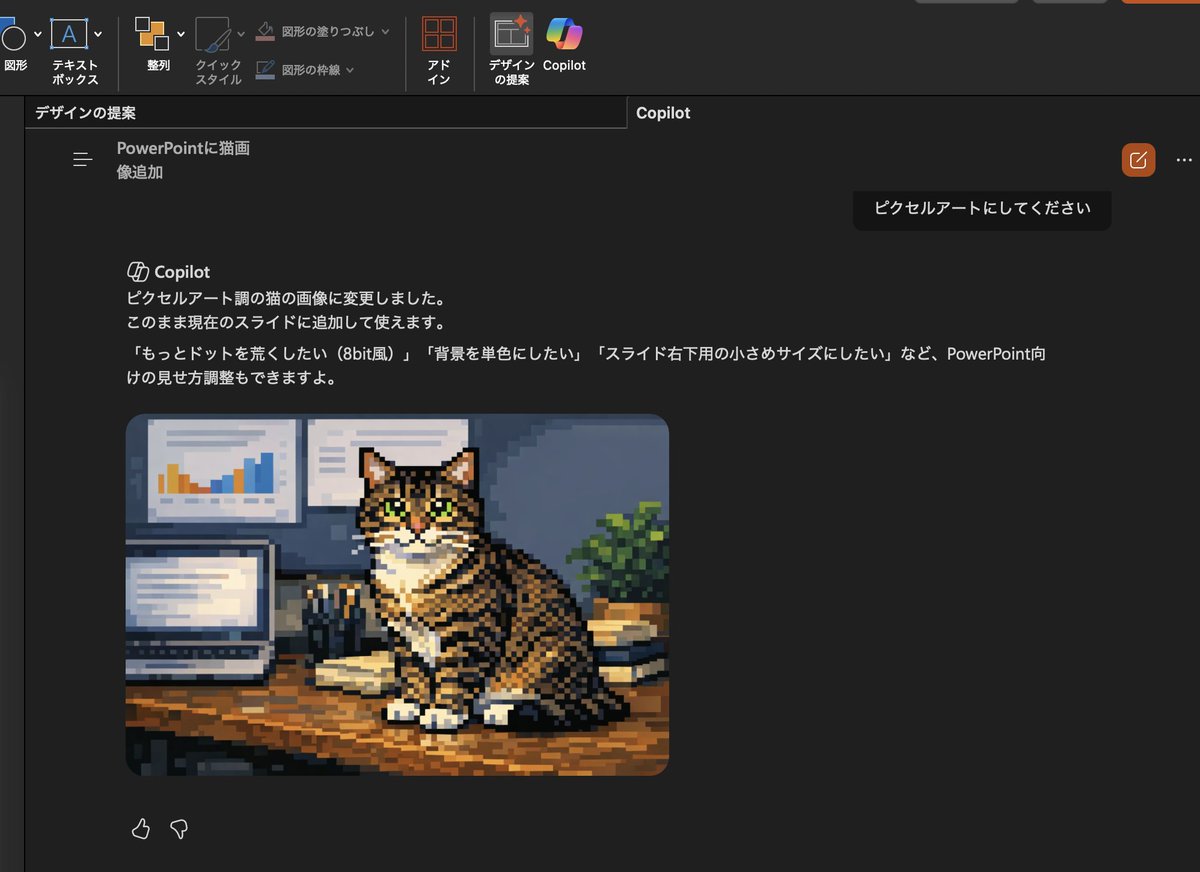
Convertir l'image du chat Copilot en pixel art
Cette invite transforme la photo de chat générée dans une capture d'écran PowerPoint Copilot en pixel art et met à jour le texte de l'interface utilisateur japonaise pour correspondre à la nouvelle demande de modification.
Il s'agit d'un exemple de visuel pour la catégorie { GPT Image 2 Illustration et art . Utilisez le visuel ci-dessous pour générer des éléments visuels similaires et vérifiez les conditions d'utilisation (attribution Awesome GPT Image 2 Prompts et droits d'utilisation commerciale) avant toute réutilisation.
Free 1K preview
Generate one preview image instantly, no sign-up required.
Free text preview doesn’t preserve reference-image consistency.
Prompt
invite prête à être copiée
Using the provided reference image, transform only the inserted cat photo into retro pixel art while keeping the overall PowerPoint dark-mode Copilot screenshot layout, interface, and composition unchanged. Preserve the same tabby cat, pose, desk setting, laptop, wall charts, books, and plant, but redraw that image as chunky low-resolution game-style pixel art with visible square pixels, simplified shading, and an 8-bit feel. Also update the visible Japanese Copilot request and response text so the request says 「ピクセルアートにしてください」 and the response explains that the cat image was changed to pixel-art style, with follow-up suggestions mentioning 3 options: 「もっとドットを荒くしたい(8bit風)」, 「背景を単色にしたい」, and 「スライド右下用の小さめサイズにしたい」.
Best for
- - Illustration et art visual exploration
- - Image generation and reference-image edits
- - Reusable briefs that keep source attribution visible
Change these parts
- - Subject, product, character, or scene
- - Aspect ratio, camera, lighting, and background
- - Brand, text, color, and output constraints
Recommended model and settings
- - Model: gpt-image-2
- - Input mode: Image vers image
- - Aspect ratio: source
- - Commercial status: review original source
How to use this prompt
- 1. Copy the prompt and preserve its structure for the first test.
- 2. Replace the subject, context, and publishing channel.
- 3. Change one camera, lighting, or style variable per iteration.
- 4. Inspect the output, source, text, and rights before reuse.
Limitations, source, and reuse cautions
- - Generated output is an editable draft, not factual, legal, or rights evidence.
- - Review the linked source, people, brands, logos, text, and third-party media before commercial use.
Plus de cas dans cette catégorie
Priorisé par catégorie, compatibilité du mode d'entrée, qualité et risque moindre.






Réutilisation et notes de source
Utilisez cette invite en toute sécurité après avoir prévisualisé le dossier.
- 1.Copiez l'invite ou ouvrez-la directement dans Dovoo avec le bouton de génération.
- 2.Ajustez les variables, le format d'image et les images de référence en fonction de votre cas d'utilisation.
- 3.Avant toute publication ou utilisation payante, vérifiez les droits d'auteur, les exigences d'attribution et les risques liés à la marque ou à l'image.