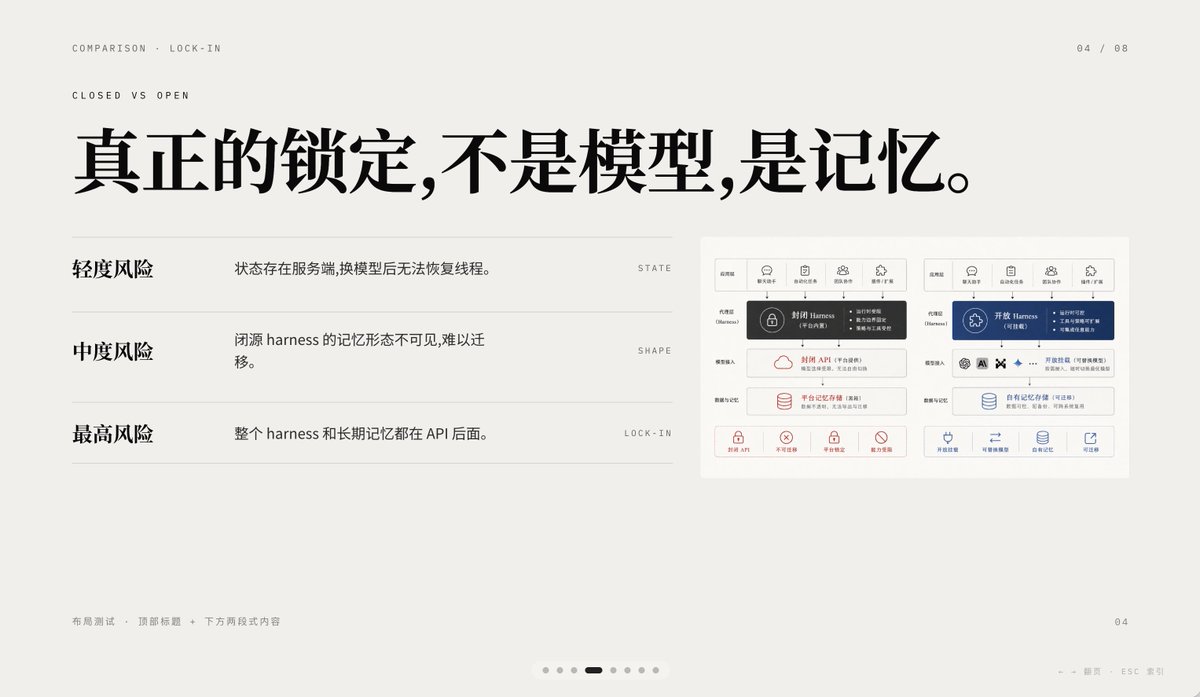
Diapositive comparative de verrouillage minimal de l'IA
Cette invite génère une diapositive de présentation chinoise soignée comparant le verrouillage de la mémoire IA fermée et ouverte, adaptée aux présentations d'ouverture, aux exposés sur la stratégie produit et aux présentations PowerPoint infographiques de haute qualité.
Il s'agit d'un exemple de visuel pour la catégorie { GPT Image 2 Graphique et affiche . Utilisez le visuel ci-dessous pour générer des éléments visuels similaires et vérifiez les conditions d'utilisation (attribution Awesome GPT Image 2 Prompts et droits d'utilisation commerciale) avant toute réutilisation.
Free 1K preview
Generate one preview image instantly, no sign-up required.
Prompt
invite prête à être copiée
A 16:9 minimalist editing style presentation Slides with a warm, light gray paper background, ample whitespace, and a layout following a refined Swiss style grid, possessing a high-end PPT/Keynote design aesthetic. This Slides is a comparison page about “Lock-in”, using elegant Chinese typography and mixing in tiny English navigation text. Place two lines of small, uppercase English breadcrumb navigation in the upper left corner: “COMPARISON · LOCK-IN” and below it “CLOSED VS OPEN”, using a narrow, light-weight sans-serif font with wide letter spacing. Place a page number indicator “04 / 08” in the upper right corner. In the upper half, centered slightly to the left, add a large, bold, black Chinese font title: “True lock-in is not the model, it’s the memory.” Below the title, in the left area, create three lines of a comparison list, separated by thin horizontal lines. The first line has a bold Chinese label “Light Risk” on the left, and an explanation on the right: “State exists on the server, and threads cannot be restored after changing the model.”, aligned with a small, uppercase English keyword on the far right: “STATE”. The second line has a bold label “Medium Risk”, with the explanation “The memory form of a closed-source harness is invisible and difficult to migrate.”, and the keyword “SHAPE” on the far right. The third line has a bold label “Highest Risk”, with the explanation “The entire harness and long-term memory are behind the API.”, and the keyword “LOCK-IN” on the far right. Place a small embedded comparison chart card on the right side of the Slides, with a white background and a subtle border, containing two side-by-side system architecture panels. The left panel represents a closed system, decorated with dark gray and soft red accents; the right panel represents an open system, decorated with dark blue accents. Each panel should have 5 small icon labels at the top, with a highlighted harness module in the center, and multiple rounded rectangle modules stacked below, with a row of 4 small capability icons with short Chinese labels at the bottom. Keep the embedded chart details rich but the size small, so it serves as a supporting visual element rather than the visual focus. Add small, light gray Chinese footer text in the lower left corner: “Layout Test · Top Title + Two-Section Content”. Place a small page number “04” in the lower right corner. Add a carousel indicator centered along the bottom edge, containing 7 small dots, with the 4th dot as a short, dark rounded capsule representing the current page, and the other 6 as light gray dots. Add a faint navigation prompt in the lower right edge: “← → Page ESC Close”. Use clear vector text rendering, understated contrast, elegant spacing, and a calm, high-end infographic style suitable for AI platform comparison and API memory lock-in business presentations.
Best for
- - Graphique et affiche visual exploration
- - Image generation and reference-image edits
- - Reusable briefs that keep source attribution visible
Change these parts
- - Subject, product, character, or scene
- - Aspect ratio, camera, lighting, and background
- - Brand, text, color, and output constraints
Recommended model and settings
- - Model: gpt-image-2
- - Input mode: Texte vers image
- - Aspect ratio: source
- - Commercial status: review original source
How to use this prompt
- 1. Copy the prompt and preserve its structure for the first test.
- 2. Replace the subject, context, and publishing channel.
- 3. Change one camera, lighting, or style variable per iteration.
- 4. Inspect the output, source, text, and rights before reuse.
Limitations, source, and reuse cautions
- - Generated output is an editable draft, not factual, legal, or rights evidence.
- - Review the linked source, people, brands, logos, text, and third-party media before commercial use.
Plus de cas dans cette catégorie
Priorisé par catégorie, compatibilité du mode d'entrée, qualité et risque moindre.






Réutilisation et notes de source
Utilisez cette invite en toute sécurité après avoir prévisualisé le dossier.
- 1.Copiez l'invite ou ouvrez-la directement dans Dovoo avec le bouton de génération.
- 2.Ajustez les variables, le format d'image et les images de référence en fonction de votre cas d'utilisation.
- 3.Avant toute publication ou utilisation payante, vérifiez les droits d'auteur, les exigences d'attribution et les risques liés à la marque ou à l'image.