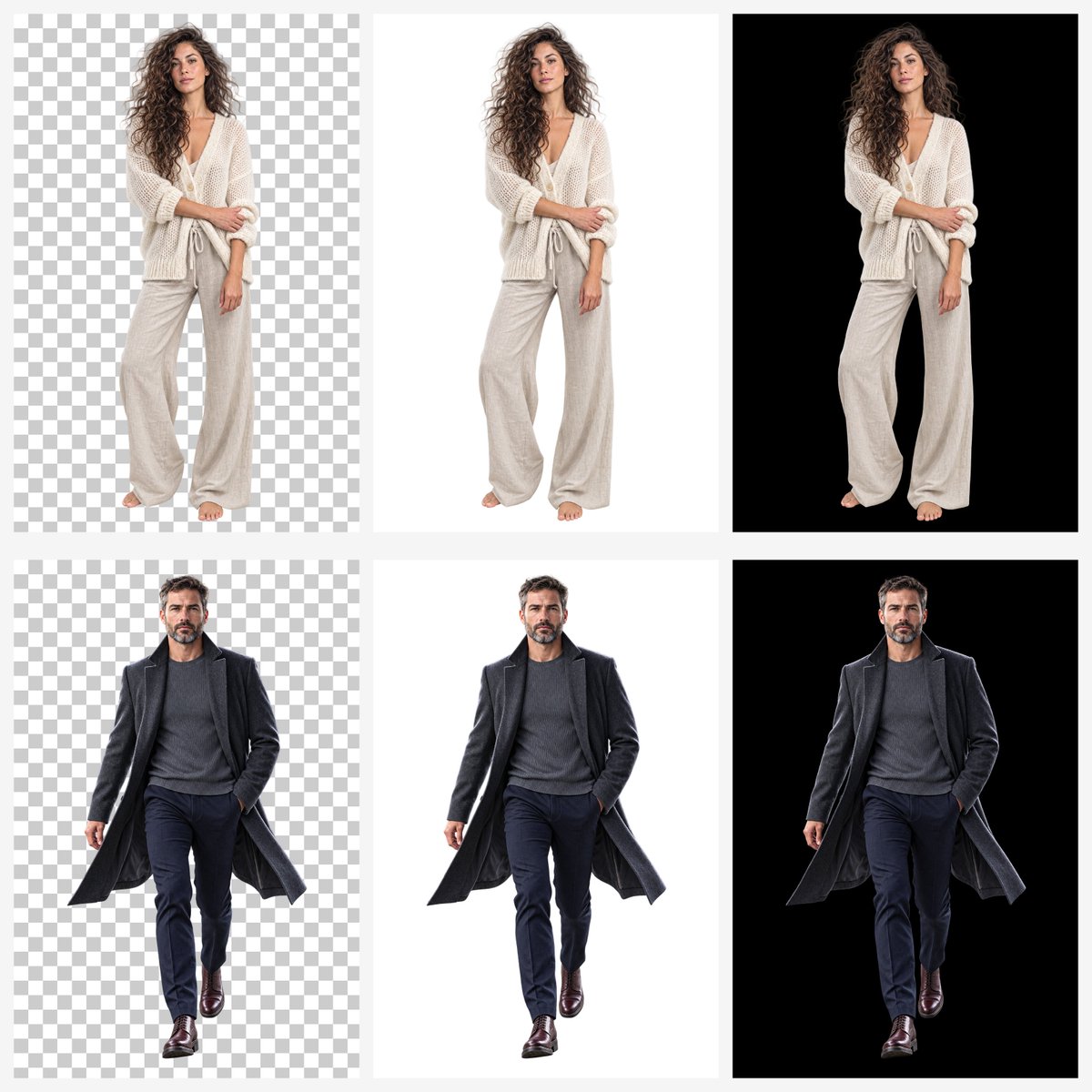
Transparent Background Comparison Grid
Creates a six-panel studio comparison showing two full-body cutout models on checkerboard, white, and black backgrounds for demonstrating transparent image generation.
Este es un ejemplo GPT Image 2 para Producto y Comercial . Utilice la plantilla lista para copiar que aparece a continuación para generar imágenes similares y revise la atribución de Awesome GPT Image 2 Prompts y los derechos de uso comercial antes de reutilizarla.
Free 1K preview
Generate one preview image instantly, no sign-up required.
Free text preview doesn’t preserve reference-image consistency.
Prompt
Mensaje listo para copiar
Goal: Create a clean comparison grid demonstrating background handling for cutout portrait images generated by {argument name="image model" default="GPT Image 2"}.

Canvas: Square 1:1 canvas, approximately 1200 x 1200 px, with a very light gray page background and narrow gutters between panels.

Layout: Use exactly 6 rectangular panels arranged in a 2-row by 3-column grid. Each panel contains one full-body studio cutout subject centered vertically and horizontally with ample margin. The three columns compare background types: left column shows a gray-and-white checkerboard transparency pattern, middle column shows a plain white background, right column shows a solid black background. No captions, no logos, no text.

Subjects: Use exactly 2 human models. Top row: a {argument name="female model description" default="young woman with long voluminous curly brown hair, neutral expression, barefoot, wearing a loose cream chunky-knit cardigan over a light camisole and wide beige lounge pants"}. She stands front-facing in a relaxed fashion pose, one arm folded across her body and the other hanging down, soft studio lighting, realistic photographic detail. Bottom row: a {argument name="male model description" default="middle-aged man with short dark hair and salt-and-pepper beard, serious expression, walking toward camera, wearing a long dark charcoal overcoat, gray knit sweater, navy trousers, and polished dark brown dress shoes"}. He appears mid-stride with one hand in his trouser pocket and the coat slightly flaring outward.

Panel details: Count of repeated elements is exactly 6 panels: 1) woman on checkerboard transparent-style background, 2) woman on white background, 3) woman on black background, 4) man on checkerboard transparent-style background, 5) man on white background, 6) man on black background. Keep the same subject pose, scale, lighting, and crop consistent across each row so only the background changes.

Visual style: Hyperrealistic studio product-demo photography, crisp full-body cutouts, clean edges around hair and clothing, neutral soft shadows only if subtle, high contrast on black backgrounds, bright clean white backgrounds, and a standard transparency checkerboard pattern made of evenly sized alternating light gray and white squares.

Constraints: Do not include any visible text, labels, watermark, interface chrome, decorative icons, or extra objects. Maintain realistic proportions, full bodies visible from head to feet, centered composition, and consistent spacing between all grid cells.
Variables de solicitud
Marcadores de posición de argumentos editables que se encuentran en la solicitud, con sus valores predeterminados.
Best for
- - Producto y Comercial visual exploration
- - Image generation and reference-image edits
- - Reusable briefs that keep source attribution visible
Change these parts
- - Subject, product, character, or scene
- - Aspect ratio, camera, lighting, and background
- - Brand, text, color, and output constraints
Recommended model and settings
- - Model: gpt-image-2
- - Input mode: Imagen a imagen
- - Aspect ratio: source
- - Commercial status: review original source
How to use this prompt
- 1. Copy the prompt and preserve its structure for the first test.
- 2. Replace the subject, context, and publishing channel.
- 3. Change one camera, lighting, or style variable per iteration.
- 4. Inspect the output, source, text, and rights before reuse.
Limitations, source, and reuse cautions
- - Generated output is an editable draft, not factual, legal, or rights evidence.
- - Review the linked source, people, brands, logos, text, and third-party media before commercial use.
Más casos en esta categoría
Priorizados por categoría, compatibilidad con el modo de entrada, calidad y menor riesgo.






Notas sobre la reutilización y la fuente
Utilice esta opción de forma segura después de previsualizar el caso.
- 1.Copia la solicitud o ábrela directamente en Dovoo con el botón de generación.
- 2.Ajusta las variables, la relación de aspecto y las imágenes de referencia según tus necesidades.
- 3.Antes de publicar o utilizar el servicio de forma remunerada, verifique los derechos de autor, los requisitos de atribución y los riesgos relacionados con la marca o la imagen de la persona.