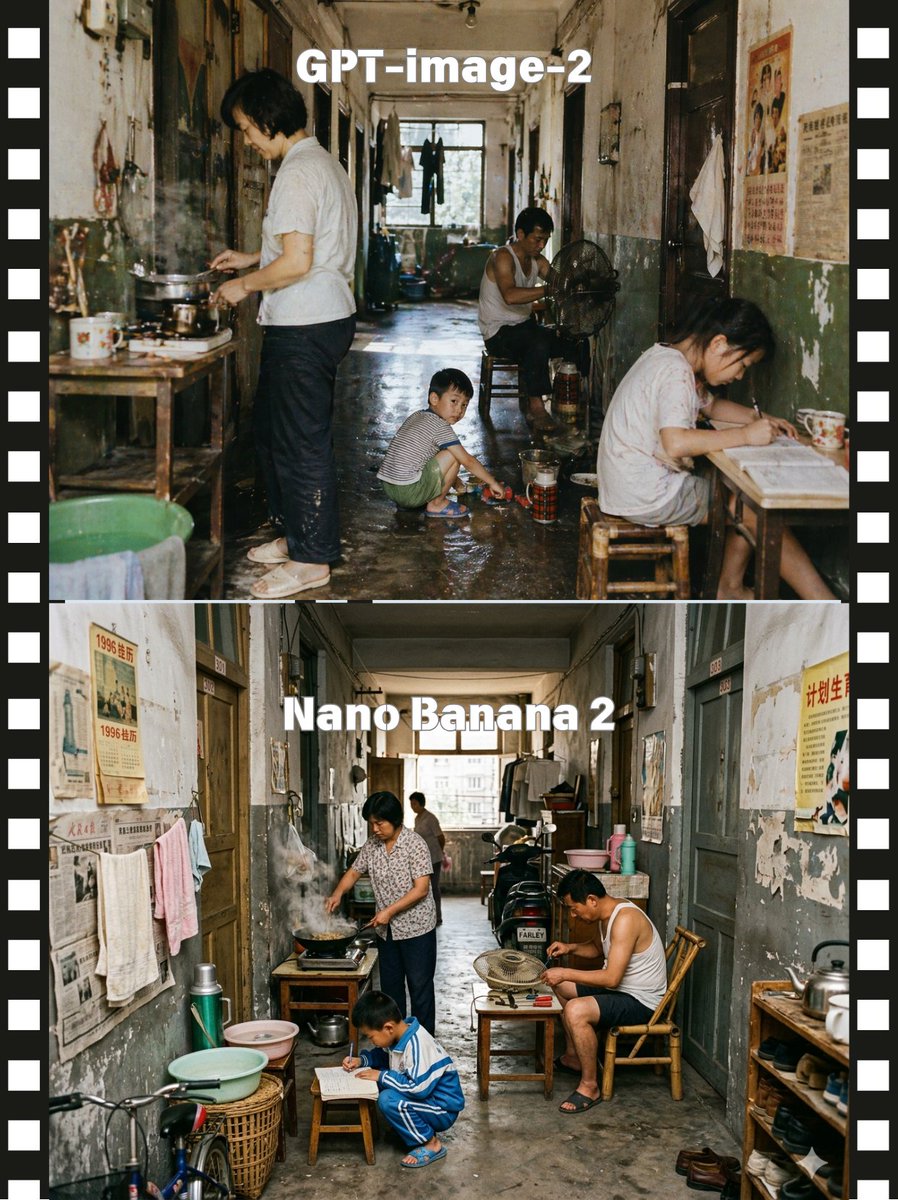
Comparación de modelos de corredores apilados
Esta función genera una imagen comparativa de dos paneles, al estilo de una tira de película, que muestra dos representaciones realistas de un pasillo abarrotado de un antiguo apartamento, útil para publicaciones de comparación de modelos visuales.
Este es un ejemplo GPT Image 2 para Interiorismo y arquitectura . Utilice la plantilla lista para copiar que aparece a continuación para generar imágenes similares y revise la atribución de Awesome GPT Image 2 Prompts y los derechos de uso comercial antes de reutilizarla.
Free 1K preview
Generate one preview image instantly, no sign-up required.
Prompt
Mensaje listo para copiar
A side-by-side comparison image presented as two stacked documentary-style photographs of the same cramped old Chinese apartment corridor, framed by a black filmstrip border with white sprocket holes on both left and right edges. The top half is labeled {argument name="top label" default="GPT-image-2"} in large bold white sans-serif text centered near the top, and the bottom half is labeled {argument name="bottom label" default="Nano Banana 2"} in the same style. Create a gritty, nostalgic, cinematic scene in a long, narrow shared hallway of a worn residential building from the late 20th century, with peeling paint, stained walls, faded propaganda posters and old newspapers on the walls, dark wooden doorways, hanging towels and laundry, a damp concrete floor, and daylight coming from a window at the far end. In the upper scene, show exactly 4 people: 1 adult standing at the left cooking over a small stove on a wooden table with visible steam, 1 adult man sitting deeper in the corridor beside an electric fan, 1 child crouching in the center playing near a basin on the wet floor, and 1 adult woman seated at a small table on the right writing or reading; include enamel mugs, metal pots, stools, buckets, thermos containers, and cluttered household items. In the lower scene, show exactly 4 people again: 1 adult woman at the left cooking at a stove with smoke rising, 1 adult man seated on the right in a bamboo chair leaning over a tabletop fan, 1 child crouching in front writing on paper on a low stool, and 1 distant adult figure near the back window; add more visible corridor clutter including a bicycle front wheel at lower left, wash basins, baskets, thermoses, shelves, shoes, and hanging clothes. Keep the camera straight-on and centered to emphasize the corridor depth, with realistic human proportions, candid slice-of-life behavior, muted aged colors, soft natural light, high detail, photojournalistic realism, and a subtle difference in arrangement between the top and bottom scenes while preserving the same overall environment and mood.Variables de solicitud
Marcadores de posición de argumentos editables que se encuentran en la solicitud, con sus valores predeterminados.
Best for
- - Interiorismo y arquitectura visual exploration
- - Image generation and reference-image edits
- - Reusable briefs that keep source attribution visible
Change these parts
- - Subject, product, character, or scene
- - Aspect ratio, camera, lighting, and background
- - Brand, text, color, and output constraints
Recommended model and settings
- - Model: gpt-image-2
- - Input mode: Texto a imagen
- - Aspect ratio: source
- - Commercial status: review original source
How to use this prompt
- 1. Copy the prompt and preserve its structure for the first test.
- 2. Replace the subject, context, and publishing channel.
- 3. Change one camera, lighting, or style variable per iteration.
- 4. Inspect the output, source, text, and rights before reuse.
Limitations, source, and reuse cautions
- - Generated output is an editable draft, not factual, legal, or rights evidence.
- - Review the linked source, people, brands, logos, text, and third-party media before commercial use.
Más casos en esta categoría
Priorizados por categoría, compatibilidad con el modo de entrada, calidad y menor riesgo.






Notas sobre la reutilización y la fuente
Utilice esta opción de forma segura después de previsualizar el caso.
- 1.Copia la solicitud o ábrela directamente en Dovoo con el botón de generación.
- 2.Ajusta las variables, la relación de aspecto y las imágenes de referencia según tus necesidades.
- 3.Antes de publicar o utilizar el servicio de forma remunerada, verifique los derechos de autor, los requisitos de atribución y los riesgos relacionados con la marca o la imagen de la persona.