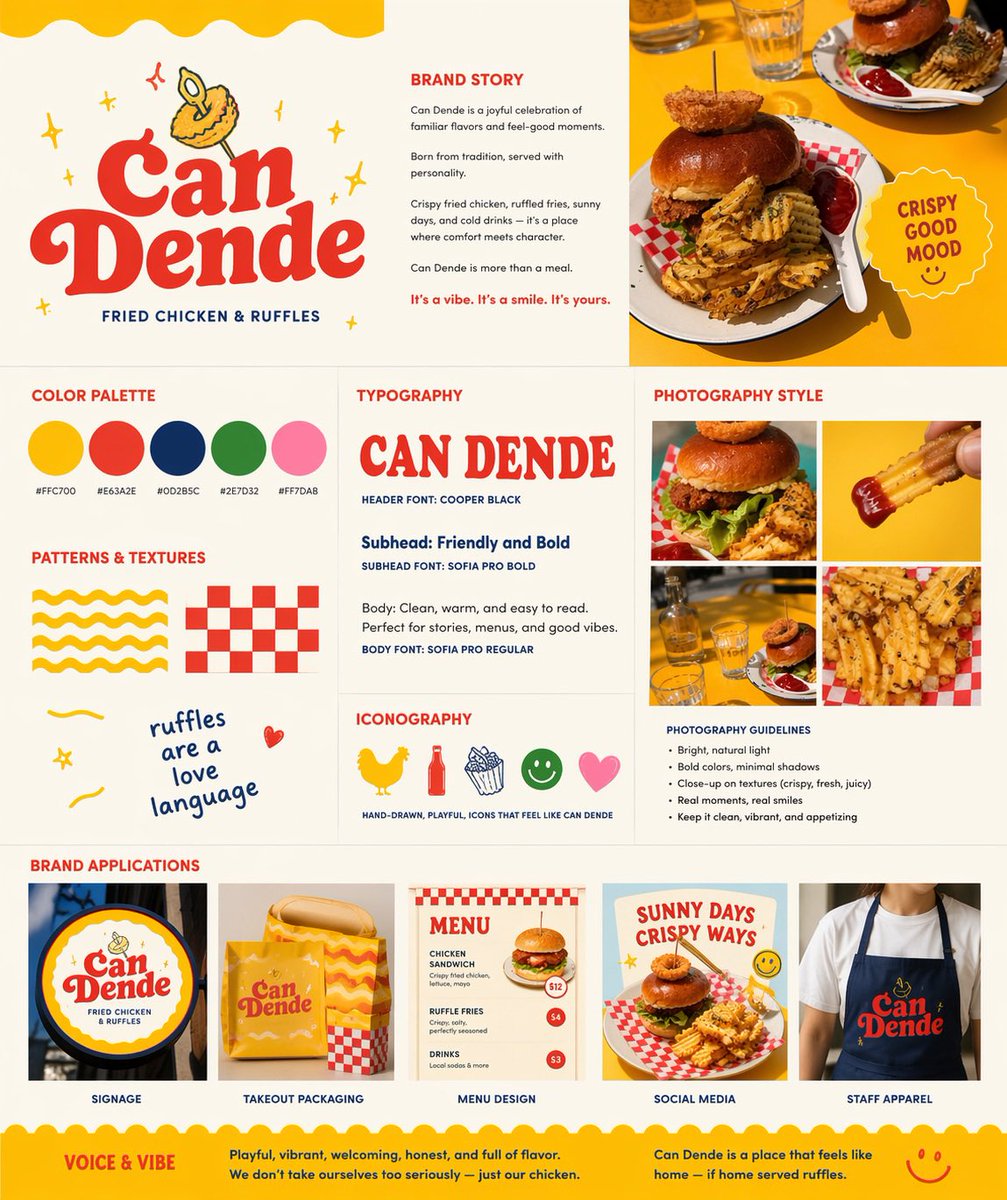
Letrero de marca de comida rápida retro
Esta sugerencia convierte una foto de referencia de un plato en un panel de presentación completo para la imagen de marca de un restaurante, donde se pueden mostrar el logotipo, la paleta de colores, la tipografía, el estilo fotográfico y las aplicaciones de la marca.
Este es un ejemplo GPT Image 2 para Diseño gráfico y carteles . Utilice la plantilla lista para copiar que aparece a continuación para generar imágenes similares y revise la atribución de Awesome GPT Image 2 Prompts y los derechos de uso comercial antes de reutilizarla.
Free 1K preview
Generate one preview image instantly, no sign-up required.
Free text preview doesn’t preserve reference-image consistency.
Prompt
Mensaje listo para copiar
Using REFERENCE_0 as the hero food photo, transform it into a polished one-page restaurant branding board for a fried chicken and waffle-fries concept named {argument name="brand name" default="Can Dende"}. Keep the yellow-table food photography as the visual anchor, but redesign the output as a clean square brand guideline sheet on a warm off-white background with a cheerful, retro, hand-drawn fast-casual identity. Add a large logo area in the upper left with bold vintage red lettering, a small illustrated fried-food mascot above it, and the tagline “FRIED CHICKEN & RUFFLES”. Build the page as a structured multi-panel layout with 9 sections: 1) logo/hero area, 2) brand story text block, 3) top-right hero photo crop from the reference, 4) color palette showing exactly 5 swatches with hex labels, 5) typography section with a large display sample of the brand name plus 3 text styles labeled header, subhead, and body, 6) patterns and textures section with exactly 4 playful assets: a yellow wavy stripe pattern, a red checker pattern, a handwritten phrase, and a small doodle heart, 7) iconography section with exactly 5 simple icons: chicken, bottle, fries, smiley face, and heart, 8) photography style section with a 2x2 grid of exactly 4 food-photo crops derived from the reference and matching close-up shots, plus a short bullet list of photography guidelines, and 9) brand applications section with exactly 5 mockups labeled signage, takeout packaging, menu design, social media, and staff apparel. Include a circular badge near the hero photo that says {argument name="badge text" default="CRISPY GOOD MOOD"}. Use the palette {argument name="primary palette" default="yellow, tomato red, deep navy, leaf green, soft pink"}. Add a bottom banner with 2 sections titled “VOICE & VIBE” and a short brand summary paragraph. Overall feel: modern branding presentation, vibrant, appetizing, playful, sunny, editorial, highly legible, premium-but-fun.Variables de solicitud
Marcadores de posición de argumentos editables que se encuentran en la solicitud, con sus valores predeterminados.
Best for
- - Diseño gráfico y carteles visual exploration
- - Image generation and reference-image edits
- - Reusable briefs that keep source attribution visible
Change these parts
- - Subject, product, character, or scene
- - Aspect ratio, camera, lighting, and background
- - Brand, text, color, and output constraints
Recommended model and settings
- - Model: gpt-image-2
- - Input mode: Imagen a imagen
- - Aspect ratio: source
- - Commercial status: review original source
How to use this prompt
- 1. Copy the prompt and preserve its structure for the first test.
- 2. Replace the subject, context, and publishing channel.
- 3. Change one camera, lighting, or style variable per iteration.
- 4. Inspect the output, source, text, and rights before reuse.
Limitations, source, and reuse cautions
- - Generated output is an editable draft, not factual, legal, or rights evidence.
- - Review the linked source, people, brands, logos, text, and third-party media before commercial use.
Más casos en esta categoría
Priorizados por categoría, compatibilidad con el modo de entrada, calidad y menor riesgo.






Notas sobre la reutilización y la fuente
Utilice esta opción de forma segura después de previsualizar el caso.
- 1.Copia la solicitud o ábrela directamente en Dovoo con el botón de generación.
- 2.Ajusta las variables, la relación de aspecto y las imágenes de referencia según tus necesidades.
- 3.Antes de publicar o utilizar el servicio de forma remunerada, verifique los derechos de autor, los requisitos de atribución y los riesgos relacionados con la marca o la imagen de la persona.