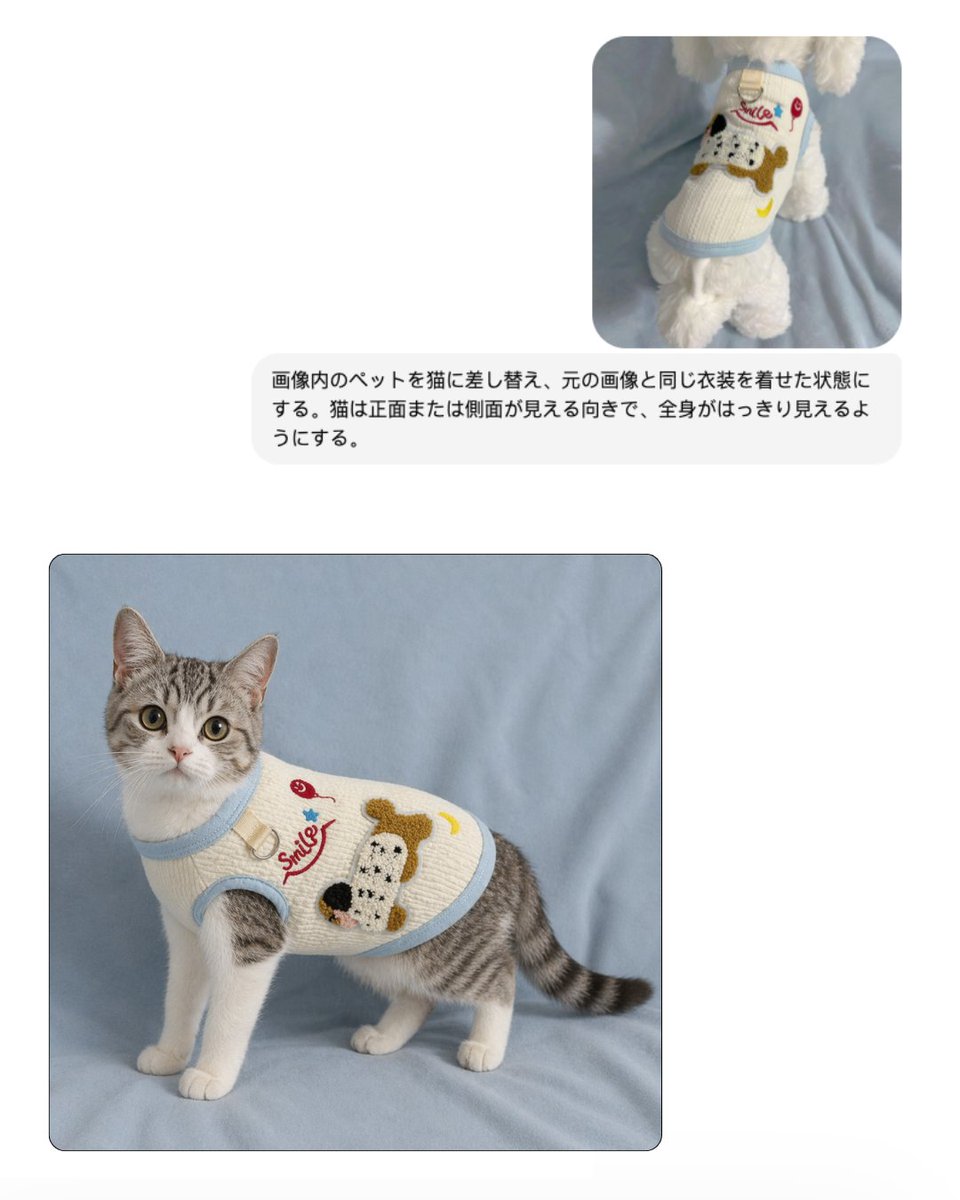
Maqueta de reemplazo de ropa para mascotas
Esto genera una maqueta comparativa limpia al estilo EC que muestra una referencia de un suéter para perro y una foto del producto final de un gato con el mismo atuendo, útil para listados de ropa para mascotas y elementos visuales promocionales.
Este es un ejemplo GPT Image 2 para Producto y Comercial . Utilice la plantilla lista para copiar que aparece a continuación para generar imágenes similares y revise la atribución de Awesome GPT Image 2 Prompts y los derechos de uso comercial antes de reutilizarla.
Free 1K preview
Generate one preview image instantly, no sign-up required.
Free text preview doesn’t preserve reference-image consistency.
Prompt
Mensaje listo para copiar
Create a clean e-commerce mockup on a very light gray background with a simple two-image comparison layout. In the upper right, place 1 small rounded-corner reference photo showing a white fluffy dog from behind, standing on soft light blue fabric and wearing a cream knit pet sweater with pale blue trim. The sweater features a large cartoon dog face patch in brown, black, and white, a red cursive word "Smile," a small red cherry, a blue star, and a yellow crescent moon. Beneath that small reference image, place 1 rounded light-gray text bubble containing Japanese instruction text in black sans-serif: 「画像内のペットを猫に差し替え、元の画像と同じ衣装を着せた状態にする。猫は正面または側面が見える向きで、全身がはっきり見えるようにする。」 In the lower left, place 1 larger rounded-corner final image with a subtle dark border, showing a full-body gray tabby and white cat standing on the same soft light blue fabric backdrop. The cat is facing slightly left but looking directly at the camera, with upright ears, large round eyes, white chest and legs, gray striped back and tail, and a calm alert expression. The cat wears the same cream knitted pet sweater with light blue ribbed trim around the neck, armholes, and hem, fitted neatly around the torso. The sweater artwork matches the reference: the red cursive "Smile" text, a red cherry motif, a blue star, a yellow crescent moon, and a large textured cartoon dog face patch on the side. Lighting is soft and diffuse, like a studio product photo for an online shop, with a realistic fabric texture, minimal shadows, and a polished pet apparel catalog aesthetic.
Best for
- - Producto y Comercial visual exploration
- - Image generation and reference-image edits
- - Reusable briefs that keep source attribution visible
Change these parts
- - Subject, product, character, or scene
- - Aspect ratio, camera, lighting, and background
- - Brand, text, color, and output constraints
Recommended model and settings
- - Model: gpt-image-2
- - Input mode: Imagen a imagen
- - Aspect ratio: source
- - Commercial status: review original source
How to use this prompt
- 1. Copy the prompt and preserve its structure for the first test.
- 2. Replace the subject, context, and publishing channel.
- 3. Change one camera, lighting, or style variable per iteration.
- 4. Inspect the output, source, text, and rights before reuse.
Limitations, source, and reuse cautions
- - Generated output is an editable draft, not factual, legal, or rights evidence.
- - Review the linked source, people, brands, logos, text, and third-party media before commercial use.
Más casos en esta categoría
Priorizados por categoría, compatibilidad con el modo de entrada, calidad y menor riesgo.






Notas sobre la reutilización y la fuente
Utilice esta opción de forma segura después de previsualizar el caso.
- 1.Copia la solicitud o ábrela directamente en Dovoo con el botón de generación.
- 2.Ajusta las variables, la relación de aspecto y las imágenes de referencia según tus necesidades.
- 3.Antes de publicar o utilizar el servicio de forma remunerada, verifique los derechos de autor, los requisitos de atribución y los riesgos relacionados con la marca o la imagen de la persona.