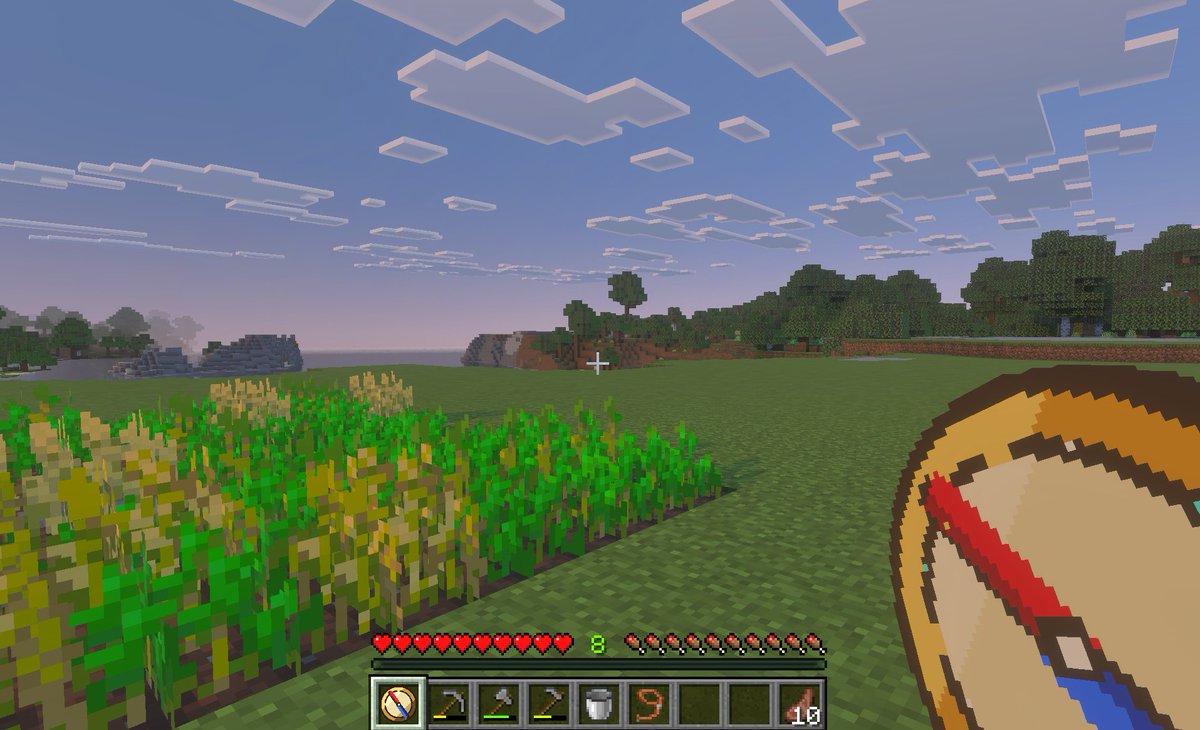
Captura de pantalla de la brújula de teletransporte de Minecraft
Esta solicitud genera una imagen de juego en primera persona al estilo Minecraft que muestra una brújula de teletransporte personalizada, adecuada para ilustrar un concepto de mod de viaje rápido o de ubicación guardada para Bedrock.
Este es un ejemplo GPT Image 2 para Anime y juegos . Utilice la plantilla lista para copiar que aparece a continuación para generar imágenes similares y revise la atribución de Awesome GPT Image 2 Prompts y los derechos de uso comercial antes de reutilizarla.
Free 1K preview
Generate one preview image instantly, no sign-up required.
Prompt
Mensaje listo para copiar
A first-person gameplay screenshot in the style of Minecraft Bedrock Edition at dusk, showing a peaceful grassy plains biome with a small rectangular wheat farm in the left foreground, some crops fully grown and some still green, an open grass field in the center, and a tree line and low blocky hills in the distance under a pale blue-to-pink evening sky filled with flat square clouds. Place a small white crosshair exactly near the center of the frame. Show the full survival HUD along the bottom: 10 red hearts, 10 hunger drumsticks, green experience level {argument name="experience level" default="8"}, and a 9-slot hotbar. The hotbar must contain exactly 9 slots, with these visible items from left to right: 1 custom compass icon selected, 1 hoe tool, 1 pickaxe, 1 axe, 1 bucket, 1 lead or rope item, 2 empty slots, and 1 stack of cooked meat labeled {argument name="item stack count" default="10"}. In the lower-right foreground, overlay an oversized custom item graphic of a {argument name="tool name" default="teleport compass"} held in hand, drawn as a clean pixel-art compass with a tan face, dark brown rim, cream center, and a bold red-and-blue needle angled diagonally. The selected hotbar slot should also display the same custom compass icon. Make the image feel like an in-game screenshot captured on a tablet or PC, with soft atmospheric haze, authentic voxel textures, and a child-friendly utility-mod vibe for fast travel and saved-location navigation.Variables de solicitud
Marcadores de posición de argumentos editables que se encuentran en la solicitud, con sus valores predeterminados.
Best for
- - Anime y juegos visual exploration
- - Image generation and reference-image edits
- - Reusable briefs that keep source attribution visible
Change these parts
- - Subject, product, character, or scene
- - Aspect ratio, camera, lighting, and background
- - Brand, text, color, and output constraints
Recommended model and settings
- - Model: gpt-image-2
- - Input mode: Texto a imagen
- - Aspect ratio: source
- - Commercial status: review original source
How to use this prompt
- 1. Copy the prompt and preserve its structure for the first test.
- 2. Replace the subject, context, and publishing channel.
- 3. Change one camera, lighting, or style variable per iteration.
- 4. Inspect the output, source, text, and rights before reuse.
Limitations, source, and reuse cautions
- - Generated output is an editable draft, not factual, legal, or rights evidence.
- - Review the linked source, people, brands, logos, text, and third-party media before commercial use.
Más casos en esta categoría
Priorizados por categoría, compatibilidad con el modo de entrada, calidad y menor riesgo.






Notas sobre la reutilización y la fuente
Utilice esta opción de forma segura después de previsualizar el caso.
- 1.Copia la solicitud o ábrela directamente en Dovoo con el botón de generación.
- 2.Ajusta las variables, la relación de aspecto y las imágenes de referencia según tus necesidades.
- 3.Antes de publicar o utilizar el servicio de forma remunerada, verifique los derechos de autor, los requisitos de atribución y los riesgos relacionados con la marca o la imagen de la persona.