Banner para creador de formularios SaaS japoneses
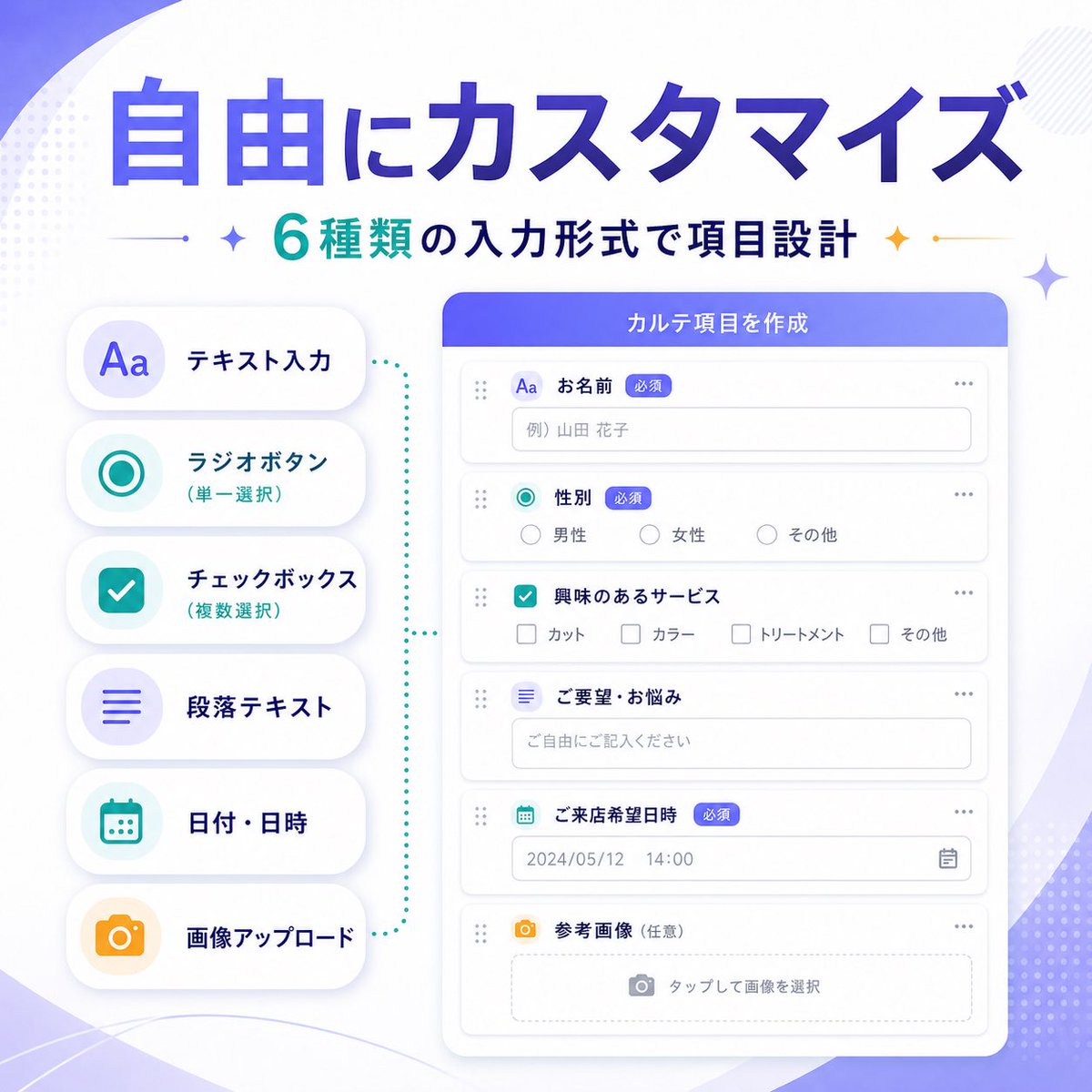
Un banner infográfico de marketing para software como servicio (SaaS) japonés, de alta calidad, que muestra seis tipos de formularios personalizables para promocionar una actualización de las funciones del producto.
Este es un ejemplo GPT Image 2 para Producto y Comercial . Utilice la plantilla lista para copiar que aparece a continuación para generar imágenes similares y revise la atribución de Awesome GPT Image 2 Prompts y los derechos de uso comercial antes de reutilizarla.
Free 1K preview
Generate one preview image instantly, no sign-up required.
Prompt
Mensaje listo para copiar
{
  "type": "SaaS feature update banner infographic",
  "style": "clean modern Japanese tech marketing visual, soft gradient abstract background, premium UI showcase, minimal flat illustration, rounded cards, subtle shadows, crisp typography",
  "language": "Japanese",
  "canvas": {
    "aspect_ratio": "1:1",
    "background": "white base with soft purple gradient waves, faint dotted halftone accents, light geometric sparkles in the corners"
  },
  "headline": {
    "main": "{argument name=\"headline text\" default=\"自由にカスタマイズ\"}",
    "sub": "{argument name=\"subheadline text\" default=\"6種類の入力形式で項目設計\"}",
    "main_style": "very large bold Japanese sans-serif, deep blue to violet gradient fill",
    "sub_style": "medium bold Japanese sans-serif, teal and dark navy text with small decorative sparkle icons and thin divider lines on both sides"
  },
  "layout": {
    "composition": "two-column product feature banner",
    "sections": [
      {
        "title": "input type list",
        "position": "left",
        "count": 6,
        "labels": [
          "テキスト入力",
          "ラジオボタン(単一選択)",
          "チェックボックス(複数選択)",
          "段落テキスト",
          "日付・日時",
          "画像アップロード"
        ],
        "container": "vertical stack of 6 rounded white pill cards with soft shadow",
        "icon_style": "large simple colored icons inside pale circular badges",
        "colors": [
          "purple",
          "teal",
          "teal",
          "purple",
          "teal",
          "orange"
        ]
      },
      {
        "title": "form builder UI",
        "position": "right",
        "count": 6,
        "labels": [
          "お名前",
          "Gender",
          "興味のあるサービス",
          "ご要望・お悩み",
          "ご来店希望日時",
          "Reference image (optional)"
        ],
        "container": "large rounded white application window with purple-blue header bar",
        "header_text": "{argument name=\"panel title\" default=\"カルテ項目を作成\"}",
        "field_types": [
          "single-line text input",
          "radio buttons",
          "checkbox group",
          "multiline text area",
          "date and time picker",
          "image upload dropzone"
        ]
      }
    ],
    "connector": "teal dotted bracket-like guide visually linking the left feature list to the form builder panel"
  },
  "ui_details": {
    "badges_count": 3,
    "badges": [
      "Required",
      "Required",
      "Required"
    ],
    "sample_values": {
      "name_placeholder": "Example) Yamada Hanako",
      "radio_options": [
        "Male",
        "Female",
        "その他"
      ],
      "checkbox_options": [
        "カット",
        "カラー",
        "トリートメント",
        "その他"
      ],
      "textarea_placeholder": "ご自由にご記入ください",
      "date_value": "2024/05/12",
      "time_value": "14:00",
      "upload_hint": "タップして画像を選択"
    },
    "window_controls": "minimal dots and drag handles, clean form rows with thin light gray borders"
  },
  "color_palette": {
    "primary": "violet to royal blue gradient",
    "secondary": "teal",
    "accent": "orange",
    "surface": "white",
    "text": "navy and gray"
  },
  "quality": "high-resolution polished startup marketing graphic, balanced spacing, elegant Japanese SaaS promotional banner for announcing customizable form input types"
}
Variables de solicitud
Marcadores de posición de argumentos editables que se encuentran en la solicitud, con sus valores predeterminados.
Best for
- - Producto y Comercial visual exploration
- - Image generation and reference-image edits
- - Reusable briefs that keep source attribution visible
Change these parts
- - Subject, product, character, or scene
- - Aspect ratio, camera, lighting, and background
- - Brand, text, color, and output constraints
Recommended model and settings
- - Model: gpt-image-2
- - Input mode: Texto a imagen
- - Aspect ratio: source
- - Commercial status: review original source
How to use this prompt
- 1. Copy the prompt and preserve its structure for the first test.
- 2. Replace the subject, context, and publishing channel.
- 3. Change one camera, lighting, or style variable per iteration.
- 4. Inspect the output, source, text, and rights before reuse.
Limitations, source, and reuse cautions
- - Generated output is an editable draft, not factual, legal, or rights evidence.
- - Review the linked source, people, brands, logos, text, and third-party media before commercial use.
Más casos en esta categoría
Priorizados por categoría, compatibilidad con el modo de entrada, calidad y menor riesgo.






Notas sobre la reutilización y la fuente
Utilice esta opción de forma segura después de previsualizar el caso.
- 1.Copia la solicitud o ábrela directamente en Dovoo con el botón de generación.
- 2.Ajusta las variables, la relación de aspecto y las imágenes de referencia según tus necesidades.
- 3.Antes de publicar o utilizar el servicio de forma remunerada, verifique los derechos de autor, los requisitos de atribución y los riesgos relacionados con la marca o la imagen de la persona.