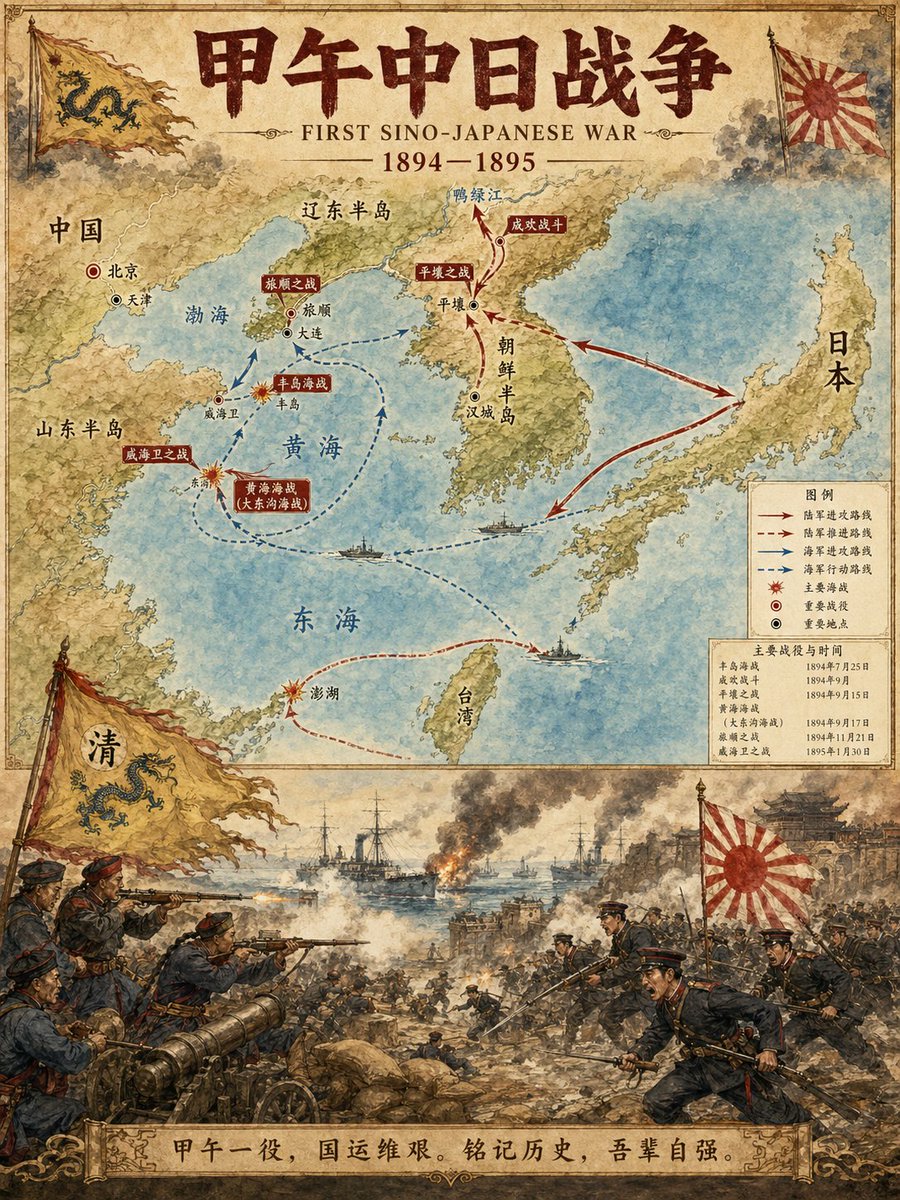
Ilustrador de mapas de eventos históricos
Una herramienta especializada diseñada para generar infografías históricas profesionales. Crea un diseño vertical de dos partes: la mitad superior presenta un mapa detallado con rutas y ubicaciones clave, mientras que la mitad inferior muestra una ilustración impactante del evento en estilo acuarela.
Este es un ejemplo GPT Image 2 para Ilustración y arte . Utilice la plantilla lista para copiar que aparece a continuación para generar imágenes similares y revise la atribución de Awesome GPT Image 2 Prompts y los derechos de uso comercial antes de reutilizarla.
Free 1K preview
Generate one preview image instantly, no sign-up required.
Free text preview doesn’t preserve reference-image consistency.
Prompt
Mensaje listo para copiar
Historical Event Map Illustrator

You are a professional historical infographic designer. Based on the historical [Subject] specified by the user, generate a vertical, two-part map and scene illustration that matches the watercolor/illustrative style of the reference image.

Layout Structure:
1. Top Half:
Detailed map showing routes of the historical event, key locations, and directional arrows.
Clear labeling of cities, regions, and water bodies.
Marking of major battle sites and important stations.
2. Bottom Half:
Vivid, dramatic scene illustration.
Depicting key moments of the historical event (battles, marches, significant events, etc.).
3. Title/Header:
Bold title displaying "{argument name="historical event" default="FIRST SINO-JAPANESE WAR"}"
Includes subtitles and dates.
Visual Style Requirements:
Warm watercolor illustration texture.
Accurate historical details.
Clear typographic design.
Vertical format.
4K Ultra HD resolution.
Direct image generation.

Subject: {argument name="subject" default="FIRST SINO-JAPANESE WAR"}
Ratio: {argument name="aspect ratio" default="3:4"}
Variables de solicitud
Marcadores de posición de argumentos editables que se encuentran en la solicitud, con sus valores predeterminados.
Best for
- - Ilustración y arte visual exploration
- - Image generation and reference-image edits
- - Reusable briefs that keep source attribution visible
Change these parts
- - Subject, product, character, or scene
- - Aspect ratio, camera, lighting, and background
- - Brand, text, color, and output constraints
Recommended model and settings
- - Model: gpt-image-2
- - Input mode: Imagen a imagen
- - Aspect ratio: source
- - Commercial status: review original source
How to use this prompt
- 1. Copy the prompt and preserve its structure for the first test.
- 2. Replace the subject, context, and publishing channel.
- 3. Change one camera, lighting, or style variable per iteration.
- 4. Inspect the output, source, text, and rights before reuse.
Limitations, source, and reuse cautions
- - Generated output is an editable draft, not factual, legal, or rights evidence.
- - Review the linked source, people, brands, logos, text, and third-party media before commercial use.
Más casos en esta categoría
Priorizados por categoría, compatibilidad con el modo de entrada, calidad y menor riesgo.






Notas sobre la reutilización y la fuente
Utilice esta opción de forma segura después de previsualizar el caso.
- 1.Copia la solicitud o ábrela directamente en Dovoo con el botón de generación.
- 2.Ajusta las variables, la relación de aspecto y las imágenes de referencia según tus necesidades.
- 3.Antes de publicar o utilizar el servicio de forma remunerada, verifique los derechos de autor, los requisitos de atribución y los riesgos relacionados con la marca o la imagen de la persona.