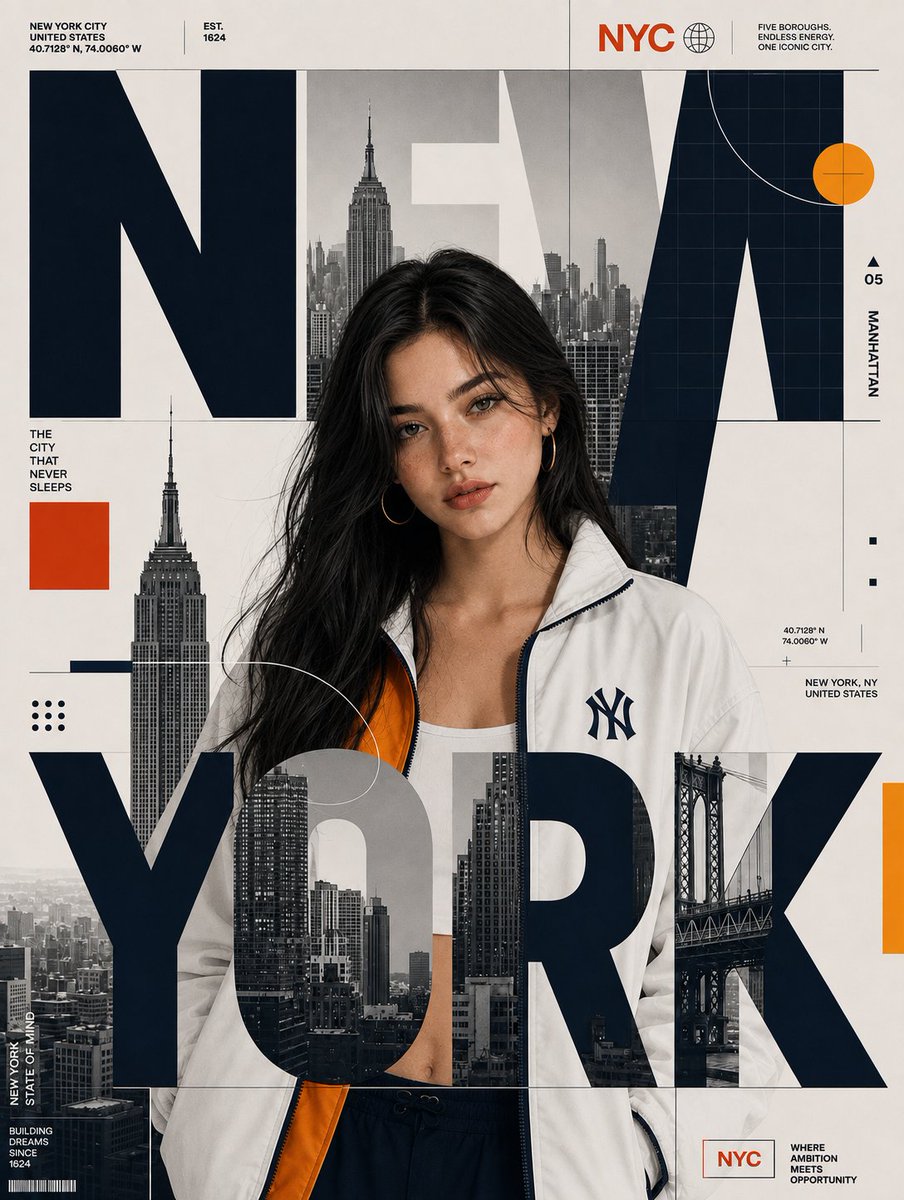
Editorial City Poster Design
A complex prompt for creating premium editorial city posters that layer oversized typography over a subject while preserving their identity.
Este es un ejemplo GPT Image 2 para Diseño gráfico y carteles . Utilice la plantilla lista para copiar que aparece a continuación para generar imágenes similares y revise la atribución de Awesome GPT Image 2 Prompts y los derechos de uso comercial antes de reutilizarla.
Free 1K preview
Generate one preview image instantly, no sign-up required.
Free text preview doesn’t preserve reference-image consistency.
Prompt
Mensaje listo para copiar
Recreate the reference image as a premium editorial city poster. Replace the original person with {argument name="subject" default="the person from the uploaded image"} while preserving {argument name="subject reference" default="SUBJECT"}'s identity, facial features, hairstyle, hair color, skin tone, and natural appearance. {argument name="subject reference" default="SUBJECT"} must be standing in the SAME pose, SAME body orientation, SAME framing, SAME scale, and approximately the SAME position as the reference subject.

Replace the original city with {argument name="city name" default="CITY_NAME"} and rebuild the surrounding skyline, landmarks, architecture, bridge, and urban photography specifically for {argument name="city name" default="CITY_NAME"}. Replace all city-specific labels, coordinates, location information, and captions accordingly.

CRITICAL TYPOGRAPHY COMPOSITION: The oversized {argument name="city name" default="CITY_NAME"} typography must be physically layered OVER the standing character, exactly like the reference. Do NOT place all of the city text behind the subject. The large {argument name="city name" default="CITY_NAME"} letters must pass across the subject's body and overlap her clothing and lower torso, visibly covering portions of her. At the same time, some portions of the typography should remain behind her head and shoulders. Create a true foreground/background collage: BACKGROUND CITY IMAGERY → SUBJECT → FOREGROUND OVERSIZED {argument name="city name" default="CITY_NAME"} LETTERS. The foreground letters must visibly obscure portions of the subject while the subject remains recognizable through the gaps and around the typography. The large letters should intersect the character naturally rather than appearing as text floating beside her.

The oversized {argument name="city name" default="CITY_NAME"} typography should dominate the composition and extend almost across the entire poster width. Integrate grayscale city photography inside selected portions of the letters. Keep the typography bold, geometric, heavy, and editorial. Make the letters large enough to cross directly over the subject's torso and lower body.
Variables de solicitud
Marcadores de posición de argumentos editables que se encuentran en la solicitud, con sus valores predeterminados.
Best for
- - Diseño gráfico y carteles visual exploration
- - Image generation and reference-image edits
- - Reusable briefs that keep source attribution visible
Change these parts
- - Subject, product, character, or scene
- - Aspect ratio, camera, lighting, and background
- - Brand, text, color, and output constraints
Recommended model and settings
- - Model: gpt-image-2
- - Input mode: Imagen a imagen
- - Aspect ratio: source
- - Commercial status: review original source
How to use this prompt
- 1. Copy the prompt and preserve its structure for the first test.
- 2. Replace the subject, context, and publishing channel.
- 3. Change one camera, lighting, or style variable per iteration.
- 4. Inspect the output, source, text, and rights before reuse.
Limitations, source, and reuse cautions
- - Generated output is an editable draft, not factual, legal, or rights evidence.
- - Review the linked source, people, brands, logos, text, and third-party media before commercial use.
Más casos en esta categoría
Priorizados por categoría, compatibilidad con el modo de entrada, calidad y menor riesgo.






Notas sobre la reutilización y la fuente
Utilice esta opción de forma segura después de previsualizar el caso.
- 1.Copia la solicitud o ábrela directamente en Dovoo con el botón de generación.
- 2.Ajusta las variables, la relación de aspecto y las imágenes de referencia según tus necesidades.
- 3.Antes de publicar o utilizar el servicio de forma remunerada, verifique los derechos de autor, los requisitos de atribución y los riesgos relacionados con la marca o la imagen de la persona.