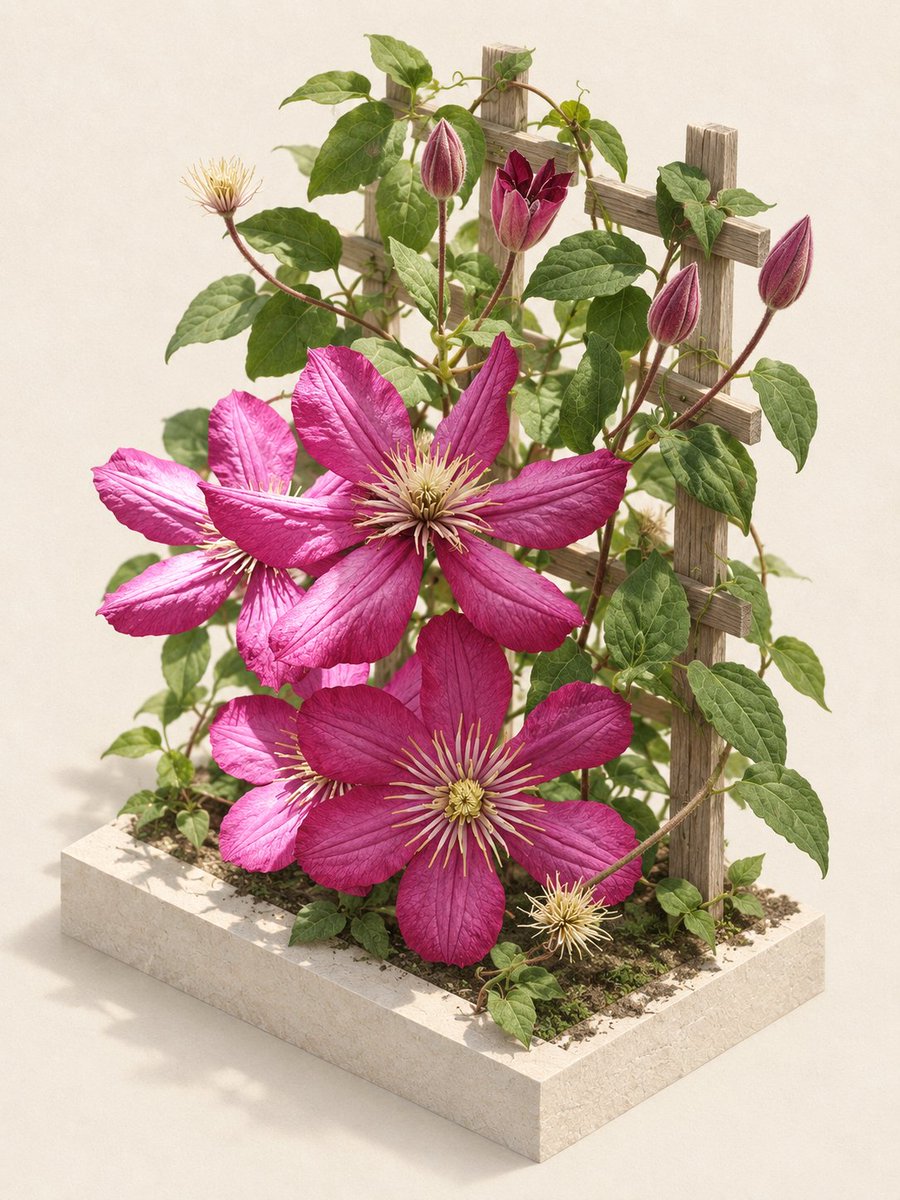
Editorial Clematis Garden Diorama
Transforms a casual flower photo into a clean studio-style botanical diorama with a planter base and trellis.
Este es un ejemplo GPT Image 2 para Producto y Comercial . Utilice la plantilla lista para copiar que aparece a continuación para generar imágenes similares y revise la atribución de Awesome GPT Image 2 Prompts y los derechos de uso comercial antes de reutilizarla.
¿Necesitas el conjunto completo de indicaciones? Usa el Producto y Comercial centro de temas para ver más ejemplos relacionados, o abra el GPT Image 2 catálogo de avisos Para ver el índice completo de ejemplos, las estructuras reutilizables y la atribución de fuentes.
Free 1K preview
Generate one preview image instantly, no sign-up required.
Free text preview doesn’t preserve reference-image consistency.
1396/4000
Prompt
Mensaje listo para copiar
Using the provided reference image as the botanical source, transform the old close-up garden photo into a polished editorial product-style scene. Preserve the same clematis vine identity, magenta flowers, green leaves, buds, seed heads, and rustic wooden trellis character, but cleanly recompose them into a staged miniature garden arrangement.

Goal: Create an elegant studio botanical diorama from the reference photo.
Composition: Place the plant upright on a square cream stone planter base filled with soil and small greenery, with the wooden trellis standing behind it. Use an isometric three-quarter view so the base, trellis, flowers, and vines are all clearly visible.
Floral structure: Keep exactly 3 large open magenta clematis flowers as the main focal blooms, plus visible unopened buds and seed heads arranged naturally around them.
Background: Replace the busy real garden background with a seamless warm off-white studio backdrop.
Lighting: Use soft natural editorial lighting with gentle shadows, realistic texture on petals and leaves, and a refined magazine still-life look.
Style: Photorealistic, clean, high-end botanical editorial, detailed but uncluttered.
Constraints: Do not add text, labels, people, insects, vases, or extra decorative props. Keep the plant recognizable from REFERENCE_0 while making the scene look intentionally staged and professionally photographed.
Best for
- - Producto y Comercial visual exploration
- - Image generation and reference-image edits
- - Reusable briefs that keep source attribution visible
Change these parts
- - Subject, product, character, or scene
- - Aspect ratio, camera, lighting, and background
- - Brand, text, color, and output constraints
Recommended model and settings
- - Model: gpt-image-2
- - Input mode: Imagen a imagen
- - Aspect ratio: source
- - Commercial status: review original source
How to use this prompt
- 1. Copy the prompt and preserve its structure for the first test.
- 2. Replace the subject, context, and publishing channel.
- 3. Change one camera, lighting, or style variable per iteration.
- 4. Inspect the output, source, text, and rights before reuse.
Limitations, source, and reuse cautions
- - Generated output is an editable draft, not factual, legal, or rights evidence.
- - Review the linked source, people, brands, logos, text, and third-party media before commercial use.
Importado de Awesome GPT Image 2 Prompts . Se requiere atribución. El estado de uso comercial es allowed ; revise los derechos de la fuente antes de su uso comercial.
Más casos en esta categoría
Priorizados por categoría, compatibilidad con el modo de entrada, calidad y menor riesgo.






Notas sobre la reutilización y la fuente
Utilice esta opción de forma segura después de previsualizar el caso.
- 1.Copia la solicitud o ábrela directamente en Dovoo con el botón de generación.
- 2.Ajusta las variables, la relación de aspecto y las imágenes de referencia según tus necesidades.
- 3.Antes de publicar o utilizar el servicio de forma remunerada, verifique los derechos de autor, los requisitos de atribución y los riesgos relacionados con la marca o la imagen de la persona.