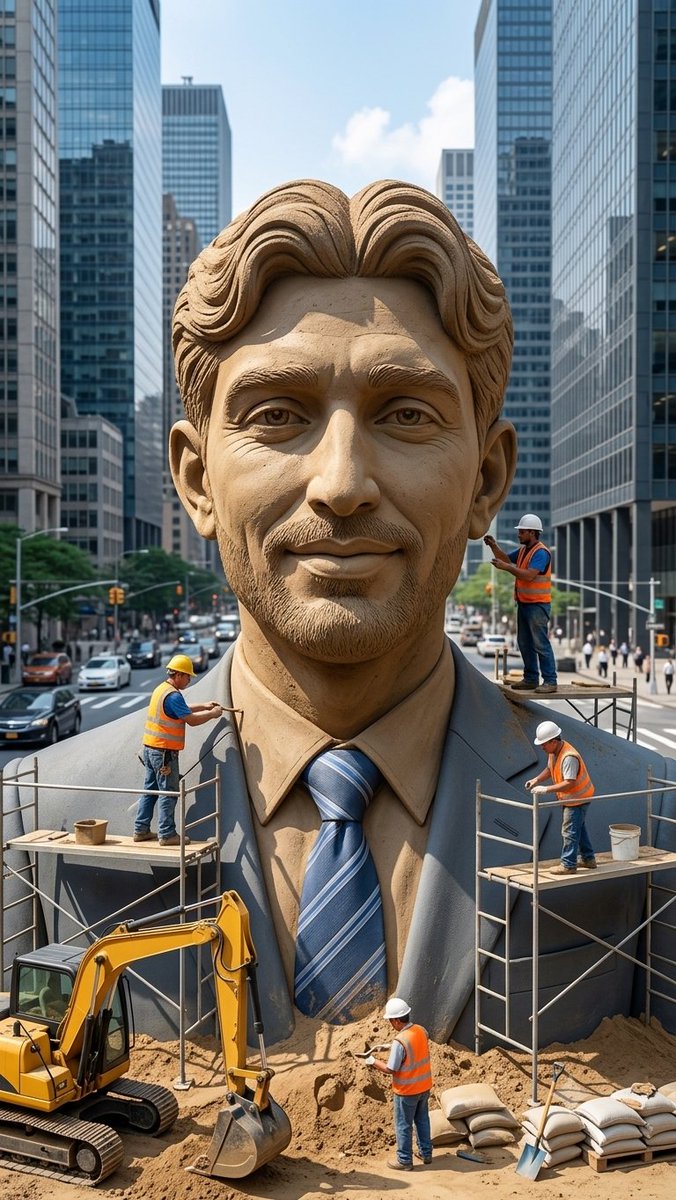
Censored Sand Businessman Statue
A photorealistic city-street construction scene featuring workers sculpting a giant sand businessman statue with its face obscured by a censor block.
Este es un ejemplo GPT Image 2 para Paisaje y naturaleza . Utilice la plantilla lista para copiar que aparece a continuación para generar imágenes similares y revise la atribución de Awesome GPT Image 2 Prompts y los derechos de uso comercial antes de reutilizarla.
¿Necesitas el conjunto completo de indicaciones? Usa el Paisaje y naturaleza centro de temas para ver más ejemplos relacionados, o abra el GPT Image 2 catálogo de avisos Para ver el índice completo de ejemplos, las estructuras reutilizables y la atribución de fuentes.
Free 1K preview
Generate one preview image instantly, no sign-up required.
1743/4000
Prompt
Mensaje listo para copiar
Create a vertical photorealistic urban scene of a colossal hyper-realistic sand sculpture of a smiling businessman wearing a formal suit, dress shirt, and blue striped tie, placed in the middle of a busy modern city street between tall glass skyscrapers. The statue should fill most of the frame from chest to head, with detailed carved sand hair, ears, collar, lapels, tie texture, and realistic granular sand shading. Cover the entire face area with a large plain rectangular censor block in {argument name="censor block color" default="medium warm brown"}, centered over the face from forehead to chin, Show every face clearly with natural, detailed facial features, ears, neck, shirt, and suit visible. Include exactly 4 construction workers wearing orange safety vests, jeans, and hard hats: one worker on the left scaffold carving the left shoulder with a hand tool, one worker standing on a small platform at the right side near the head holding a tool, one worker on the right scaffold working near the suit lapel while bending forward, and one worker on the ground in front of the statue shoveling or smoothing sand. Add exactly 2 scaffold platforms, one on each side of the statue, with metal rails and wooden planks. Add exactly 1 yellow excavator at the lower left foreground with its bucket resting in sand, plus piles of sand, sandbags, buckets, and a shovel in the lower foreground. The background should show a busy city avenue with cars, crosswalks, traffic lights, pedestrians, and tall reflective office towers on both sides, under bright daytime sky with a few clouds. Use realistic perspective, sharp details, natural daylight, cinematic depth, and a documentary construction-site feeling. No text, no logos, no watermark.Variables de solicitud
Marcadores de posición de argumentos editables que se encuentran en la solicitud, con sus valores predeterminados.
Variable
censor block color
Por defecto
medium warm brown
Best for
- - Paisaje y naturaleza visual exploration
- - Image generation and reference-image edits
- - Reusable briefs that keep source attribution visible
Change these parts
- - Subject, product, character, or scene
- - Aspect ratio, camera, lighting, and background
- - Brand, text, color, and output constraints
Recommended model and settings
- - Model: gpt-image-2
- - Input mode: Texto a imagen
- - Aspect ratio: source
- - Commercial status: review original source
How to use this prompt
- 1. Copy the prompt and preserve its structure for the first test.
- 2. Replace the subject, context, and publishing channel.
- 3. Change one camera, lighting, or style variable per iteration.
- 4. Inspect the output, source, text, and rights before reuse.
Limitations, source, and reuse cautions
- - Generated output is an editable draft, not factual, legal, or rights evidence.
- - Review the linked source, people, brands, logos, text, and third-party media before commercial use.
Importado de Awesome GPT Image 2 Prompts . Se requiere atribución. El estado de uso comercial es allowed ; revise los derechos de la fuente antes de su uso comercial.
Más casos en esta categoría
Priorizados por categoría, compatibilidad con el modo de entrada, calidad y menor riesgo.

GPT Image 2 Real-Life Character Street Snap
Texto a imagen

Street Selfie with Cat in Matching Cap
Texto a imagen

MotoGP POV Cornering Shot
Texto a imagen

Gray Denim Lace-Up Top Prompt for GPT Image 2
Texto a imagen

GPT Image 2 Prompt: Garden Dappled Light
Texto a imagen

Orange Rooftop Fashion Photo Prompt
Texto a imagen
Notas sobre la reutilización y la fuente
Utilice esta opción de forma segura después de previsualizar el caso.
- 1.Copia la solicitud o ábrela directamente en Dovoo con el botón de generación.
- 2.Ajusta las variables, la relación de aspecto y las imágenes de referencia según tus necesidades.
- 3.Antes de publicar o utilizar el servicio de forma remunerada, verifique los derechos de autor, los requisitos de atribución y los riesgos relacionados con la marca o la imagen de la persona.