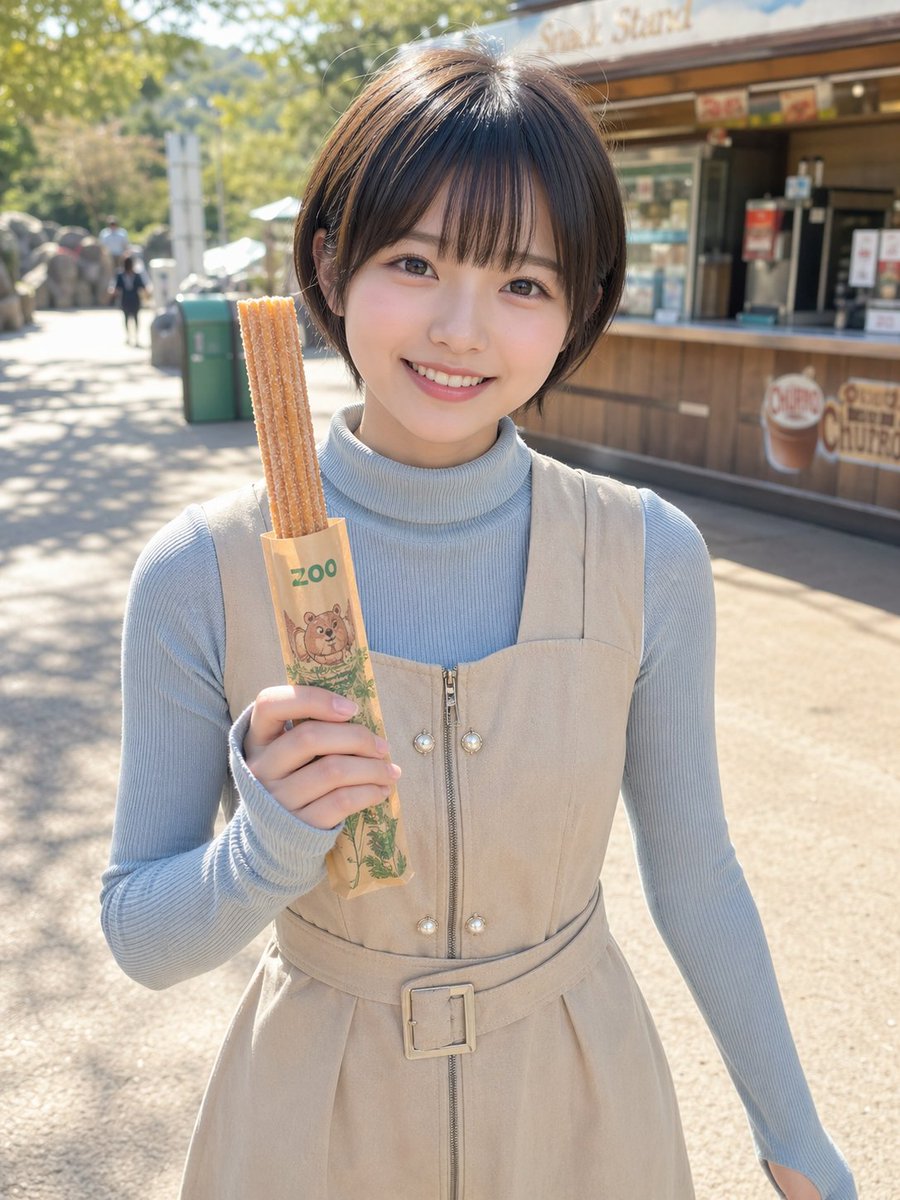
Porträtfoto eines Churros aus dem Zoo
Ein fotorealistisches, vertikales Lifestyle-Porträt einer Frau im Zoo, die Churros hält – geeignet für zwanglose Social-Media-Posts, Reise- oder Food-Fotos.
Dies ist ein GPT Image 2 -Prompt für Porträt & Charakter . Verwenden Sie den unten stehenden, kopierfertigen Prompt, um ähnliche Grafiken zu erstellen, und überprüfen Sie vor der Wiederverwendung Awesome GPT Image 2 Prompts -Quellenangaben sowie die kommerziellen Nutzungsrechte.
Free 1K preview
Generate one preview image instantly, no sign-up required.
Eingabeaufforderung
Kopierfertige Eingabeaufforderung
A realistic outdoor portrait photo of a young woman standing at a zoo snack stand on a sunny day, framed from about mid-thigh upward, centered in the image, holding 3 long churros upright in her left hand. The churros are inside a light brown paper sleeve printed with green text reading “zoo” and a cute illustrated animal face near the bottom. Show every face clearly with natural, detailed facial features, but the rest of the image is crisp and photorealistic. She has a short neat bob haircut in {argument name="hair color" default="dark brown"} with a slight side part and natural shine. She wears a pale powder-blue ribbed turtleneck knit top under a sleeveless {argument name="dress color" default="beige"} zip-front dress with a square neckline, decorative pearl-like buttons near the zipper, and a matching belt with a square buckle at the waist. Warm natural sunlight creates soft shadows and bright highlights, with shallow depth of field and creamy background bokeh. In the background, place a wooden snack kiosk with signage suggesting a churro stand, a paved zoo walkway, a green trash bin, a few tiny distant visitors, trees, and sunlit foliage. The mood is casual, cute, and candid, like a lifestyle snapshot taken at a Japanese zoo. Use a vertical smartphone-photo composition, realistic skin and fabric textures, clean neutral tones, and slightly airy exposure.Eingabeaufforderungsvariablen
In der Eingabeaufforderung befinden sich bearbeitbare Argumentplatzhalter mit ihren Standardwerten.
Best for
- - Porträt & Charakter visual exploration
- - Image generation and reference-image edits
- - Reusable briefs that keep source attribution visible
Change these parts
- - Subject, product, character, or scene
- - Aspect ratio, camera, lighting, and background
- - Brand, text, color, and output constraints
Recommended model and settings
- - Model: gpt-image-2
- - Input mode: Text zu Bild
- - Aspect ratio: source
- - Commercial status: review original source
How to use this prompt
- 1. Copy the prompt and preserve its structure for the first test.
- 2. Replace the subject, context, and publishing channel.
- 3. Change one camera, lighting, or style variable per iteration.
- 4. Inspect the output, source, text, and rights before reuse.
Limitations, source, and reuse cautions
- - Generated output is an editable draft, not factual, legal, or rights evidence.
- - Review the linked source, people, brands, logos, text, and third-party media before commercial use.
Weitere Fälle in dieser Kategorie
Priorisiert nach Kategorie, Kompatibilität der Eingabemodi, Qualität und geringerem Risiko.






Hinweise zur Wiederverwendung und Quellenangabe
Verwenden Sie diese Eingabeaufforderung sicher, nachdem Sie den Fall in der Vorschau angezeigt haben.
- 1.Kopieren Sie die Eingabeaufforderung oder öffnen Sie sie direkt in Dovoo mit der Schaltfläche „Generieren“.
- 2.Passen Sie Variablen, Seitenverhältnis und Referenzbilder an Ihren Anwendungsfall an.
- 3.Vor der Veröffentlichung oder kostenpflichtigen Nutzung sollten Sie die Rechte an der Quelle, die Anforderungen an die Namensnennung sowie die Risiken für die Marke oder das Abbild prüfen.