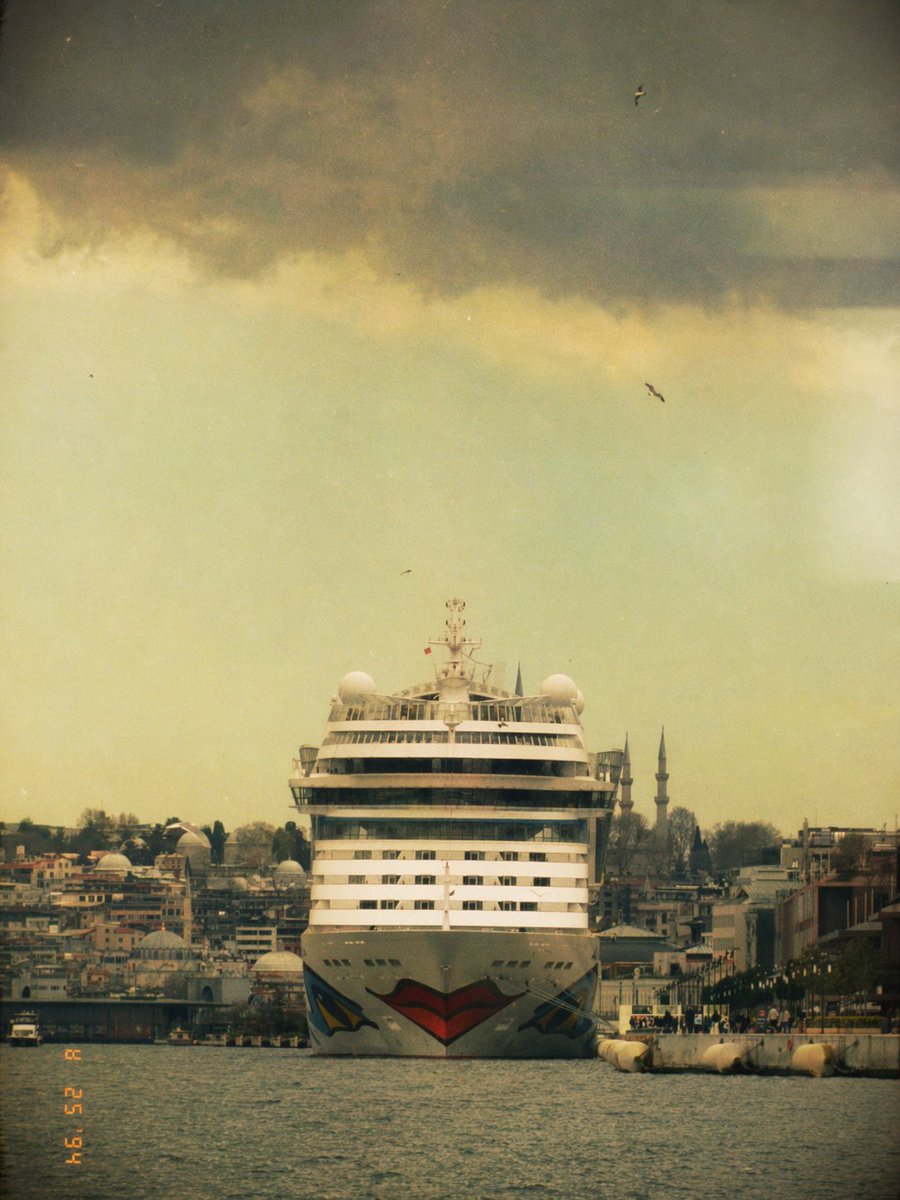
Vintage-Kreuzfahrtschiff in Istanbul
Diese Vorgabe erzeugt ein nostalgisches Reisefoto im Filmstil, das ein Kreuzfahrtschiff bei der Annäherung an die Istanbuler Küste zeigt – ideal für Retro-Postkarten, redaktionelle Beiträge oder ästhetische Social-Media-Bilder.
Dies ist ein GPT Image 2 -Prompt für Landschaft & Natur . Verwenden Sie den unten stehenden, kopierfertigen Prompt, um ähnliche Grafiken zu erstellen, und überprüfen Sie vor der Wiederverwendung Awesome GPT Image 2 Prompts -Quellenangaben sowie die kommerziellen Nutzungsrechte.
Free 1K preview
Generate one preview image instantly, no sign-up required.
Eingabeaufforderung
Kopierfertige Eingabeaufforderung
A front-facing photograph of a massive white cruise ship centered in the frame on the water in Istanbul, seen from a low distance across a narrow harbor channel, with the ship moving slowly toward the camera. The bow has a bold stylized lips graphic painted in red and black, creating a playful viral Instagram-filter feel. Behind and around the ship is a dense waterfront cityscape with low buildings, docks, and exactly 2 slender mosque minarets rising on the right side of the skyline. The composition is symmetrical and cinematic, with the ship dominating the vertical center, dark water in the foreground, and a huge dramatic sky above. The sky is filled with heavy storm clouds across the upper third, but the lower sky glows in pale yellow-green haze, giving the image a vintage, dreamy, slightly eerie atmosphere. Include exactly 4 small birds scattered in the sky. Apply a nostalgic analog film look with faded colors, grain, dust specks, soft blur, light vignette, muted contrast, and a slightly weathered 1990s tourist snapshot aesthetic. Add an orange camcorder-style date stamp in the lower left corner reading {argument name="date stamp" default="02 25 '94"}. Vertical 3:4 framing, centered composition, realistic photography, moody travel postcard tone, city and ship details slightly softened by haze.Eingabeaufforderungsvariablen
In der Eingabeaufforderung befinden sich bearbeitbare Argumentplatzhalter mit ihren Standardwerten.
Best for
- - Landschaft & Natur visual exploration
- - Image generation and reference-image edits
- - Reusable briefs that keep source attribution visible
Change these parts
- - Subject, product, character, or scene
- - Aspect ratio, camera, lighting, and background
- - Brand, text, color, and output constraints
Recommended model and settings
- - Model: gpt-image-2
- - Input mode: Text zu Bild
- - Aspect ratio: source
- - Commercial status: review original source
How to use this prompt
- 1. Copy the prompt and preserve its structure for the first test.
- 2. Replace the subject, context, and publishing channel.
- 3. Change one camera, lighting, or style variable per iteration.
- 4. Inspect the output, source, text, and rights before reuse.
Limitations, source, and reuse cautions
- - Generated output is an editable draft, not factual, legal, or rights evidence.
- - Review the linked source, people, brands, logos, text, and third-party media before commercial use.
Weitere Fälle in dieser Kategorie
Priorisiert nach Kategorie, Kompatibilität der Eingabemodi, Qualität und geringerem Risiko.






Hinweise zur Wiederverwendung und Quellenangabe
Verwenden Sie diese Eingabeaufforderung sicher, nachdem Sie den Fall in der Vorschau angezeigt haben.
- 1.Kopieren Sie die Eingabeaufforderung oder öffnen Sie sie direkt in Dovoo mit der Schaltfläche „Generieren“.
- 2.Passen Sie Variablen, Seitenverhältnis und Referenzbilder an Ihren Anwendungsfall an.
- 3.Vor der Veröffentlichung oder kostenpflichtigen Nutzung sollten Sie die Rechte an der Quelle, die Anforderungen an die Namensnennung sowie die Risiken für die Marke oder das Abbild prüfen.