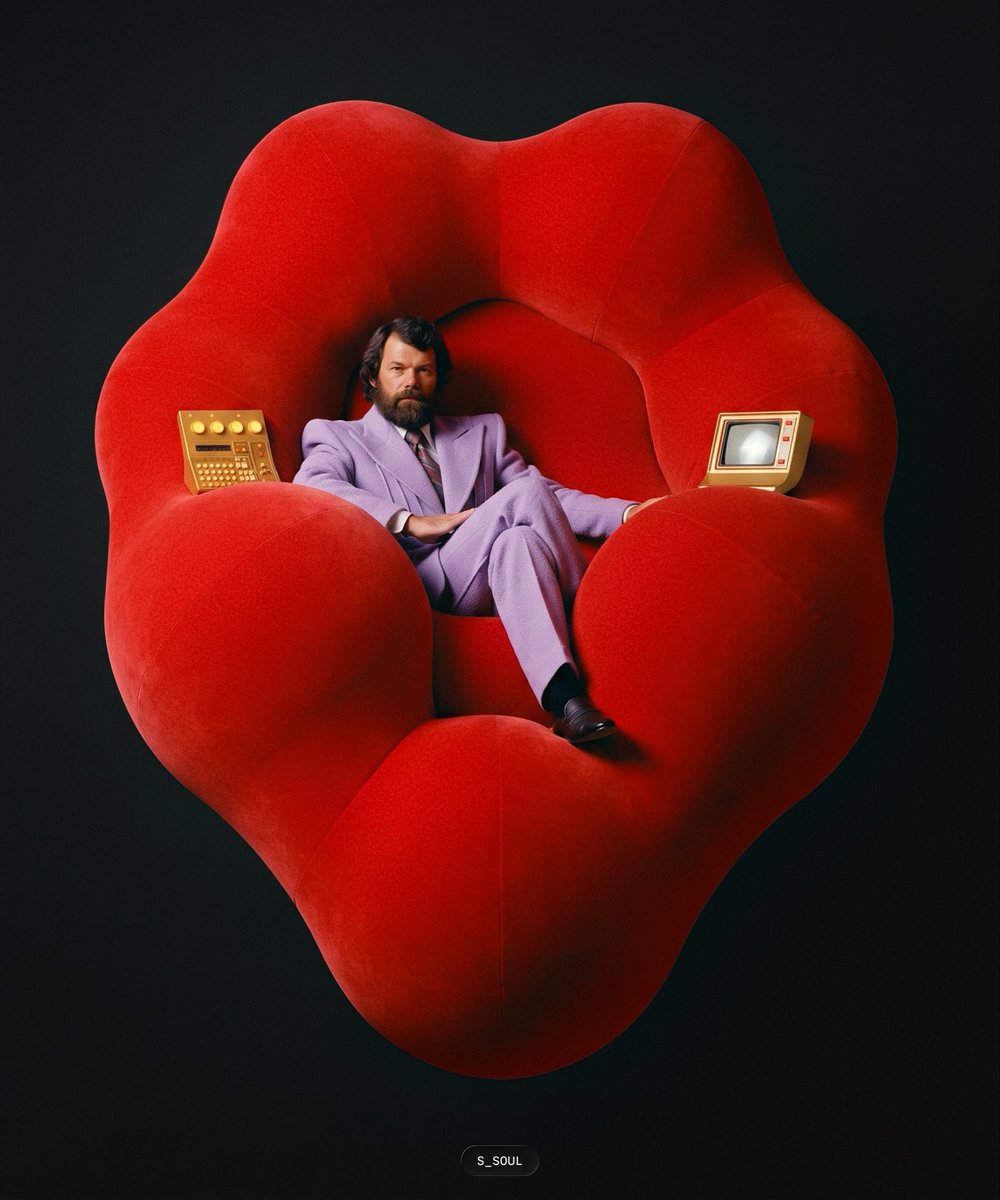
Retro Surreal Chair Portrait
Creates a polished surreal retro studio portrait from a rough composition sketch, useful for turning layout doodles into finished editorial imagery.
Dies ist ein GPT Image 2 -Prompt für Porträt & Charakter . Verwenden Sie den unten stehenden, kopierfertigen Prompt, um ähnliche Grafiken zu erstellen, und überprüfen Sie vor der Wiederverwendung Awesome GPT Image 2 Prompts -Quellenangaben sowie die kommerziellen Nutzungsrechte.
Free 1K preview
Generate one preview image instantly, no sign-up required.
Free text preview doesn’t preserve reference-image consistency.
Eingabeaufforderung
Kopierfertige Eingabeaufforderung
Using REFERENCE_0 as a rough composition sketch, turn it into a polished surreal studio portrait. Keep the same overall layout: a large rounded organic chair shape filling the frame, a single seated figure reclining in the center, and one small device on each side where the sketch indicates objects. Render it as a high-end retro editorial photograph with dramatic soft lighting on a dark seamless background.

Subject and composition: Place exactly 1 seated person in the central hollow of the chair: {argument name="character description" default="a serious bearded middle-aged man in a lavender suit"}. Pose him relaxed and confident, legs crossed, leaning back into the chair.

Chair: Replace the sketched blob with {argument name="chair design" default="an oversized plush red sculptural chair shaped like lips or a heart, with rounded petal-like cushions"}. Make it velvety, soft, enormous, and centered, with visible cushion seams and deep shadows.

Added objects: Include exactly 2 retro electronic devices positioned according to the sketch: 1 gold control panel with buttons and dials on the left arm of the chair, and 1 beige small CRT monitor terminal on the right arm of the chair.

Style: {argument name="visual style" default="1980s surreal fashion editorial photography"}, realistic fabric texture, cinematic studio lighting, rich red color, dark black-green background, square-to-vertical portrait crop.

Text: Add only a tiny bottom-center signature label reading {argument name="signature text" default="S_SOUL"}. Avoid extra text, logos, or additional people.
Eingabeaufforderungsvariablen
In der Eingabeaufforderung befinden sich bearbeitbare Argumentplatzhalter mit ihren Standardwerten.
Best for
- - Porträt & Charakter visual exploration
- - Image generation and reference-image edits
- - Reusable briefs that keep source attribution visible
Change these parts
- - Subject, product, character, or scene
- - Aspect ratio, camera, lighting, and background
- - Brand, text, color, and output constraints
Recommended model and settings
- - Model: gpt-image-2
- - Input mode: Bild zu Bild
- - Aspect ratio: source
- - Commercial status: review original source
How to use this prompt
- 1. Copy the prompt and preserve its structure for the first test.
- 2. Replace the subject, context, and publishing channel.
- 3. Change one camera, lighting, or style variable per iteration.
- 4. Inspect the output, source, text, and rights before reuse.
Limitations, source, and reuse cautions
- - Generated output is an editable draft, not factual, legal, or rights evidence.
- - Review the linked source, people, brands, logos, text, and third-party media before commercial use.
Weitere Fälle in dieser Kategorie
Priorisiert nach Kategorie, Kompatibilität der Eingabemodi, Qualität und geringerem Risiko.






Hinweise zur Wiederverwendung und Quellenangabe
Verwenden Sie diese Eingabeaufforderung sicher, nachdem Sie den Fall in der Vorschau angezeigt haben.
- 1.Kopieren Sie die Eingabeaufforderung oder öffnen Sie sie direkt in Dovoo mit der Schaltfläche „Generieren“.
- 2.Passen Sie Variablen, Seitenverhältnis und Referenzbilder an Ihren Anwendungsfall an.
- 3.Vor der Veröffentlichung oder kostenpflichtigen Nutzung sollten Sie die Rechte an der Quelle, die Anforderungen an die Namensnennung sowie die Risiken für die Marke oder das Abbild prüfen.