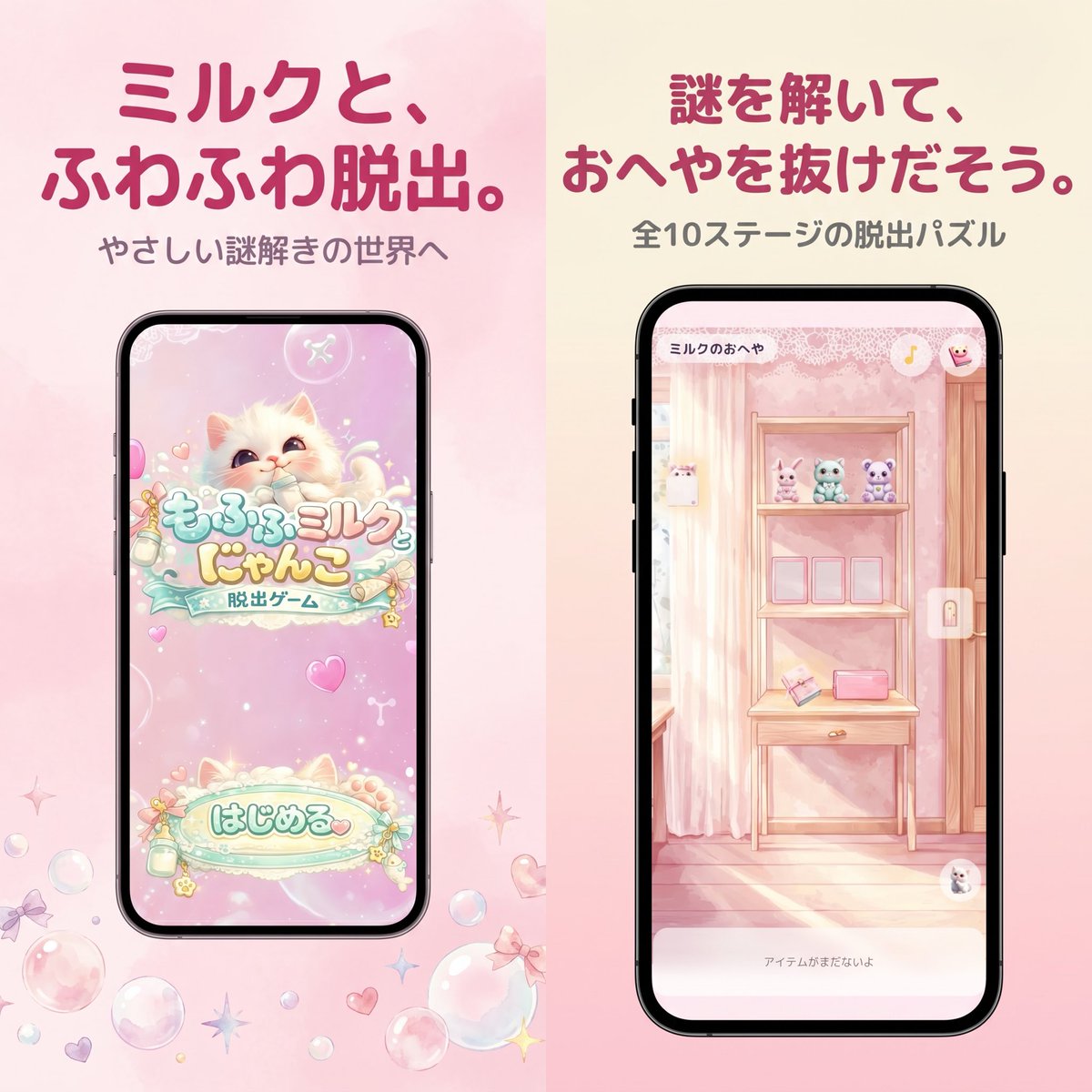
Screenshot aus dem japanischen Mobile-Game-Store (Pastellfarben)
Ein sanftes, kawaii-artiges Werbebild im App-Store-Stil für ein japanisches Escape-Game in Pastellfarben, das sich gut für Marketinggrafiken von mobilen Spielen und Screenshots im App Store eignet.
Dies ist ein GPT Image 2 -Prompt für Produkt & Vertrieb . Verwenden Sie den unten stehenden, kopierfertigen Prompt, um ähnliche Grafiken zu erstellen, und überprüfen Sie vor der Wiederverwendung Awesome GPT Image 2 Prompts -Quellenangaben sowie die kommerziellen Nutzungsrechte.
Free 1K preview
Generate one preview image instantly, no sign-up required.
Eingabeaufforderung
Kopierfertige Eingabeaufforderung
A polished Japanese mobile game promotional graphic in a soft pastel kawaii style, formatted as a square split-screen advertisement with 2 vertical panels side by side. The left half has a pale blush pink watercolor background, and the right half has a warm cream-to-pink gradient background. At the top of the left panel, place a large bold rounded Japanese headline in dark rose pink reading {argument name="left headline text" default="ミルクと、ふわふわ脱出。"}, with a smaller gray subtitle below reading {argument name="left subtitle text" default="やさしい謎解きの世界へ"}. Centered below is a black-framed modern smartphone mockup showing the title screen of a cute pastel escape game: a fluffy cream-colored kitten with big watery eyes on a sparkly pink background, decorative bubbles and hearts, a logo in Japanese reading もふもふミルク にゃんこ with a smaller ribbon-like subtitle 脱出ゲーム, and a large rounded start button near the bottom reading はじめる. Around the phone on the pink background, scatter translucent soap bubbles, tiny bows, hearts, and star-shaped sparkles near the lower area. In the right panel, place a large bold rounded Japanese headline in dark rose pink reading {argument name="right headline text" default="謎を解いて、おへやを抜けだそう。"}, with a smaller gray subtitle below reading {argument name="right subtitle text" default="全10ステージの脱出パズル"}. Centered below is a second black-framed smartphone mockup showing in-game play: a dreamy pastel pink room with striped wallpaper, a wooden shelf unit or vanity table, 3 small plush animals lined up on the top shelf, 3 empty square frames or slots on the middle shelf, and 2 small objects on the lower shelf including a pink rectangular item and an angled card-like object. Add a tiny top-left room title inside the phone UI reading ミルクのおへや, a small circular icon at top right, a vertical lock icon on the right edge, and a pale bottom text bar reading アイテムがまだないよ. The entire composition should feel like an App Store screenshot for a gentle puzzle game, with soft lighting, pastel pinks and creams, rounded typography, clean spacing, and a cute feminine aesthetic.Eingabeaufforderungsvariablen
In der Eingabeaufforderung befinden sich bearbeitbare Argumentplatzhalter mit ihren Standardwerten.
Best for
- - Produkt & Vertrieb visual exploration
- - Image generation and reference-image edits
- - Reusable briefs that keep source attribution visible
Change these parts
- - Subject, product, character, or scene
- - Aspect ratio, camera, lighting, and background
- - Brand, text, color, and output constraints
Recommended model and settings
- - Model: gpt-image-2
- - Input mode: Text zu Bild
- - Aspect ratio: source
- - Commercial status: review original source
How to use this prompt
- 1. Copy the prompt and preserve its structure for the first test.
- 2. Replace the subject, context, and publishing channel.
- 3. Change one camera, lighting, or style variable per iteration.
- 4. Inspect the output, source, text, and rights before reuse.
Limitations, source, and reuse cautions
- - Generated output is an editable draft, not factual, legal, or rights evidence.
- - Review the linked source, people, brands, logos, text, and third-party media before commercial use.
Weitere Fälle in dieser Kategorie
Priorisiert nach Kategorie, Kompatibilität der Eingabemodi, Qualität und geringerem Risiko.






Hinweise zur Wiederverwendung und Quellenangabe
Verwenden Sie diese Eingabeaufforderung sicher, nachdem Sie den Fall in der Vorschau angezeigt haben.
- 1.Kopieren Sie die Eingabeaufforderung oder öffnen Sie sie direkt in Dovoo mit der Schaltfläche „Generieren“.
- 2.Passen Sie Variablen, Seitenverhältnis und Referenzbilder an Ihren Anwendungsfall an.
- 3.Vor der Veröffentlichung oder kostenpflichtigen Nutzung sollten Sie die Rechte an der Quelle, die Anforderungen an die Namensnennung sowie die Risiken für die Marke oder das Abbild prüfen.