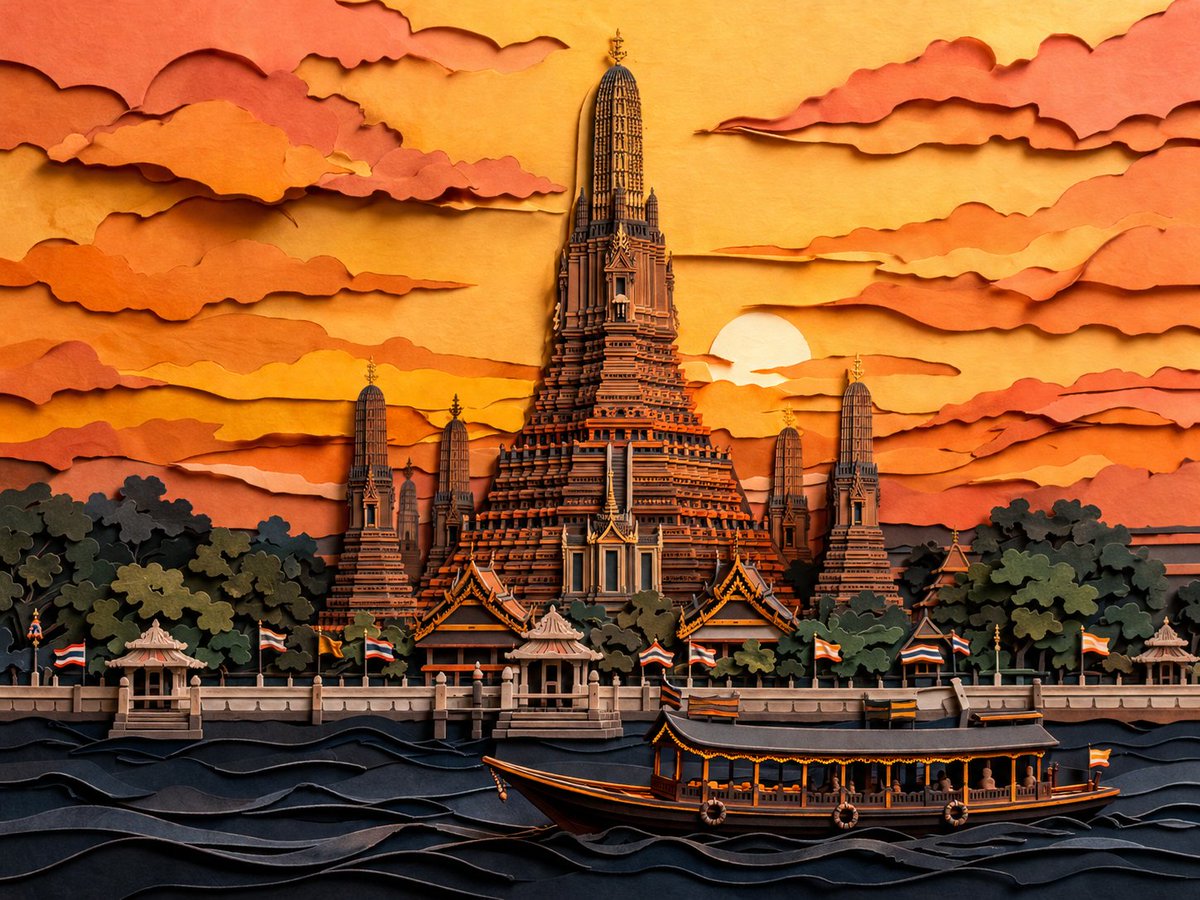
Papercut Was Arun bei Sonnenuntergang
Diese Vorlage erzeugt eine detailreiche Scherenschnitt-Illustration von Wat Arun in der Abenddämmerung, ideal für dekorative Reisekunst, Poster oder stilisierte Darstellungen von Kulturlandschaften.
Dies ist ein GPT Image 2 -Prompt für Illustration & Kunst . Verwenden Sie den unten stehenden, kopierfertigen Prompt, um ähnliche Grafiken zu erstellen, und überprüfen Sie vor der Wiederverwendung Awesome GPT Image 2 Prompts -Quellenangaben sowie die kommerziellen Nutzungsrechte.
Free 1K preview
Generate one preview image instantly, no sign-up required.
Eingabeaufforderung
Kopierfertige Eingabeaufforderung
A highly detailed layered papercut artwork of {argument name="scene" default="Wat Arun in Bangkok, Thailand at dusk"}, viewed from across the river in a centered, symmetrical composition. The image should look like handcrafted 3D paper sculpture and kirigami, with stacked cut-paper layers, visible paper edges, soft relief depth, delicate shadows between layers, and crisp ornamental architectural detail. Place the grand central prang of the temple rising dramatically in the middle, surrounded by 4 smaller prangs, dense dark green-black tree masses at the base, a riverside promenade with small pavilions, and multiple Thai flags lining the waterfront. In the foreground, show the Chao Phraya River as stylized rolling paper waves in deep navy and charcoal, with 1 long traditional river boat crossing from left to right near the bottom center. The sky is filled with many horizontally stretched layered clouds cut from paper, framing a low setting sun partially hidden behind the temple on the right side of center. Use a warm sunset palette of {argument name="color palette" default="golden yellow, amber, burnt orange, peach, terracotta, coral, and deep blue-black"}. Keep the style elegant, intricate, cinematic, and richly textured, with a handcrafted paper diorama feel, high contrast between glowing sky and dark foreground, and an overall refined Asian decorative art aesthetic.Eingabeaufforderungsvariablen
In der Eingabeaufforderung befinden sich bearbeitbare Argumentplatzhalter mit ihren Standardwerten.
Best for
- - Illustration & Kunst visual exploration
- - Image generation and reference-image edits
- - Reusable briefs that keep source attribution visible
Change these parts
- - Subject, product, character, or scene
- - Aspect ratio, camera, lighting, and background
- - Brand, text, color, and output constraints
Recommended model and settings
- - Model: gpt-image-2
- - Input mode: Text zu Bild
- - Aspect ratio: source
- - Commercial status: review original source
How to use this prompt
- 1. Copy the prompt and preserve its structure for the first test.
- 2. Replace the subject, context, and publishing channel.
- 3. Change one camera, lighting, or style variable per iteration.
- 4. Inspect the output, source, text, and rights before reuse.
Limitations, source, and reuse cautions
- - Generated output is an editable draft, not factual, legal, or rights evidence.
- - Review the linked source, people, brands, logos, text, and third-party media before commercial use.
Weitere Fälle in dieser Kategorie
Priorisiert nach Kategorie, Kompatibilität der Eingabemodi, Qualität und geringerem Risiko.






Hinweise zur Wiederverwendung und Quellenangabe
Verwenden Sie diese Eingabeaufforderung sicher, nachdem Sie den Fall in der Vorschau angezeigt haben.
- 1.Kopieren Sie die Eingabeaufforderung oder öffnen Sie sie direkt in Dovoo mit der Schaltfläche „Generieren“.
- 2.Passen Sie Variablen, Seitenverhältnis und Referenzbilder an Ihren Anwendungsfall an.
- 3.Vor der Veröffentlichung oder kostenpflichtigen Nutzung sollten Sie die Rechte an der Quelle, die Anforderungen an die Namensnennung sowie die Risiken für die Marke oder das Abbild prüfen.