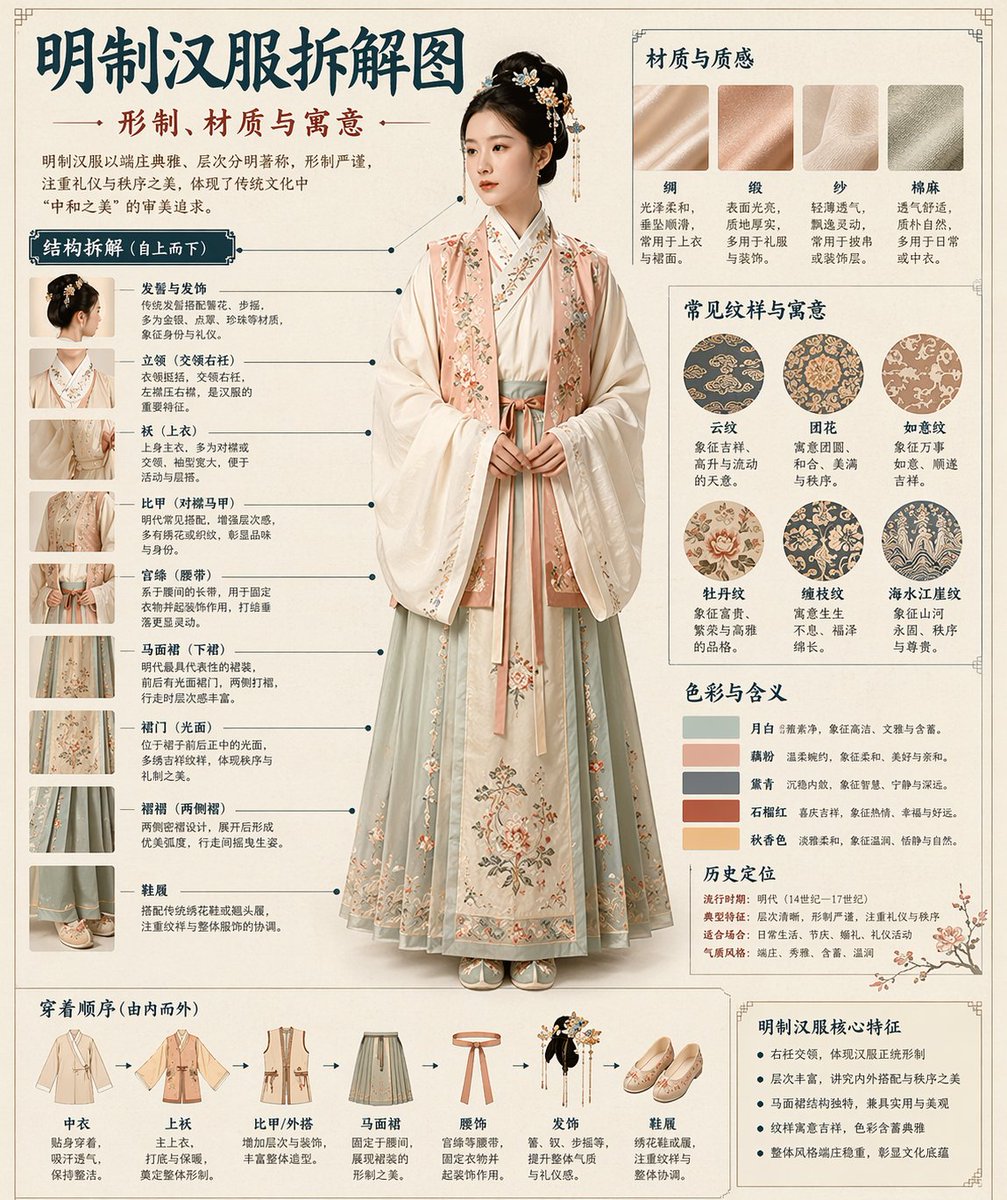
Aufschlüsselung einer Infografik im Museumsstil
Eine umfassende Vorlage zur Erstellung von technischen Infografiken im Museumsstil für traditionelle Gegenstände wie Hanfu oder Artefakte.
Dies ist ein GPT Image 2 -Prompt für Grafik & Poster . Verwenden Sie den unten stehenden, kopierfertigen Prompt, um ähnliche Grafiken zu erstellen, und überprüfen Sie vor der Wiederverwendung Awesome GPT Image 2 Prompts -Quellenangaben sowie die kommerziellen Nutzungsrechte.
Benötigen Sie den vollständigen Prompt-Satz? Verwenden Sie den Grafik & Poster Weitere verwandte Beispiele finden Sie im Themen-Hub oder öffnen Sie die GPT Image 2 Prompt-Katalog für das vollständige Beispielverzeichnis, wiederverwendbare Strukturen und Quellenangaben.
Free 1K preview
Generate one preview image instantly, no sign-up required.
1788/4000
Eingabeaufforderung
Kopierfertige Eingabeaufforderung
Please automatically generate a "Museum Guide-style Chinese Breakdown Infographic" based on the [Theme: {argument name="theme" default="Hanfu"}].

Requirements: The entire image must combine a realistic main visual, structural breakdown, Chinese annotations, material descriptions, pattern meanings, color symbolism, and a summary of core features. You need to automatically determine the most suitable subject, clothing system, artifact structure, era style, key components, material craftsmanship, color scheme, and layout based on the [Theme] without further user input.

The overall style should be: National Museum exhibition board, historical clothing guide, or cultural museum special infographic, rather than a common poster, ancient-style photo, e-commerce details page, or anime illustration. The background should use paper textures like off-white, silk white, or light tea color. The overall look should be high-end, restrained, professional, and collectible.

The layout is fixed as:
- Top: Chinese main title + sub-title + introduction
- Left: Structural breakdown area with Chinese leader lines marking key components and matching close-ups
- Top Right: Material/Craftsmanship/Texture area showing real texture samples with descriptions
- Middle Right: Pattern/Color/Meaning area showing the main color palette, pattern samples, and cultural explanations
- Bottom: Wearing order / Composition flowchart + summary of core features

If the theme is suitable for person display, use a full-body standing pose of a real person as the central subject; if it's more suitable for artifacts, use a central subject breakdown, but maintain the complete Chinese infographic format. All text must be in Simplified Chinese, clear, neat, and readable without garbled characters or typos.
Eingabeaufforderungsvariablen
In der Eingabeaufforderung befinden sich bearbeitbare Argumentplatzhalter mit ihren Standardwerten.
Variable
theme
Standard
Hanfu
Best for
- - Grafik & Poster visual exploration
- - Image generation and reference-image edits
- - Reusable briefs that keep source attribution visible
Change these parts
- - Subject, product, character, or scene
- - Aspect ratio, camera, lighting, and background
- - Brand, text, color, and output constraints
Recommended model and settings
- - Model: gpt-image-2
- - Input mode: Text zu Bild
- - Aspect ratio: source
- - Commercial status: review original source
How to use this prompt
- 1. Copy the prompt and preserve its structure for the first test.
- 2. Replace the subject, context, and publishing channel.
- 3. Change one camera, lighting, or style variable per iteration.
- 4. Inspect the output, source, text, and rights before reuse.
Limitations, source, and reuse cautions
- - Generated output is an editable draft, not factual, legal, or rights evidence.
- - Review the linked source, people, brands, logos, text, and third-party media before commercial use.
Importiert von Awesome GPT Image 2 Prompts . Quellenangabe erforderlich. Status der kommerziellen Nutzung: allowed ; Rechte an der Quelle vor kostenpflichtiger Nutzung prüfen.
Weitere Fälle in dieser Kategorie
Priorisiert nach Kategorie, Kompatibilität der Eingabemodi, Qualität und geringerem Risiko.






Hinweise zur Wiederverwendung und Quellenangabe
Verwenden Sie diese Eingabeaufforderung sicher, nachdem Sie den Fall in der Vorschau angezeigt haben.
- 1.Kopieren Sie die Eingabeaufforderung oder öffnen Sie sie direkt in Dovoo mit der Schaltfläche „Generieren“.
- 2.Passen Sie Variablen, Seitenverhältnis und Referenzbilder an Ihren Anwendungsfall an.
- 3.Vor der Veröffentlichung oder kostenpflichtigen Nutzung sollten Sie die Rechte an der Quelle, die Anforderungen an die Namensnennung sowie die Risiken für die Marke oder das Abbild prüfen.