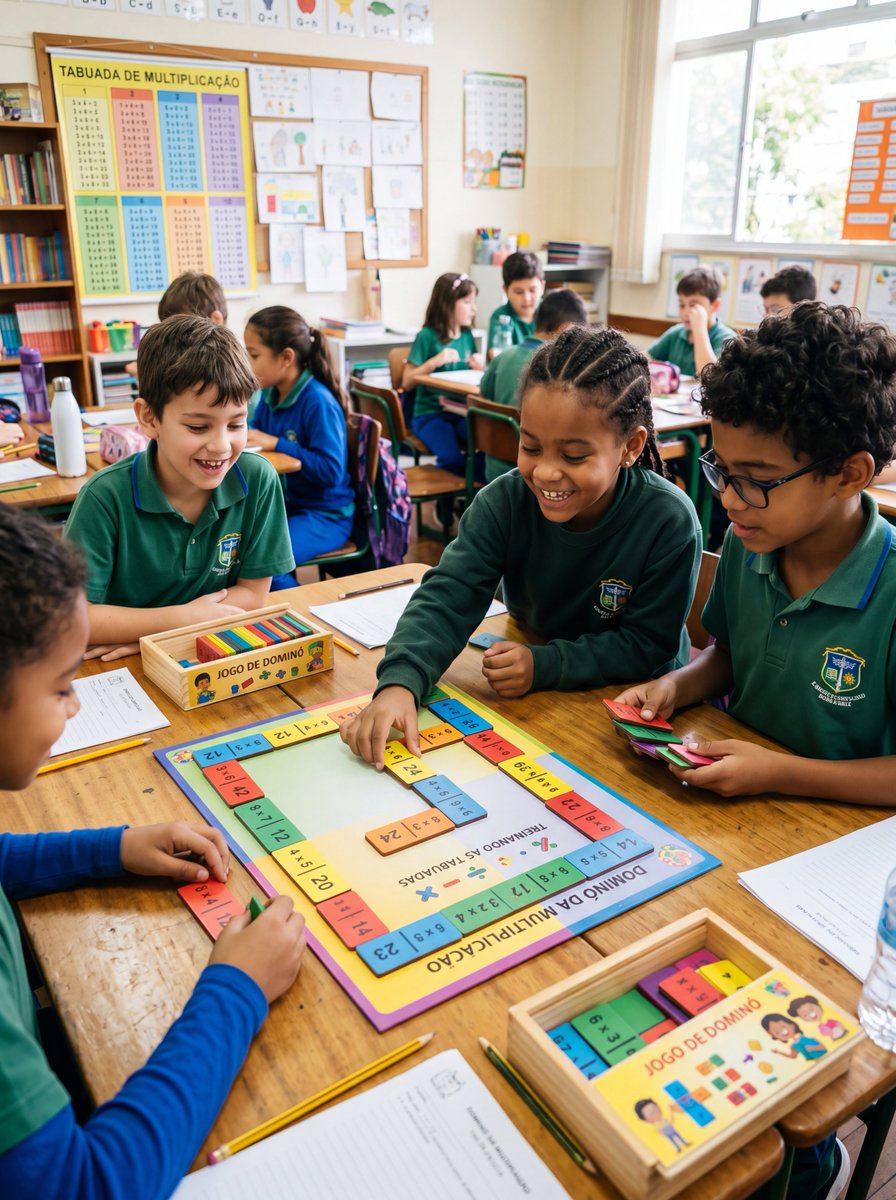
Multiplikations-Domino-Klassenzimmeraktivität
Ein realistisches Klassenzimmerfoto, das Kinder beim Spielen mit einem farbenfrohen Multiplikations-Domino-Brettspiel zeigt; ideal für Unterrichtsmaterialien, Schulwerbung oder als visuelle Darstellung von Mathematikaktivitäten.
Dies ist ein GPT Image 2 -Prompt für Innenarchitektur . Verwenden Sie den unten stehenden, kopierfertigen Prompt, um ähnliche Grafiken zu erstellen, und überprüfen Sie vor der Wiederverwendung Awesome GPT Image 2 Prompts -Quellenangaben sowie die kommerziellen Nutzungsrechte.
Benötigen Sie den vollständigen Prompt-Satz? Verwenden Sie den Innenarchitektur Weitere verwandte Beispiele finden Sie im Themen-Hub oder öffnen Sie die GPT Image 2 Prompt-Katalog für das vollständige Beispielverzeichnis, wiederverwendbare Strukturen und Quellenangaben.
Free 1K preview
Generate one preview image instantly, no sign-up required.
1930/4000
Eingabeaufforderung
Kopierfertige Eingabeaufforderung
A realistic documentary-style photo of an elementary school classroom during a math activity, with about 10 children seated around grouped wooden desks, wearing green and blue school uniforms, actively playing a colorful multiplication domino game. The camera is at child eye level, slightly angled downward toward the main table in the foreground. Center the scene on one square educational board game labeled in Portuguese, with the title "DOMINÓ DA MULTIPLICAÇÃO" on the lower edge and "TREINANDO AS TABUADAS" in the center, surrounded by a border of brightly colored domino-style multiplication tiles. Show 4 children clearly engaged around this main board: one child placing a yellow tile onto the board, one child holding a stack of multicolored tiles, one child watching from the left, and one child in a blue sleeve at the bottom edge arranging pieces. Include 2 shallow wooden boxes labeled "JOGO DE DOMINÓ," one near the center-left and one at the bottom-right, each containing colorful rectangular domino pieces. Scatter school materials naturally on the desks: 3 pencils, 2 worksheets, 1 water bottle, pencil cases, notebooks, and extra game tiles. In the background, show the rest of the classroom softly out of focus with additional students at desks, a bookshelf, a corkboard filled with children’s drawings, and a large multiplication chart poster on the left wall reading "TABUADA DE MULTIPLICAÇÃO." Bright natural daylight enters from tall windows on the right, giving the room a warm, lively, authentic school atmosphere. The educational board and tiles should use vivid classroom colors like yellow, blue, pink, green, and orange. Faces should be unobtrusive or de-emphasized, with the focus on hands-on learning, collaboration, and the multiplication domino activity. Vertical composition, highly realistic photography, candid classroom moment, sharp foreground details, soft depth of field in the background.
Best for
- - Innenarchitektur visual exploration
- - Image generation and reference-image edits
- - Reusable briefs that keep source attribution visible
Change these parts
- - Subject, product, character, or scene
- - Aspect ratio, camera, lighting, and background
- - Brand, text, color, and output constraints
Recommended model and settings
- - Model: gpt-image-2
- - Input mode: Text zu Bild
- - Aspect ratio: source
- - Commercial status: review original source
How to use this prompt
- 1. Copy the prompt and preserve its structure for the first test.
- 2. Replace the subject, context, and publishing channel.
- 3. Change one camera, lighting, or style variable per iteration.
- 4. Inspect the output, source, text, and rights before reuse.
Limitations, source, and reuse cautions
- - Generated output is an editable draft, not factual, legal, or rights evidence.
- - Review the linked source, people, brands, logos, text, and third-party media before commercial use.
Importiert von Awesome GPT Image 2 Prompts . Quellenangabe erforderlich. Status der kommerziellen Nutzung: allowed ; Rechte an der Quelle vor kostenpflichtiger Nutzung prüfen.
Weitere Fälle in dieser Kategorie
Priorisiert nach Kategorie, Kompatibilität der Eingabemodi, Qualität und geringerem Risiko.






Hinweise zur Wiederverwendung und Quellenangabe
Verwenden Sie diese Eingabeaufforderung sicher, nachdem Sie den Fall in der Vorschau angezeigt haben.
- 1.Kopieren Sie die Eingabeaufforderung oder öffnen Sie sie direkt in Dovoo mit der Schaltfläche „Generieren“.
- 2.Passen Sie Variablen, Seitenverhältnis und Referenzbilder an Ihren Anwendungsfall an.
- 3.Vor der Veröffentlichung oder kostenpflichtigen Nutzung sollten Sie die Rechte an der Quelle, die Anforderungen an die Namensnennung sowie die Risiken für die Marke oder das Abbild prüfen.