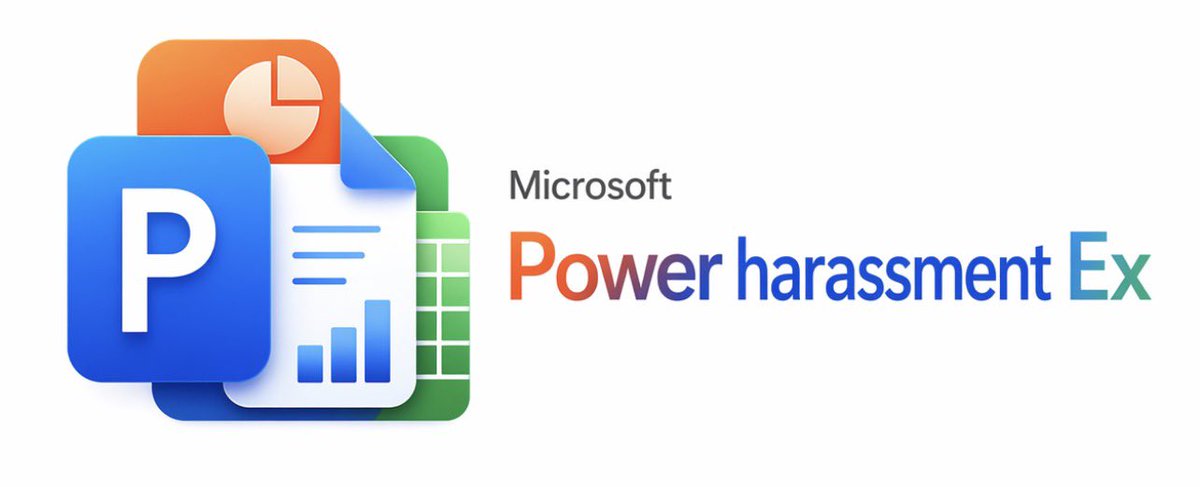
Microsoft Office Parodie-Banner
Ein professionell gestaltetes, an Microsoft angelehntes Produktbanner mit übereinanderliegenden, Office-ähnlichen Symbolen und einem satirischen Softwaretitel, geeignet für Memes, Parodie-Branding oder Social-Media-Posts.
Dies ist ein GPT Image 2 -Prompt für Grafik & Poster . Verwenden Sie den unten stehenden, kopierfertigen Prompt, um ähnliche Grafiken zu erstellen, und überprüfen Sie vor der Wiederverwendung Awesome GPT Image 2 Prompts -Quellenangaben sowie die kommerziellen Nutzungsrechte.
Free 1K preview
Generate one preview image instantly, no sign-up required.
Eingabeaufforderung
Kopierfertige Eingabeaufforderung
A clean, minimalist white background promotional graphic in the style of official Microsoft product launches. On the left, create a layered, glossy 3D app icon cluster of 4 overlapping Office-style elements: in the foreground, a large blue rounded square tile with a bold white uppercase letter P; above and to the left, an orange rounded square tile with a light cream pie chart symbol; in the center, a white document page with the upper right corner folded, featuring 3 horizontal blue lines and 3 blue bar graphs near the bottom; and behind and to the right, a green rounded square spreadsheet tile with a white grid. Use soft shadows, subtle reflections, smooth rounded corners, and a refined modern Fluent Design aesthetic. On the right, place grey small text {argument name="brand text" default="Microsoft"} above a large rainbow gradient product title {argument name="product name" default="Power harassment Ex"}, with the gradient transitioning from orange-red to purple and blue, and finally to cyan. Maintain a wide and balanced composition, with the icon group occupying the left third, the text occupying the right two-thirds, and ample negative space. The edges should be crisp like a vector graphic, presenting a slightly humorous, fictional enterprise software parody aesthetic.Eingabeaufforderungsvariablen
In der Eingabeaufforderung befinden sich bearbeitbare Argumentplatzhalter mit ihren Standardwerten.
Best for
- - Grafik & Poster visual exploration
- - Image generation and reference-image edits
- - Reusable briefs that keep source attribution visible
Change these parts
- - Subject, product, character, or scene
- - Aspect ratio, camera, lighting, and background
- - Brand, text, color, and output constraints
Recommended model and settings
- - Model: gpt-image-2
- - Input mode: Text zu Bild
- - Aspect ratio: source
- - Commercial status: review original source
How to use this prompt
- 1. Copy the prompt and preserve its structure for the first test.
- 2. Replace the subject, context, and publishing channel.
- 3. Change one camera, lighting, or style variable per iteration.
- 4. Inspect the output, source, text, and rights before reuse.
Limitations, source, and reuse cautions
- - Generated output is an editable draft, not factual, legal, or rights evidence.
- - Review the linked source, people, brands, logos, text, and third-party media before commercial use.
Weitere Fälle in dieser Kategorie
Priorisiert nach Kategorie, Kompatibilität der Eingabemodi, Qualität und geringerem Risiko.






Hinweise zur Wiederverwendung und Quellenangabe
Verwenden Sie diese Eingabeaufforderung sicher, nachdem Sie den Fall in der Vorschau angezeigt haben.
- 1.Kopieren Sie die Eingabeaufforderung oder öffnen Sie sie direkt in Dovoo mit der Schaltfläche „Generieren“.
- 2.Passen Sie Variablen, Seitenverhältnis und Referenzbilder an Ihren Anwendungsfall an.
- 3.Vor der Veröffentlichung oder kostenpflichtigen Nutzung sollten Sie die Rechte an der Quelle, die Anforderungen an die Namensnennung sowie die Risiken für die Marke oder das Abbild prüfen.