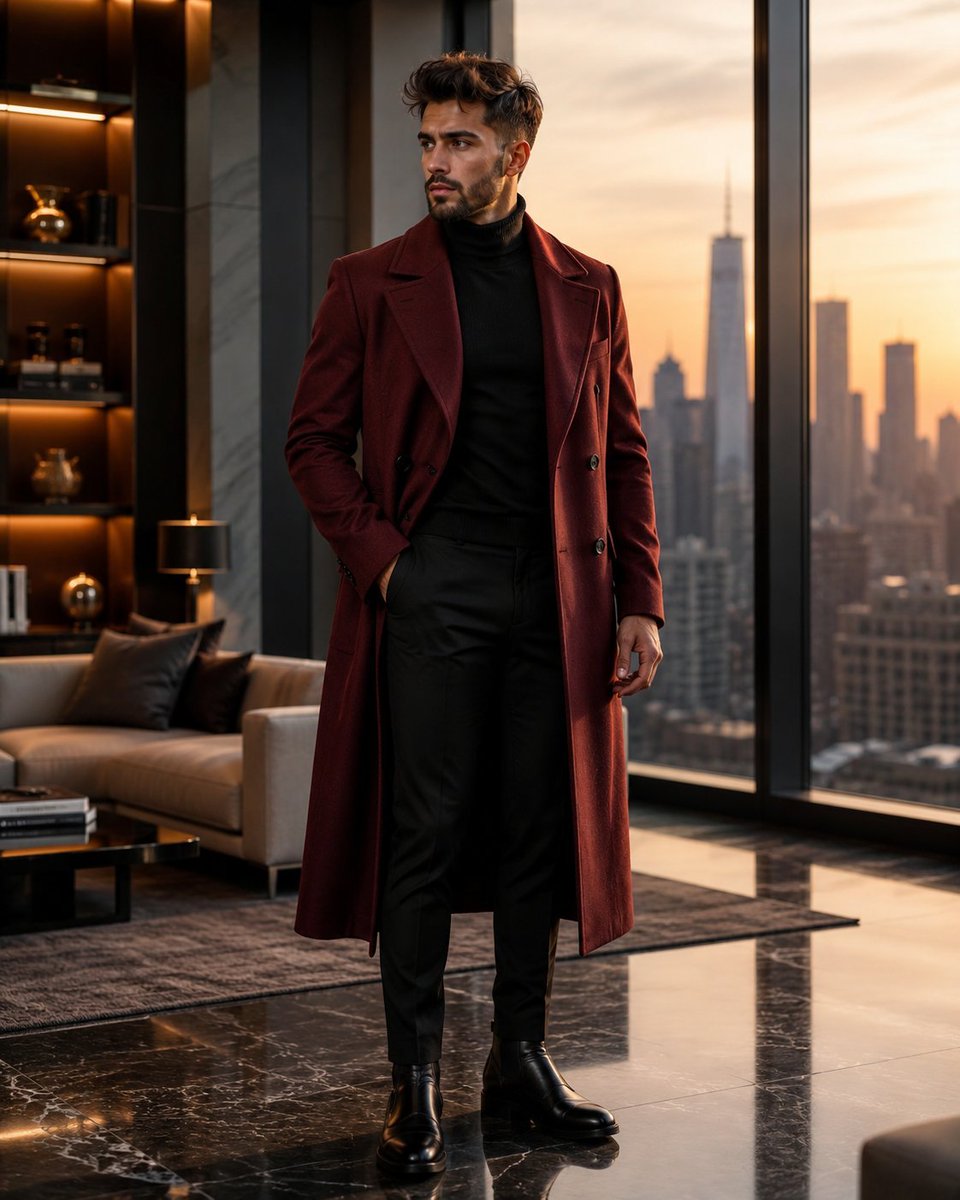
Luxury Penthouse Menswear Editorial
A cinematic high-end menswear campaign prompt featuring a model in a burgundy overcoat within a modern penthouse during golden hour.
Dies ist ein GPT Image 2 -Prompt für Mode & Schönheit . Verwenden Sie den unten stehenden, kopierfertigen Prompt, um ähnliche Grafiken zu erstellen, und überprüfen Sie vor der Wiederverwendung Awesome GPT Image 2 Prompts -Quellenangaben sowie die kommerziellen Nutzungsrechte.
Benötigen Sie den vollständigen Prompt-Satz? Verwenden Sie den Mode & Schönheit Weitere verwandte Beispiele finden Sie im Themen-Hub oder öffnen Sie die GPT Image 2 Prompt-Katalog für das vollständige Beispielverzeichnis, wiederverwendbare Strukturen und Quellenangaben.
Free 1K preview
Generate one preview image instantly, no sign-up required.
1525/4000
Eingabeaufforderung
Kopierfertige Eingabeaufforderung
Ultra-realistic luxury men's fashion editorial photography, 8K HDR, hyper-detailed, Vogue-quality. A handsome {argument name="age" default="25-year-old"} man with thick, naturally styled dark hair, a sharp jawline, light stubble, and warm brown eyes stands confidently in a {argument name="setting" default="luxurious modern penthouse apartment"} with floor-to-ceiling glass windows overlooking a breathtaking city skyline at golden hour. He wears a premium {argument name="overcoat color" default="deep burgundy"} double-breasted wool overcoat with a perfectly tailored fit over a fitted black turtleneck sweater, slim-fit black tailored trousers, and polished black Chelsea boots. The overcoat is worn open to reveal the elegant layered styling. He stands with one hand casually tucked into his coat pocket while the other rests naturally by his side, projecting quiet confidence and effortless sophistication. Soft natural sunlight streams through the windows, creating warm highlights and subtle shadows across the luxurious interior. The apartment features marble flooring, designer furniture, modern décor, ambient warm lighting, and an exclusive high-end atmosphere. Editorial fashion photography, cinematic composition, 85mm lens, f/1.8, shallow depth of field, razor-sharp focus on the model, ultra-realistic skin texture, premium fabric details, luxurious color grading, realistic proportions, clean composition, magazine cover quality, masterpiece, luxury menswear campaign, photorealistic, ultra-detailed, 8K HDR.Eingabeaufforderungsvariablen
In der Eingabeaufforderung befinden sich bearbeitbare Argumentplatzhalter mit ihren Standardwerten.
Variable
age
Standard
25-year-old
Variable
setting
Standard
luxurious modern penthouse apartment
Variable
overcoat color
Standard
deep burgundy
Best for
- - Mode & Schönheit visual exploration
- - Image generation and reference-image edits
- - Reusable briefs that keep source attribution visible
Change these parts
- - Subject, product, character, or scene
- - Aspect ratio, camera, lighting, and background
- - Brand, text, color, and output constraints
Recommended model and settings
- - Model: gpt-image-2
- - Input mode: Text zu Bild
- - Aspect ratio: source
- - Commercial status: review original source
How to use this prompt
- 1. Copy the prompt and preserve its structure for the first test.
- 2. Replace the subject, context, and publishing channel.
- 3. Change one camera, lighting, or style variable per iteration.
- 4. Inspect the output, source, text, and rights before reuse.
Limitations, source, and reuse cautions
- - Generated output is an editable draft, not factual, legal, or rights evidence.
- - Review the linked source, people, brands, logos, text, and third-party media before commercial use.
Importiert von Awesome GPT Image 2 Prompts . Quellenangabe erforderlich. Status der kommerziellen Nutzung: allowed ; Rechte an der Quelle vor kostenpflichtiger Nutzung prüfen.
Weitere Fälle in dieser Kategorie
Priorisiert nach Kategorie, Kompatibilität der Eingabemodi, Qualität und geringerem Risiko.






Hinweise zur Wiederverwendung und Quellenangabe
Verwenden Sie diese Eingabeaufforderung sicher, nachdem Sie den Fall in der Vorschau angezeigt haben.
- 1.Kopieren Sie die Eingabeaufforderung oder öffnen Sie sie direkt in Dovoo mit der Schaltfläche „Generieren“.
- 2.Passen Sie Variablen, Seitenverhältnis und Referenzbilder an Ihren Anwendungsfall an.
- 3.Vor der Veröffentlichung oder kostenpflichtigen Nutzung sollten Sie die Rechte an der Quelle, die Anforderungen an die Namensnennung sowie die Risiken für die Marke oder das Abbild prüfen.