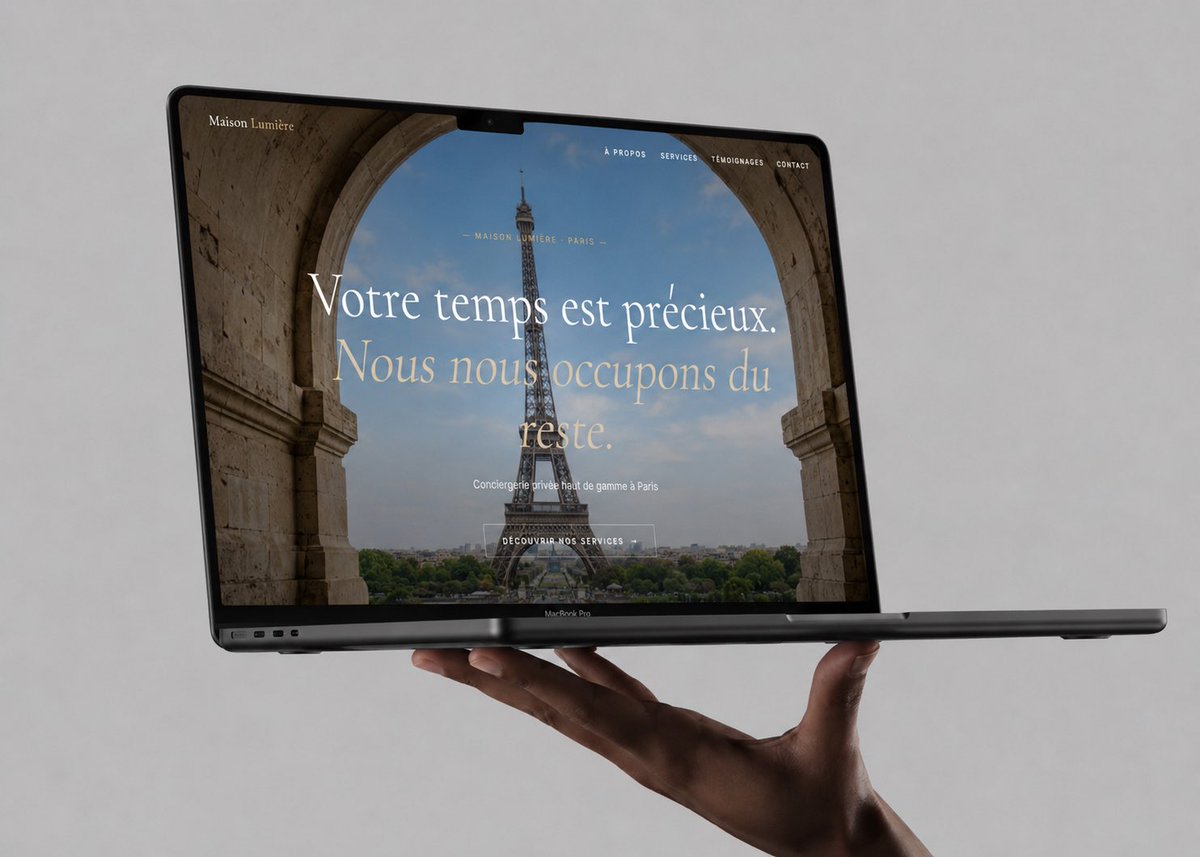
Laptop-Mockup für Luxus-Concierge
Ein fotorealistisches MacBook Pro-Mockup, das eine elegante französische Luxus-Concierge-Website für Portfolio- oder Kundenpräsentationszwecke präsentiert.
Dies ist ein GPT Image 2 -Prompt für Produkt & Vertrieb . Verwenden Sie den unten stehenden, kopierfertigen Prompt, um ähnliche Grafiken zu erstellen, und überprüfen Sie vor der Wiederverwendung Awesome GPT Image 2 Prompts -Quellenangaben sowie die kommerziellen Nutzungsrechte.
Free 1K preview
Generate one preview image instantly, no sign-up required.
Eingabeaufforderung
Kopierfertige Eingabeaufforderung
Create a photorealistic luxury website mockup displayed on an open dark space-gray MacBook Pro, floating horizontally and supported from below by a single elegant hand against a plain soft light-gray studio background. The laptop is angled slightly in perspective, screen facing the viewer, thin black bezel with a small top notch, visible keyboard base edge and ports, premium minimal product-photography lighting with subtle shadows. On the screen show a full-width French luxury concierge landing page for {argument name="brand name" default="Maison Lumière"}: a hero photo of the Eiffel Tower viewed through a large stone archway, muted Paris skyline and greenery below, refined editorial typography. Website header: brand name at top left, and exactly 4 small uppercase navigation links at top right: “À PROPOS”, “SERVICES”, “TÉMOIGNAGES”, “CONTACT”. Centered hero copy: small line “— MAISON LUMIÈRE · PARIS —”, oversized elegant serif headline “{argument name="headline text" default="Votre temps est précieux. Nous nous occupons du reste."}”, smaller subtitle “{argument name="subtitle text" default="Conciergerie privée haut de gamme à Paris"}”, and a thin outlined button reading “{argument name="button text" default="DÉCOUVRIR NOS SERVICES"}”. Use a sophisticated beige, ivory, charcoal, and soft blue color palette, high-end fashion/luxury aesthetic, realistic reflections on the laptop glass, crisp screen details, shallow depth of field, no extra objects, no watermark.Eingabeaufforderungsvariablen
In der Eingabeaufforderung befinden sich bearbeitbare Argumentplatzhalter mit ihren Standardwerten.
Best for
- - Produkt & Vertrieb visual exploration
- - Image generation and reference-image edits
- - Reusable briefs that keep source attribution visible
Change these parts
- - Subject, product, character, or scene
- - Aspect ratio, camera, lighting, and background
- - Brand, text, color, and output constraints
Recommended model and settings
- - Model: gpt-image-2
- - Input mode: Text zu Bild
- - Aspect ratio: source
- - Commercial status: review original source
How to use this prompt
- 1. Copy the prompt and preserve its structure for the first test.
- 2. Replace the subject, context, and publishing channel.
- 3. Change one camera, lighting, or style variable per iteration.
- 4. Inspect the output, source, text, and rights before reuse.
Limitations, source, and reuse cautions
- - Generated output is an editable draft, not factual, legal, or rights evidence.
- - Review the linked source, people, brands, logos, text, and third-party media before commercial use.
Weitere Fälle in dieser Kategorie
Priorisiert nach Kategorie, Kompatibilität der Eingabemodi, Qualität und geringerem Risiko.






Hinweise zur Wiederverwendung und Quellenangabe
Verwenden Sie diese Eingabeaufforderung sicher, nachdem Sie den Fall in der Vorschau angezeigt haben.
- 1.Kopieren Sie die Eingabeaufforderung oder öffnen Sie sie direkt in Dovoo mit der Schaltfläche „Generieren“.
- 2.Passen Sie Variablen, Seitenverhältnis und Referenzbilder an Ihren Anwendungsfall an.
- 3.Vor der Veröffentlichung oder kostenpflichtigen Nutzung sollten Sie die Rechte an der Quelle, die Anforderungen an die Namensnennung sowie die Risiken für die Marke oder das Abbild prüfen.