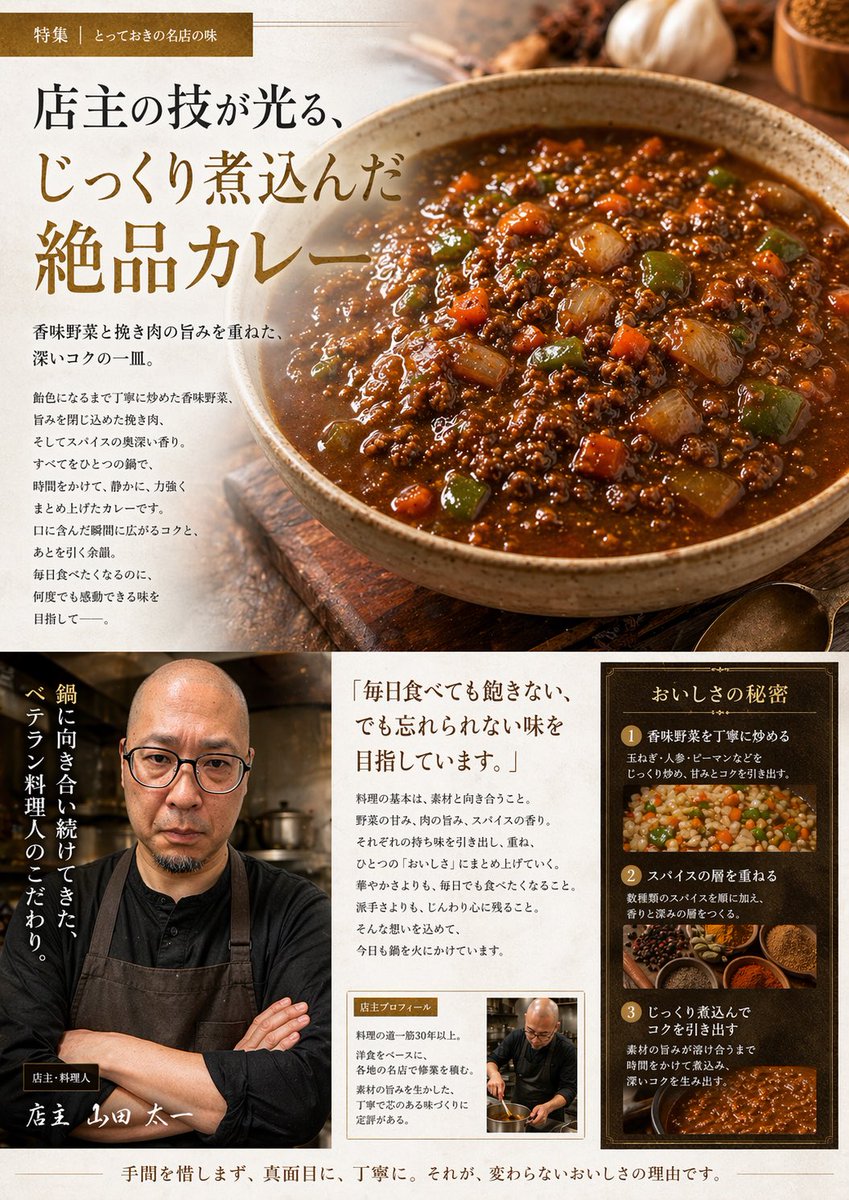
Layout für eine japanische Gourmet-Curry-Anzeige
Diese Funktion verwandelt ein Referenzfoto von hausgemachtem Curry in eine hochwertige redaktionelle Werbeseite im Stil japanischer Restaurants für Speisekarten, Werbeaktionen oder Social-Media-Posts.
Dies ist ein GPT Image 2 -Prompt für Speisen und Getränke . Verwenden Sie den unten stehenden, kopierfertigen Prompt, um ähnliche Grafiken zu erstellen, und überprüfen Sie vor der Wiederverwendung Awesome GPT Image 2 Prompts -Quellenangaben sowie die kommerziellen Nutzungsrechte.
Free 1K preview
Generate one preview image instantly, no sign-up required.
Free text preview doesn’t preserve reference-image consistency.
Eingabeaufforderung
Kopierfertige Eingabeaufforderung
Using the provided reference image of the curry in the pan, transform it into a polished Japanese gourmet magazine advertisement page for {argument name="dish name" default="キーマカレー"}. Keep the curry recognizable as the same dish, but restyle it as a premium food photograph served in a rustic ceramic bowl on a wooden tabletop, with richer gloss, deeper color contrast, and more appetizing texture. Create a full editorial layout with 3 main content areas: 1) a large hero section at the top featuring the plated curry on the right and Japanese promotional copy on the left, including a small top banner label and a large headline; 2) a bottom-left chef profile area with 1 portrait of a chef in dark workwear and apron, arms crossed in a restaurant kitchen, plus vertical Japanese copy and a handwritten-style name caption; 3) a bottom-right information area containing 1 quote block and 1 framed “secret of deliciousness” panel with exactly 3 numbered steps, each paired with a food or cooking image. Add warm ambient lighting, shallow depth of field, spices and garlic props around the hero dish, and an upscale traditional restaurant branding feel. Include Japanese text throughout, with the main headline emphasizing slow-cooked, exquisite curry, and use elegant Mincho-style typography in brown, cream, and gold tones. The final composition should look like a high-end restaurant feature article or promotional brochure page.Eingabeaufforderungsvariablen
In der Eingabeaufforderung befinden sich bearbeitbare Argumentplatzhalter mit ihren Standardwerten.
Best for
- - Speisen und Getränke visual exploration
- - Image generation and reference-image edits
- - Reusable briefs that keep source attribution visible
Change these parts
- - Subject, product, character, or scene
- - Aspect ratio, camera, lighting, and background
- - Brand, text, color, and output constraints
Recommended model and settings
- - Model: gpt-image-2
- - Input mode: Bild zu Bild
- - Aspect ratio: source
- - Commercial status: review original source
How to use this prompt
- 1. Copy the prompt and preserve its structure for the first test.
- 2. Replace the subject, context, and publishing channel.
- 3. Change one camera, lighting, or style variable per iteration.
- 4. Inspect the output, source, text, and rights before reuse.
Limitations, source, and reuse cautions
- - Generated output is an editable draft, not factual, legal, or rights evidence.
- - Review the linked source, people, brands, logos, text, and third-party media before commercial use.
Weitere Fälle in dieser Kategorie
Priorisiert nach Kategorie, Kompatibilität der Eingabemodi, Qualität und geringerem Risiko.






Hinweise zur Wiederverwendung und Quellenangabe
Verwenden Sie diese Eingabeaufforderung sicher, nachdem Sie den Fall in der Vorschau angezeigt haben.
- 1.Kopieren Sie die Eingabeaufforderung oder öffnen Sie sie direkt in Dovoo mit der Schaltfläche „Generieren“.
- 2.Passen Sie Variablen, Seitenverhältnis und Referenzbilder an Ihren Anwendungsfall an.
- 3.Vor der Veröffentlichung oder kostenpflichtigen Nutzung sollten Sie die Rechte an der Quelle, die Anforderungen an die Namensnennung sowie die Risiken für die Marke oder das Abbild prüfen.