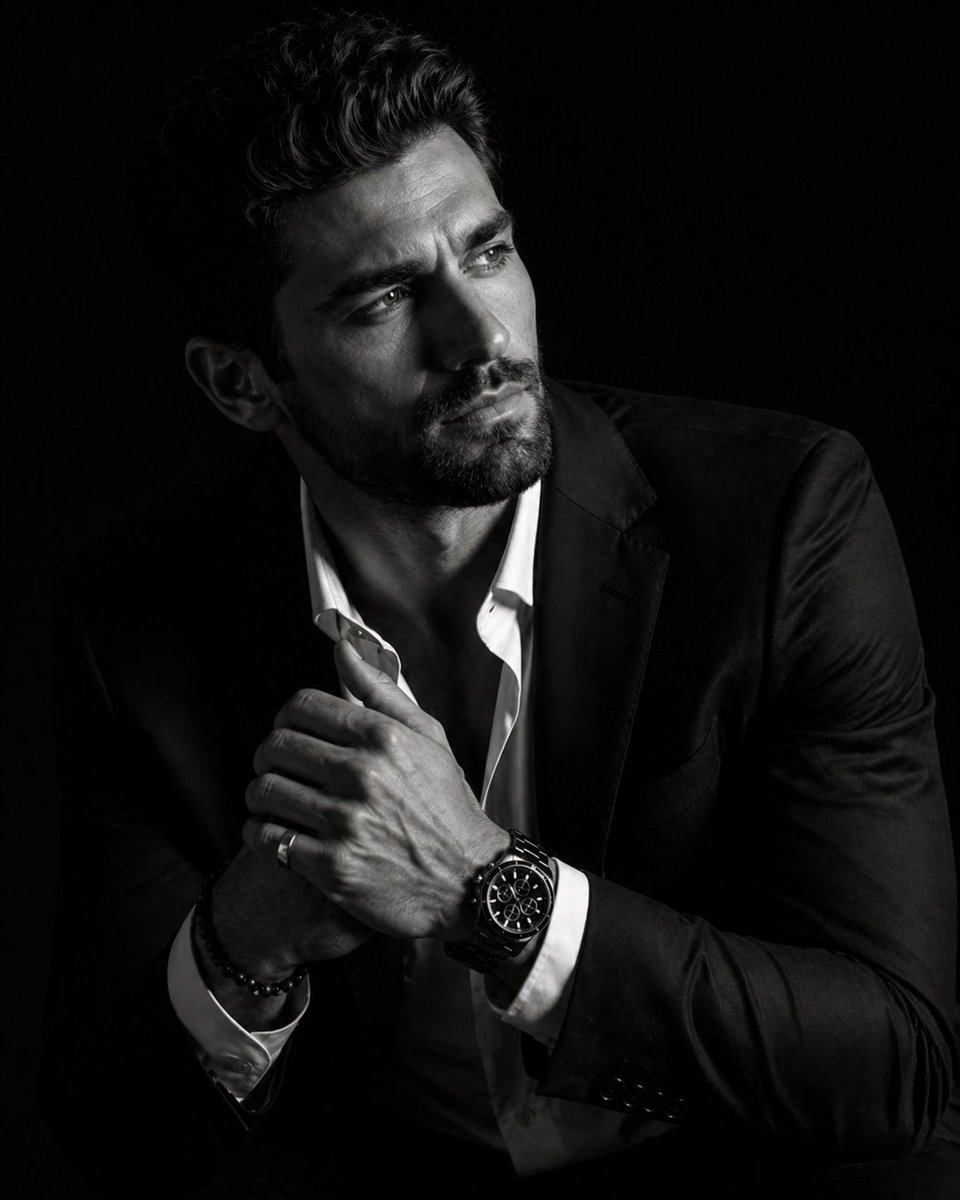
Hyperrealistisches Hell-Dunkel-Porträt
Eine Vorgabe für ein dramatisches, kontrastreiches Porträt, das eine Person in einem luxuriösen Ambiente mit intensiver Beleuchtung und tiefen Schatten zeigt.
Dies ist ein GPT Image 2 -Prompt für Porträt & Charakter . Verwenden Sie den unten stehenden, kopierfertigen Prompt, um ähnliche Grafiken zu erstellen, und überprüfen Sie vor der Wiederverwendung Awesome GPT Image 2 Prompts -Quellenangaben sowie die kommerziellen Nutzungsrechte.
Free 1K preview
Generate one preview image instantly, no sign-up required.
Eingabeaufforderung
Kopierfertige Eingabeaufforderung
A hyper-realistic 8K cinematic portrait of a uploaded person, captured in a dramatic Chiaroscuro style. The subject is seated at a three-quarter angle, leaning slightly forward with a relaxed yet commanding posture. His face is turned away from the lens, with one side of his face clearly illuminated while the other is completely lost in deep, velvety black shadows. His expression is contemplative, not looking at the camera. The pose is precise: his hands are clasped together near his chest; one hand is held straight with fingers slightly tilted, while the other hand is positioned so only the fingers are visible, resting over the first. He wears a {argument name="accessories" default="luxury black chronograph watch with a detailed metal link bracelet, a silver ring, and a beaded bracelet"}. His attire is a {argument name="clothing" default="sharp black suit jacket over a white dress shirt with the top buttons open"}, showing refined fabric textures. The background is a solid, seamless black. The lighting is sharp and directional, highlighting the intricate details of his hair, the individual bristles of his beard, the moisture in his eyes, and the glint off the watch face. Cinematic black-and-white color grade with rich contrast and smooth, natural skin transitions. Shot on 85mm lens, f/1.8, high-resolution commercial photography. ar 4:5Eingabeaufforderungsvariablen
In der Eingabeaufforderung befinden sich bearbeitbare Argumentplatzhalter mit ihren Standardwerten.
Best for
- - Porträt & Charakter visual exploration
- - Image generation and reference-image edits
- - Reusable briefs that keep source attribution visible
Change these parts
- - Subject, product, character, or scene
- - Aspect ratio, camera, lighting, and background
- - Brand, text, color, and output constraints
Recommended model and settings
- - Model: gpt-image-2
- - Input mode: Text zu Bild
- - Aspect ratio: source
- - Commercial status: review original source
How to use this prompt
- 1. Copy the prompt and preserve its structure for the first test.
- 2. Replace the subject, context, and publishing channel.
- 3. Change one camera, lighting, or style variable per iteration.
- 4. Inspect the output, source, text, and rights before reuse.
Limitations, source, and reuse cautions
- - Generated output is an editable draft, not factual, legal, or rights evidence.
- - Review the linked source, people, brands, logos, text, and third-party media before commercial use.
Weitere Fälle in dieser Kategorie
Priorisiert nach Kategorie, Kompatibilität der Eingabemodi, Qualität und geringerem Risiko.






Hinweise zur Wiederverwendung und Quellenangabe
Verwenden Sie diese Eingabeaufforderung sicher, nachdem Sie den Fall in der Vorschau angezeigt haben.
- 1.Kopieren Sie die Eingabeaufforderung oder öffnen Sie sie direkt in Dovoo mit der Schaltfläche „Generieren“.
- 2.Passen Sie Variablen, Seitenverhältnis und Referenzbilder an Ihren Anwendungsfall an.
- 3.Vor der Veröffentlichung oder kostenpflichtigen Nutzung sollten Sie die Rechte an der Quelle, die Anforderungen an die Namensnennung sowie die Risiken für die Marke oder das Abbild prüfen.