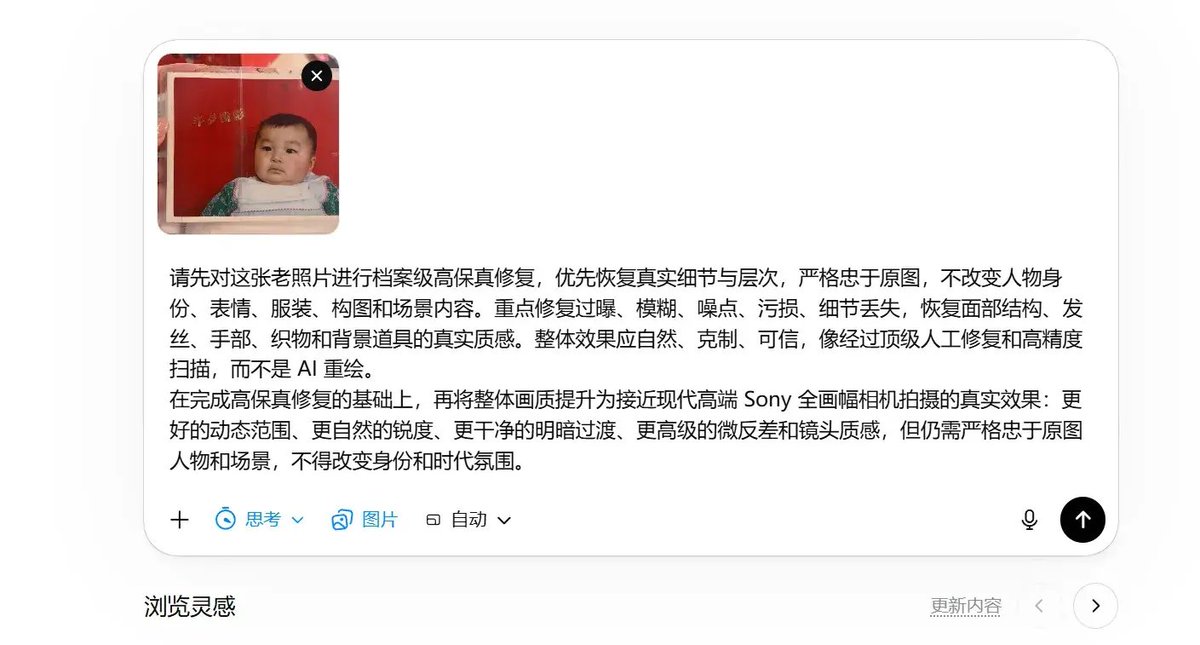
Archivalische, hochauflösende Fotorestaurierung
Ein ausgeklügeltes Dienstprogramm zur Archivrestaurierung alter Fotografien. Es rekonstruiert Details wie Gesichtszüge und Texturen in der Qualität moderner Vollformatkameras und hält sich dabei strikt an die ursprüngliche Komposition.
Dies ist ein GPT Image 2 -Prompt für Andere Inspiration . Verwenden Sie den unten stehenden, kopierfertigen Prompt, um ähnliche Grafiken zu erstellen, und überprüfen Sie vor der Wiederverwendung Awesome GPT Image 2 Prompts -Quellenangaben sowie die kommerziellen Nutzungsrechte.
Free 1K preview
Generate one preview image instantly, no sign-up required.
Free text preview doesn’t preserve reference-image consistency.
Eingabeaufforderung
Kopierfertige Eingabeaufforderung
Perform “archival-level high-fidelity restoration + modern high-end {argument name="camera brand" default="Sony"} full-frame camera texture reconstruction” on the old photos I provide.

Core Objective:
Not to repaint or simply beautify, but to maximize the restoration of damage, blur, overexposure, and missing details while strictly adhering to the original content. The final effect should be as close as possible to the image quality of a modern high-end {argument name="camera model" default="Sony Alpha"} full-frame camera taken at the same moment.

Strict Requirements:

1. Absolute Fidelity to the Original
Retain the original composition, character positions, expressions, poses, gazes, clothing, hairstyles, and environment. Do not change character identities or artificially modernize features.

2. Restoration Priority
Restore highlights, whiteness, blur, noise, scan damage, and resolution loss. Restore the true texture of skin, hair, and fabrics. Avoid plastic-like skin or false AI sharpening.

3. Modern Photographic Texture
The texture should present high resolution, natural sharpness, smooth transitions, and professional lens quality of modern photography. The effect should look like a real photograph, not CG or illustration.

4. Authenticity First
Photographic logic takes precedence over “visual beautification.” Any color correction should be restrained and consistent with documentary style, avoiding high-saturation filters.

5. Negative Constraints
Prohibit excessive skin smoothing, prohibit modernization of makeup, prohibit plastic or oil painting effects. Do not repaint old photos as “completely new AI images.”

Final Keyword Direction:
High-fidelity restoration, archival-level restoration, real photography, {argument name="quality style" default="Full-frame texture"}, natural high resolution, delicate micro-contrast, believable color correction, documentary style, faithful to the original.
Eingabeaufforderungsvariablen
In der Eingabeaufforderung befinden sich bearbeitbare Argumentplatzhalter mit ihren Standardwerten.
Best for
- - Andere Inspiration visual exploration
- - Image generation and reference-image edits
- - Reusable briefs that keep source attribution visible
Change these parts
- - Subject, product, character, or scene
- - Aspect ratio, camera, lighting, and background
- - Brand, text, color, and output constraints
Recommended model and settings
- - Model: gpt-image-2
- - Input mode: Bild zu Bild
- - Aspect ratio: source
- - Commercial status: review original source
How to use this prompt
- 1. Copy the prompt and preserve its structure for the first test.
- 2. Replace the subject, context, and publishing channel.
- 3. Change one camera, lighting, or style variable per iteration.
- 4. Inspect the output, source, text, and rights before reuse.
Limitations, source, and reuse cautions
- - Generated output is an editable draft, not factual, legal, or rights evidence.
- - Review the linked source, people, brands, logos, text, and third-party media before commercial use.
Weitere Fälle in dieser Kategorie
Priorisiert nach Kategorie, Kompatibilität der Eingabemodi, Qualität und geringerem Risiko.






Hinweise zur Wiederverwendung und Quellenangabe
Verwenden Sie diese Eingabeaufforderung sicher, nachdem Sie den Fall in der Vorschau angezeigt haben.
- 1.Kopieren Sie die Eingabeaufforderung oder öffnen Sie sie direkt in Dovoo mit der Schaltfläche „Generieren“.
- 2.Passen Sie Variablen, Seitenverhältnis und Referenzbilder an Ihren Anwendungsfall an.
- 3.Vor der Veröffentlichung oder kostenpflichtigen Nutzung sollten Sie die Rechte an der Quelle, die Anforderungen an die Namensnennung sowie die Risiken für die Marke oder das Abbild prüfen.