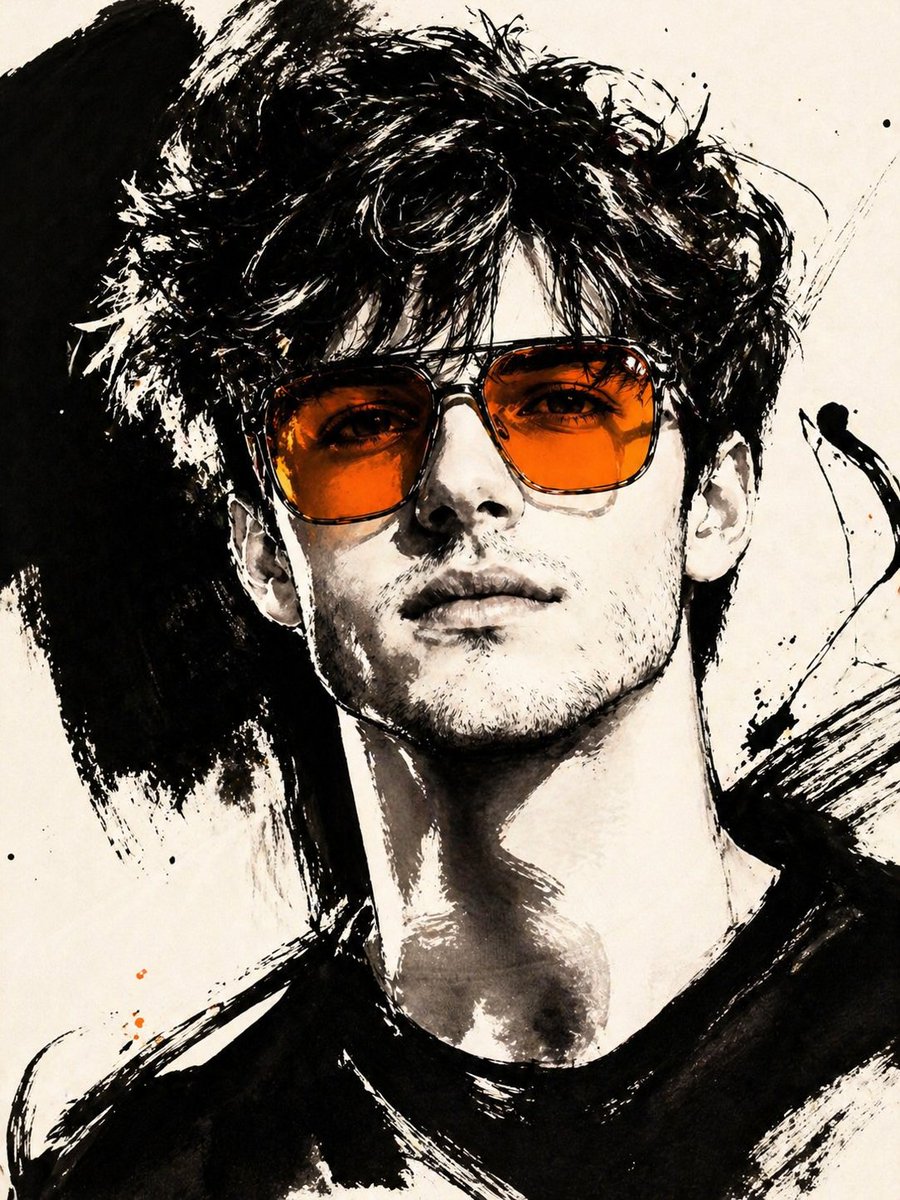
Gestische Tusche-Modeillustration
Eine hochentwickelte Bild-zu-Bild-Funktion, die ein Foto in eine ausdrucksstarke, modische Illustration in schwarzer Tinte mit einem bestimmten Farbakzent verwandelt.
Dies ist ein GPT Image 2 -Prompt für Mode & Schönheit . Verwenden Sie den unten stehenden, kopierfertigen Prompt, um ähnliche Grafiken zu erstellen, und überprüfen Sie vor der Wiederverwendung Awesome GPT Image 2 Prompts -Quellenangaben sowie die kommerziellen Nutzungsrechte.
Free 1K preview
Generate one preview image instantly, no sign-up required.
Free text preview doesn’t preserve reference-image consistency.
Eingabeaufforderung
Kopierfertige Eingabeaufforderung
ASPECT_RATIO: [{argument name="长宽比" default="3:4"}]

SOURCE_IMAGE: [{argument name="参考图" default="uploaded photo"}]

ACCENT_COLOR: [{argument name="点缀色" default="single vivid highlight color"}]

Use the uploaded photo as the base image and the only identity source. Keep the person exactly the same and clearly recognizable. Ignore the original framing and always recompose into a tight close-up or upper-body editorial crop, with the face dominating the frame. Transform the image into a gestural editorial ink fashion illustration. The style must be built from bold black brushwork, not delicate sketch lines.

Use:

very thick black brush strokes

broad dry-brush sweeps

large asymmetrical black ink masses

long loose calligraphic lines

broken contours

scratchy secondary linework

strong black-on-ivory contrast

smooth monochrome skin

The thick strokes must be clearly dominant. Do not render the portrait mainly with thin contour lines. Do not make it neat, polished, or softly illustrated. The image should feel painted with a loaded brush and finished with sharp expressive pen marks.

Keep the portrait stylish and high-fashion.

Use one hero accessory, preferably oversized translucent tinted sunglasses.

The accent color [ACCENT_COLOR] must live mainly inside that accessory, especially in the lenses, as a bold luminous tint. Only tiny supporting traces of the same color may appear elsewhere.
Eingabeaufforderungsvariablen
In der Eingabeaufforderung befinden sich bearbeitbare Argumentplatzhalter mit ihren Standardwerten.
Best for
- - Mode & Schönheit visual exploration
- - Image generation and reference-image edits
- - Reusable briefs that keep source attribution visible
Change these parts
- - Subject, product, character, or scene
- - Aspect ratio, camera, lighting, and background
- - Brand, text, color, and output constraints
Recommended model and settings
- - Model: gpt-image-2
- - Input mode: Bild zu Bild
- - Aspect ratio: source
- - Commercial status: review original source
How to use this prompt
- 1. Copy the prompt and preserve its structure for the first test.
- 2. Replace the subject, context, and publishing channel.
- 3. Change one camera, lighting, or style variable per iteration.
- 4. Inspect the output, source, text, and rights before reuse.
Limitations, source, and reuse cautions
- - Generated output is an editable draft, not factual, legal, or rights evidence.
- - Review the linked source, people, brands, logos, text, and third-party media before commercial use.
Weitere Fälle in dieser Kategorie
Priorisiert nach Kategorie, Kompatibilität der Eingabemodi, Qualität und geringerem Risiko.






Hinweise zur Wiederverwendung und Quellenangabe
Verwenden Sie diese Eingabeaufforderung sicher, nachdem Sie den Fall in der Vorschau angezeigt haben.
- 1.Kopieren Sie die Eingabeaufforderung oder öffnen Sie sie direkt in Dovoo mit der Schaltfläche „Generieren“.
- 2.Passen Sie Variablen, Seitenverhältnis und Referenzbilder an Ihren Anwendungsfall an.
- 3.Vor der Veröffentlichung oder kostenpflichtigen Nutzung sollten Sie die Rechte an der Quelle, die Anforderungen an die Namensnennung sowie die Risiken für die Marke oder das Abbild prüfen.