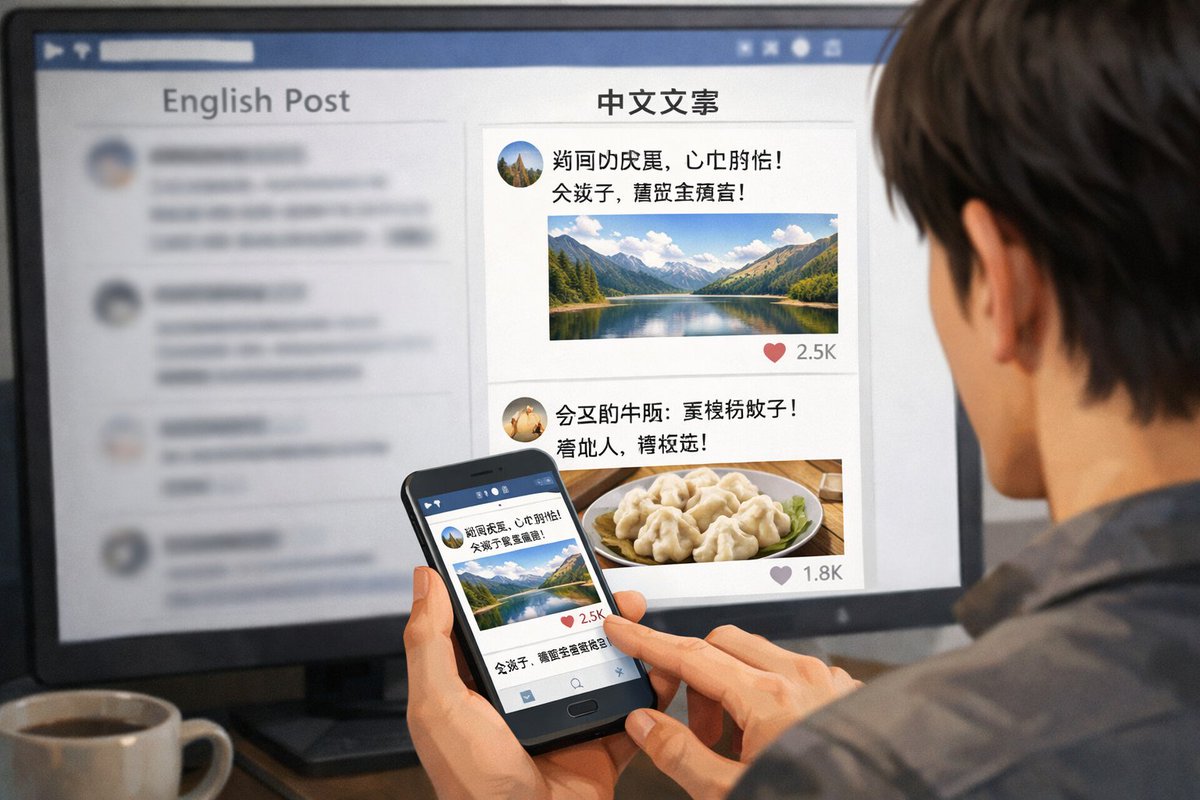
Geräteübergreifender Social-Media-Feed
Erzeugt eine Ansicht über die Schulter einer Person, die einen zweisprachigen Social-Media-Feed sowohl auf einem Desktop-Monitor als auch auf einem Smartphone durchstöbert.
Dies ist ein GPT Image 2 -Prompt für Andere Inspiration . Verwenden Sie den unten stehenden, kopierfertigen Prompt, um ähnliche Grafiken zu erstellen, und überprüfen Sie vor der Wiederverwendung Awesome GPT Image 2 Prompts -Quellenangaben sowie die kommerziellen Nutzungsrechte.
Free 1K preview
Generate one preview image instantly, no sign-up required.
Eingabeaufforderung
Kopierfertige Eingabeaufforderung
A realistic over-the-shoulder shot of a person with dark hair wearing a grey shirt, sitting at a desk and looking at a large computer monitor while holding a black smartphone. On the desk in the bottom left corner is a {argument name="drink on desk" default="white mug filled with black coffee"}. The monitor displays a split-screen social media interface. The left column has the header "{argument name="left column header" default="English Post"}" with blurred-out feed items below it. The right column is in sharp focus with the header "{argument name="right column header" default="Chinese copy"}". Below this right header are 2 distinct social media posts: the top post features an avatar, pseudo-Chinese text, {argument name="first post image" default="a landscape photo of a mountain lake"}, and a heart icon with "2.5K"; the bottom post features an avatar, pseudo-Chinese text, {argument name="second post image" default="a photo of dumplings on a plate"}, and a heart icon with "1.8K". The person is holding the smartphone in their left hand and tapping the screen with their right index finger. The phone screen displays the exact same mountain lake social media post seen on the monitor. The image has a shallow depth of field, blurring the left side of the screen to emphasize the right column and the phone.Eingabeaufforderungsvariablen
In der Eingabeaufforderung befinden sich bearbeitbare Argumentplatzhalter mit ihren Standardwerten.
Best for
- - Andere Inspiration visual exploration
- - Image generation and reference-image edits
- - Reusable briefs that keep source attribution visible
Change these parts
- - Subject, product, character, or scene
- - Aspect ratio, camera, lighting, and background
- - Brand, text, color, and output constraints
Recommended model and settings
- - Model: gpt-image-2
- - Input mode: Text zu Bild
- - Aspect ratio: source
- - Commercial status: review original source
How to use this prompt
- 1. Copy the prompt and preserve its structure for the first test.
- 2. Replace the subject, context, and publishing channel.
- 3. Change one camera, lighting, or style variable per iteration.
- 4. Inspect the output, source, text, and rights before reuse.
Limitations, source, and reuse cautions
- - Generated output is an editable draft, not factual, legal, or rights evidence.
- - Review the linked source, people, brands, logos, text, and third-party media before commercial use.
Weitere Fälle in dieser Kategorie
Priorisiert nach Kategorie, Kompatibilität der Eingabemodi, Qualität und geringerem Risiko.






Hinweise zur Wiederverwendung und Quellenangabe
Verwenden Sie diese Eingabeaufforderung sicher, nachdem Sie den Fall in der Vorschau angezeigt haben.
- 1.Kopieren Sie die Eingabeaufforderung oder öffnen Sie sie direkt in Dovoo mit der Schaltfläche „Generieren“.
- 2.Passen Sie Variablen, Seitenverhältnis und Referenzbilder an Ihren Anwendungsfall an.
- 3.Vor der Veröffentlichung oder kostenpflichtigen Nutzung sollten Sie die Rechte an der Quelle, die Anforderungen an die Namensnennung sowie die Risiken für die Marke oder das Abbild prüfen.