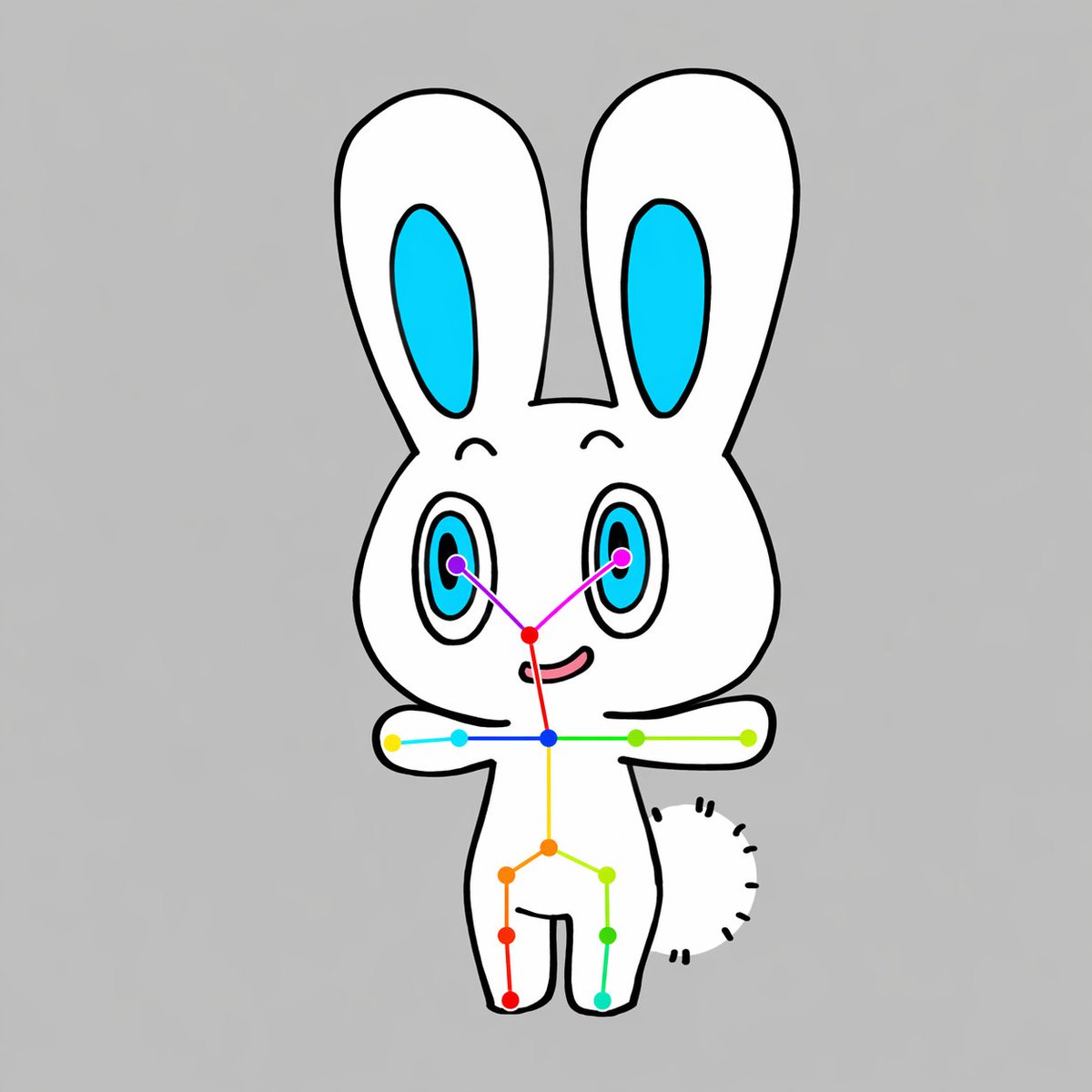
Chibi-Kaninchen-OpenPose-Diagramm
Eine übersichtliche Cartoon-Vorlage zur Generierung einer frontal dargestellten Chibi-Tierfigur mit einem sichtbaren Keypoint-Skelett im OpenPose-Stil, nützlich für Pose-Schätzungsdemos, Datensatzbeispiele oder KI-Vision-Illustrationen.
Dies ist ein GPT Image 2 -Prompt für Illustration & Kunst . Verwenden Sie den unten stehenden, kopierfertigen Prompt, um ähnliche Grafiken zu erstellen, und überprüfen Sie vor der Wiederverwendung Awesome GPT Image 2 Prompts -Quellenangaben sowie die kommerziellen Nutzungsrechte.
Free 1K preview
Generate one preview image instantly, no sign-up required.
Eingabeaufforderung
Kopierfertige Eingabeaufforderung
A simple centered full-body illustration of a cute chibi {argument name="animal type" default="rabbit"} character on a plain {argument name="background color" default="light gray"} background, drawn in a flat cartoon style with thick clean black outlines and minimal shading. The character has a white body, a large rounded head, 2 tall upright ears with bright cyan inner ear shapes, 2 large oval eyes with cyan irises, black pupils, and small highlights, tiny curved eyebrows, a small red-pink nose area, and a slight smiling mouth. The pose is front-facing with both arms stretched straight out horizontally to the sides, legs apart in a simple standing pose, and a short fluffy tail visible on the right side of the body as a curved semicircle made of short black dash marks. Overlay a clear OpenPose-style skeleton marker system on top of the character: 2 purple eye keypoints, 1 red nose keypoint, 1 blue neck keypoint, 2 shoulder keypoints, 2 elbow keypoints, 2 wrist keypoints, 1 yellow spine or pelvis center point, 2 hip keypoints, 2 knee keypoints, and 2 ankle keypoints, for a total of 17 colored points connected by thin colored lines across the face, shoulders, torso, arms, and legs. Use vivid point colors including purple, magenta, red, blue, cyan, green, yellow, orange, and teal so the pose overlay is clearly visible. Keep the composition vertically centered, symmetrical, clean, and diagram-like, with the cute mascot character and pose-estimation overlay as the sole subject.Eingabeaufforderungsvariablen
In der Eingabeaufforderung befinden sich bearbeitbare Argumentplatzhalter mit ihren Standardwerten.
Best for
- - Illustration & Kunst visual exploration
- - Image generation and reference-image edits
- - Reusable briefs that keep source attribution visible
Change these parts
- - Subject, product, character, or scene
- - Aspect ratio, camera, lighting, and background
- - Brand, text, color, and output constraints
Recommended model and settings
- - Model: gpt-image-2
- - Input mode: Text zu Bild
- - Aspect ratio: source
- - Commercial status: review original source
How to use this prompt
- 1. Copy the prompt and preserve its structure for the first test.
- 2. Replace the subject, context, and publishing channel.
- 3. Change one camera, lighting, or style variable per iteration.
- 4. Inspect the output, source, text, and rights before reuse.
Limitations, source, and reuse cautions
- - Generated output is an editable draft, not factual, legal, or rights evidence.
- - Review the linked source, people, brands, logos, text, and third-party media before commercial use.
Weitere Fälle in dieser Kategorie
Priorisiert nach Kategorie, Kompatibilität der Eingabemodi, Qualität und geringerem Risiko.






Hinweise zur Wiederverwendung und Quellenangabe
Verwenden Sie diese Eingabeaufforderung sicher, nachdem Sie den Fall in der Vorschau angezeigt haben.
- 1.Kopieren Sie die Eingabeaufforderung oder öffnen Sie sie direkt in Dovoo mit der Schaltfläche „Generieren“.
- 2.Passen Sie Variablen, Seitenverhältnis und Referenzbilder an Ihren Anwendungsfall an.
- 3.Vor der Veröffentlichung oder kostenpflichtigen Nutzung sollten Sie die Rechte an der Quelle, die Anforderungen an die Namensnennung sowie die Risiken für die Marke oder das Abbild prüfen.