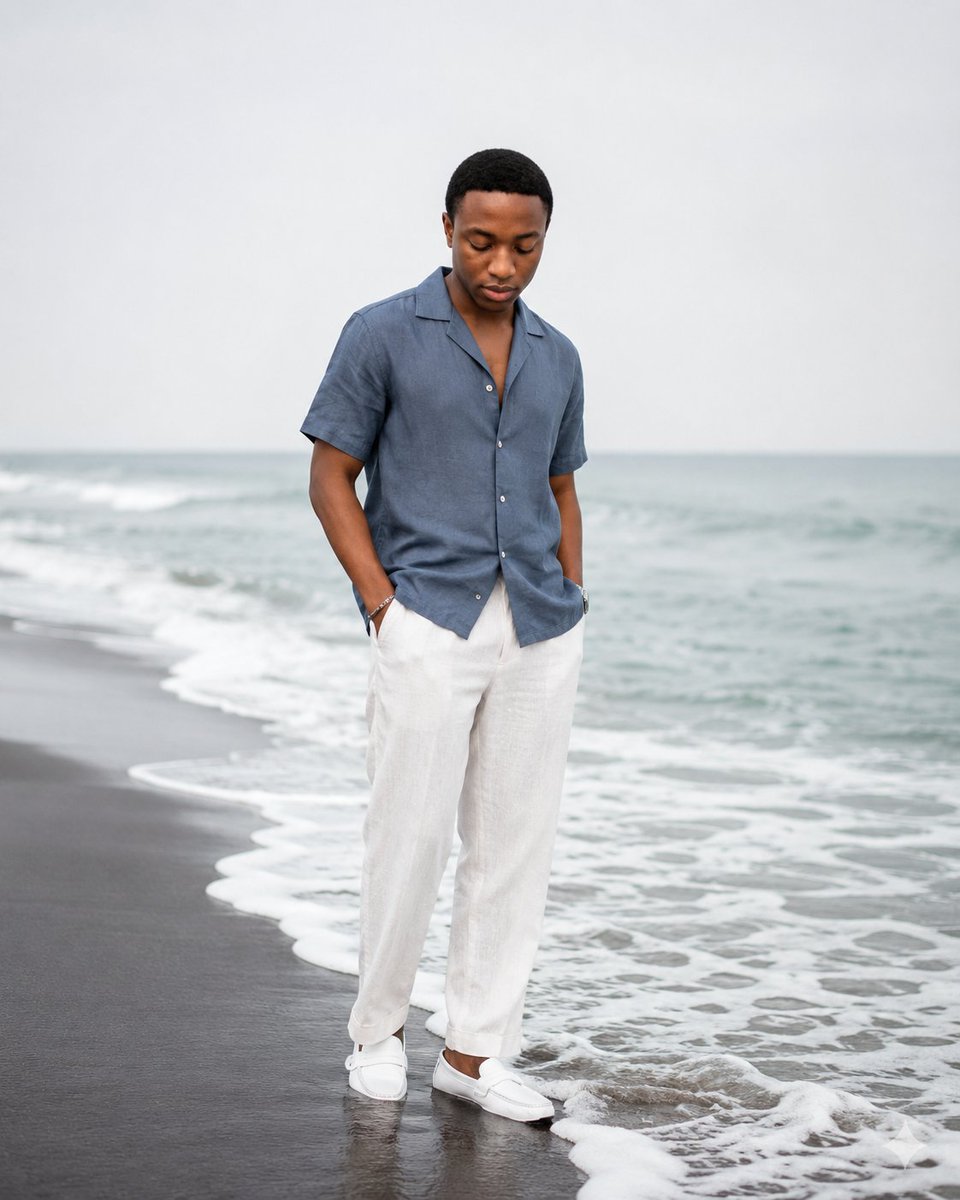
Calm Beach Portrait
A photorealistic vertical fashion portrait of a calm young man standing by foamy ocean waves on an overcast beach.
Dies ist ein GPT Image 2 -Prompt für Mode & Schönheit . Verwenden Sie den unten stehenden, kopierfertigen Prompt, um ähnliche Grafiken zu erstellen, und überprüfen Sie vor der Wiederverwendung Awesome GPT Image 2 Prompts -Quellenangaben sowie die kommerziellen Nutzungsrechte.
Benötigen Sie den vollständigen Prompt-Satz? Verwenden Sie den Mode & Schönheit Weitere verwandte Beispiele finden Sie im Themen-Hub oder öffnen Sie die GPT Image 2 Prompt-Katalog für das vollständige Beispielverzeichnis, wiederverwendbare Strukturen und Quellenangaben.
Free 1K preview
Generate one preview image instantly, no sign-up required.
1584/4000
Eingabeaufforderung
Kopierfertige Eingabeaufforderung
Create a realistic full-body editorial portrait of {argument name="person description" default="a young Black man with short black hair, smooth medium-brown skin, natural facial proportions, clean-shaven face, calm introspective expression, eyes looking downward"} standing alone at the edge of the ocean on a misty overcast beach. He is centered slightly left of frame, photographed from head to shoes, with both hands tucked casually into his trouser pockets and his posture relaxed, head bowed gently as if in quiet thought. Dress him in exactly 4 visible outfit/accessory elements: a muted slate-blue short-sleeve linen camp-collar button-up shirt worn untucked and partly open at the neck, loose off-white linen trousers, clean white loafers, and a subtle bracelet or watch at one wrist. The shoreline curves diagonally behind and beside him, with dark wet sand under his feet, shallow reflective water, white sea foam wrapping around the foreground, and soft grey-blue waves receding into a hazy horizon. Use a calm, minimalist, cinematic mood that communicates quiet strength rather than drama. Lighting should be soft natural daylight under a pale grey sky, with low contrast, gentle shadows, muted colors, and shallow-to-moderate depth of field; background waves slightly blurred while the subject remains crisp. Composition should be vertical 4:5, eye-level to slightly low perspective, plenty of negative space in the sky, no text, no logos, no other people, no props, no stylization, photorealistic fashion photography with accurate fabric texture and natural skin detail.Eingabeaufforderungsvariablen
In der Eingabeaufforderung befinden sich bearbeitbare Argumentplatzhalter mit ihren Standardwerten.
Variable
person description
Standard
a young Black man with short black hair, smooth medium-brown skin, natural facial proportions, clean-shaven face, calm introspective expression, eyes looking downward
Best for
- - Mode & Schönheit visual exploration
- - Image generation and reference-image edits
- - Reusable briefs that keep source attribution visible
Change these parts
- - Subject, product, character, or scene
- - Aspect ratio, camera, lighting, and background
- - Brand, text, color, and output constraints
Recommended model and settings
- - Model: gpt-image-2
- - Input mode: Text zu Bild
- - Aspect ratio: source
- - Commercial status: review original source
How to use this prompt
- 1. Copy the prompt and preserve its structure for the first test.
- 2. Replace the subject, context, and publishing channel.
- 3. Change one camera, lighting, or style variable per iteration.
- 4. Inspect the output, source, text, and rights before reuse.
Limitations, source, and reuse cautions
- - Generated output is an editable draft, not factual, legal, or rights evidence.
- - Review the linked source, people, brands, logos, text, and third-party media before commercial use.
Importiert von Awesome GPT Image 2 Prompts . Quellenangabe erforderlich. Status der kommerziellen Nutzung: allowed ; Rechte an der Quelle vor kostenpflichtiger Nutzung prüfen.
Weitere Fälle in dieser Kategorie
Priorisiert nach Kategorie, Kompatibilität der Eingabemodi, Qualität und geringerem Risiko.






Hinweise zur Wiederverwendung und Quellenangabe
Verwenden Sie diese Eingabeaufforderung sicher, nachdem Sie den Fall in der Vorschau angezeigt haben.
- 1.Kopieren Sie die Eingabeaufforderung oder öffnen Sie sie direkt in Dovoo mit der Schaltfläche „Generieren“.
- 2.Passen Sie Variablen, Seitenverhältnis und Referenzbilder an Ihren Anwendungsfall an.
- 3.Vor der Veröffentlichung oder kostenpflichtigen Nutzung sollten Sie die Rechte an der Quelle, die Anforderungen an die Namensnennung sowie die Risiken für die Marke oder das Abbild prüfen.