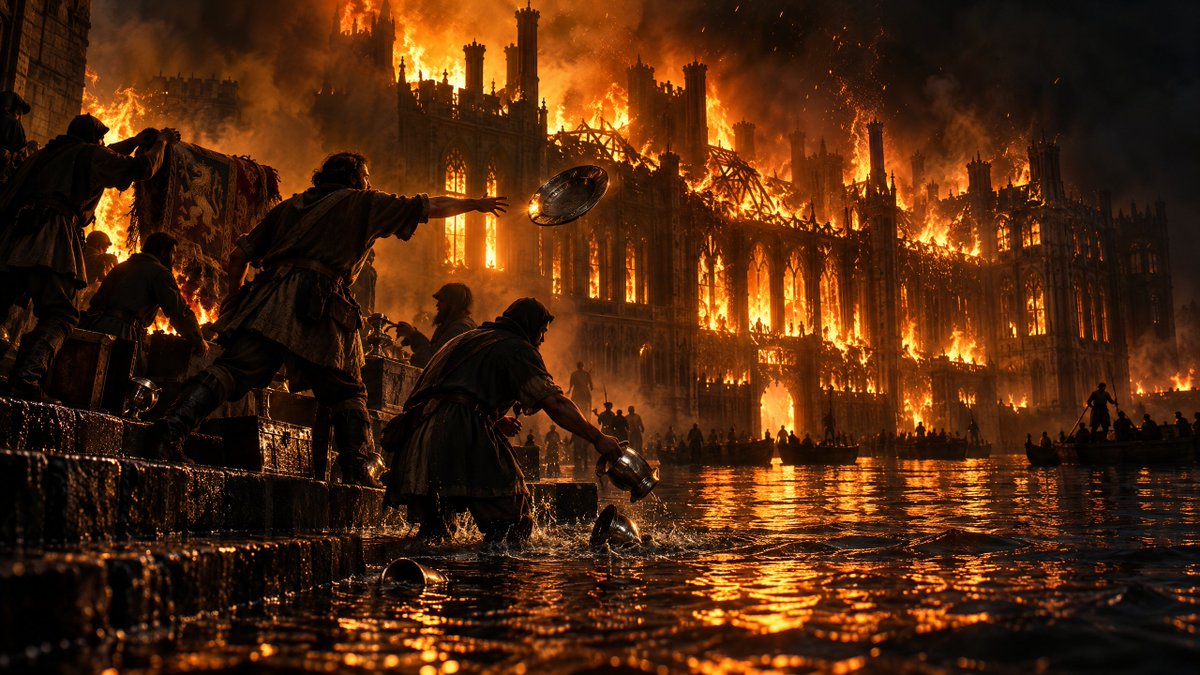
Burning Gothic Flood Escape
A cinematic medieval disaster scene showing refugees fleeing through floodwater as a vast Gothic structure burns behind them.
Dies ist ein GPT Image 2 -Prompt für Landschaft & Natur . Verwenden Sie den unten stehenden, kopierfertigen Prompt, um ähnliche Grafiken zu erstellen, und überprüfen Sie vor der Wiederverwendung Awesome GPT Image 2 Prompts -Quellenangaben sowie die kommerziellen Nutzungsrechte.
Benötigen Sie den vollständigen Prompt-Satz? Verwenden Sie den Landschaft & Natur Weitere verwandte Beispiele finden Sie im Themen-Hub oder öffnen Sie die GPT Image 2 Prompt-Katalog für das vollständige Beispielverzeichnis, wiederverwendbare Strukturen und Quellenangaben.
Free 1K preview
Generate one preview image instantly, no sign-up required.
1582/4000
Eingabeaufforderung
Kopierfertige Eingabeaufforderung
Create a cinematic dark-fantasy disaster scene in ultra-wide 16:9 format: a vast {argument name="building type" default="Gothic cathedral-palace"} is engulfed in an enormous inferno at night, its spires, arched windows, flying buttresses, and roof skeleton silhouetted against towering orange flames and black smoke. The lower half of the scene is flooded water reflecting the fire in rippling molten-gold highlights. In the foreground, show exactly 5 medieval refugees on wet stone steps and in waist-deep water: 1 hooded figure at far left carrying a patterned tapestry or banner, 1 crouched person beside crates, 1 central man reaching forward while throwing a round metal shield or platter into the water, 1 kneeling hooded person scooping or dropping a metal jug, and 1 small partial silhouette at the extreme left edge. Include exactly 3 prominent loose metal objects in the water near the foreground: a round bowl, a small cup, and a dropped pitcher. In the middle distance, add exactly 3 small boats carrying dark silhouettes, plus scattered tiny figures along the flooded quay, all dwarfed by the burning architecture. Use {argument name="era" default="medieval"} clothing, rough cloaks, leather belts, tunics, and wet fabric. Lighting should be dramatic and realistic, with intense backlight from the blaze, ember sparks in the air, smoke haze, high contrast chiaroscuro, wet stone texture, water splashes, and volumetric fire glow. Camera is low at water level, wide-angle, immersive, epic scale, photorealistic, highly detailed, no text, no modern objects, no watermark.Eingabeaufforderungsvariablen
In der Eingabeaufforderung befinden sich bearbeitbare Argumentplatzhalter mit ihren Standardwerten.
Variable
building type
Standard
Gothic cathedral-palace
Variable
era
Standard
medieval
Best for
- - Landschaft & Natur visual exploration
- - Image generation and reference-image edits
- - Reusable briefs that keep source attribution visible
Change these parts
- - Subject, product, character, or scene
- - Aspect ratio, camera, lighting, and background
- - Brand, text, color, and output constraints
Recommended model and settings
- - Model: gpt-image-2
- - Input mode: Text zu Bild
- - Aspect ratio: source
- - Commercial status: review original source
How to use this prompt
- 1. Copy the prompt and preserve its structure for the first test.
- 2. Replace the subject, context, and publishing channel.
- 3. Change one camera, lighting, or style variable per iteration.
- 4. Inspect the output, source, text, and rights before reuse.
Limitations, source, and reuse cautions
- - Generated output is an editable draft, not factual, legal, or rights evidence.
- - Review the linked source, people, brands, logos, text, and third-party media before commercial use.
Importiert von Awesome GPT Image 2 Prompts . Quellenangabe erforderlich. Status der kommerziellen Nutzung: allowed ; Rechte an der Quelle vor kostenpflichtiger Nutzung prüfen.
Weitere Fälle in dieser Kategorie
Priorisiert nach Kategorie, Kompatibilität der Eingabemodi, Qualität und geringerem Risiko.






Hinweise zur Wiederverwendung und Quellenangabe
Verwenden Sie diese Eingabeaufforderung sicher, nachdem Sie den Fall in der Vorschau angezeigt haben.
- 1.Kopieren Sie die Eingabeaufforderung oder öffnen Sie sie direkt in Dovoo mit der Schaltfläche „Generieren“.
- 2.Passen Sie Variablen, Seitenverhältnis und Referenzbilder an Ihren Anwendungsfall an.
- 3.Vor der Veröffentlichung oder kostenpflichtigen Nutzung sollten Sie die Rechte an der Quelle, die Anforderungen an die Namensnennung sowie die Risiken für die Marke oder das Abbild prüfen.