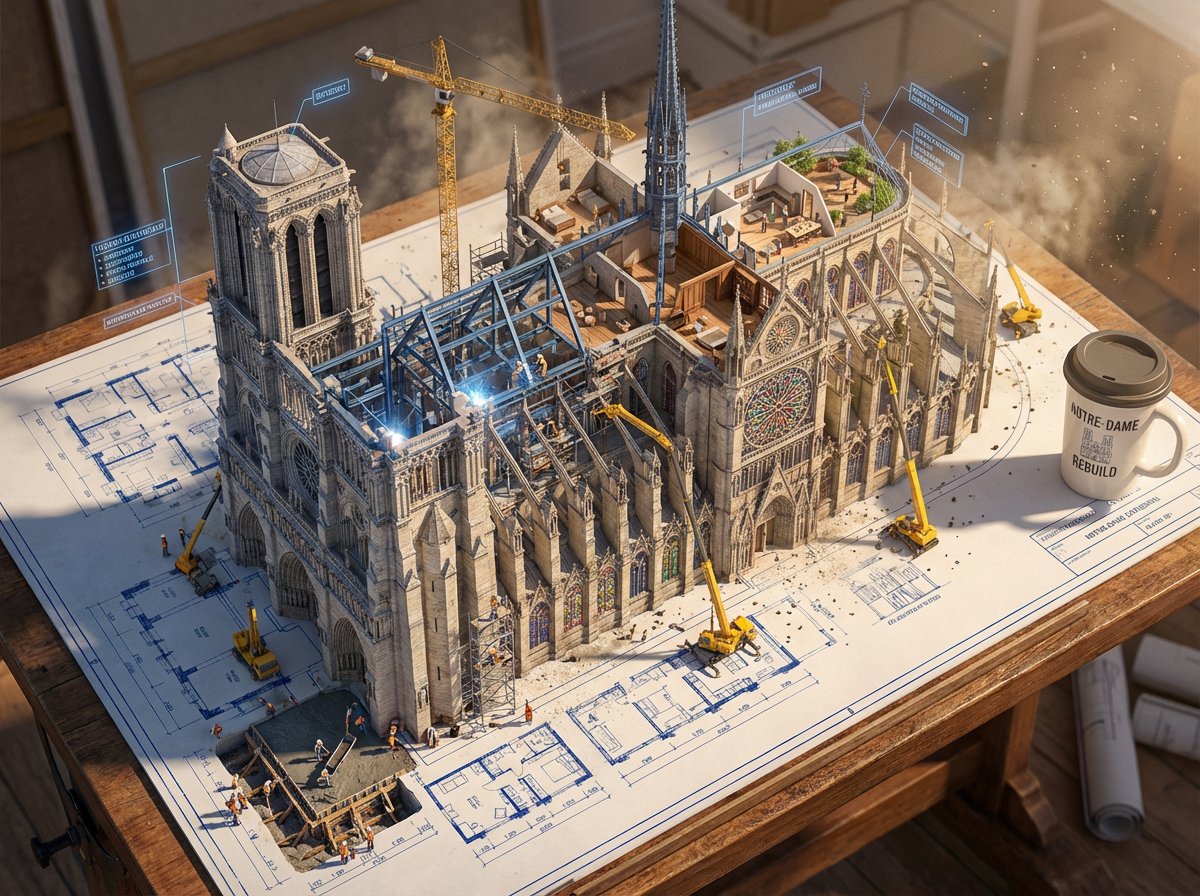
Blueprint to Living Construction Site
An epic prompt where architectural blueprint lines lift off paper and transform into a real, multi-phase 3D construction site.
Dies ist ein GPT Image 2 -Prompt für Innenarchitektur . Verwenden Sie den unten stehenden, kopierfertigen Prompt, um ähnliche Grafiken zu erstellen, und überprüfen Sie vor der Wiederverwendung Awesome GPT Image 2 Prompts -Quellenangaben sowie die kommerziellen Nutzungsrechte.
Free 1K preview
Generate one preview image instantly, no sign-up required.
Free text preview doesn’t preserve reference-image consistency.
Eingabeaufforderung
Kopierfertige Eingabeaufforderung
Create an epic photorealistic 3D scene where a huge architectural blueprint for a {argument name="structure" default="[BUILDING/STRUCTURE]"} is pinned to a drafting table, and the ink lines lift off the paper into a real construction site. The blue plan lines transform into steel beams being welded in midair, floor plans expand into furnished rooms, and elevation drawings push outward into facades with working windows.

Show multiple construction phases at the same time: one corner has the foundation being poured while another section already has a finished, inhabited penthouse. Add tiny workers, cranes, scaffolding, construction equipment, and activity all over the rising structure. The flat technical drawing and the living building should merge at impossible angles, with dimensional annotation labels floating like signage around the build.

Place an architect's {argument name="object" default="coffee cup"} near the edge of the table, casting a shadow across parts of the blueprint that have not been built yet. Emphasize extreme scale contrast, construction dust glowing in afternoon light, intricate detail, cinematic realism, 8K, photorealistic rendering.
Eingabeaufforderungsvariablen
In der Eingabeaufforderung befinden sich bearbeitbare Argumentplatzhalter mit ihren Standardwerten.
Best for
- - Innenarchitektur visual exploration
- - Image generation and reference-image edits
- - Reusable briefs that keep source attribution visible
Change these parts
- - Subject, product, character, or scene
- - Aspect ratio, camera, lighting, and background
- - Brand, text, color, and output constraints
Recommended model and settings
- - Model: gpt-image-2
- - Input mode: Bild zu Bild
- - Aspect ratio: source
- - Commercial status: review original source
How to use this prompt
- 1. Copy the prompt and preserve its structure for the first test.
- 2. Replace the subject, context, and publishing channel.
- 3. Change one camera, lighting, or style variable per iteration.
- 4. Inspect the output, source, text, and rights before reuse.
Limitations, source, and reuse cautions
- - Generated output is an editable draft, not factual, legal, or rights evidence.
- - Review the linked source, people, brands, logos, text, and third-party media before commercial use.
Weitere Fälle in dieser Kategorie
Priorisiert nach Kategorie, Kompatibilität der Eingabemodi, Qualität und geringerem Risiko.






Hinweise zur Wiederverwendung und Quellenangabe
Verwenden Sie diese Eingabeaufforderung sicher, nachdem Sie den Fall in der Vorschau angezeigt haben.
- 1.Kopieren Sie die Eingabeaufforderung oder öffnen Sie sie direkt in Dovoo mit der Schaltfläche „Generieren“.
- 2.Passen Sie Variablen, Seitenverhältnis und Referenzbilder an Ihren Anwendungsfall an.
- 3.Vor der Veröffentlichung oder kostenpflichtigen Nutzung sollten Sie die Rechte an der Quelle, die Anforderungen an die Namensnennung sowie die Risiken für die Marke oder das Abbild prüfen.