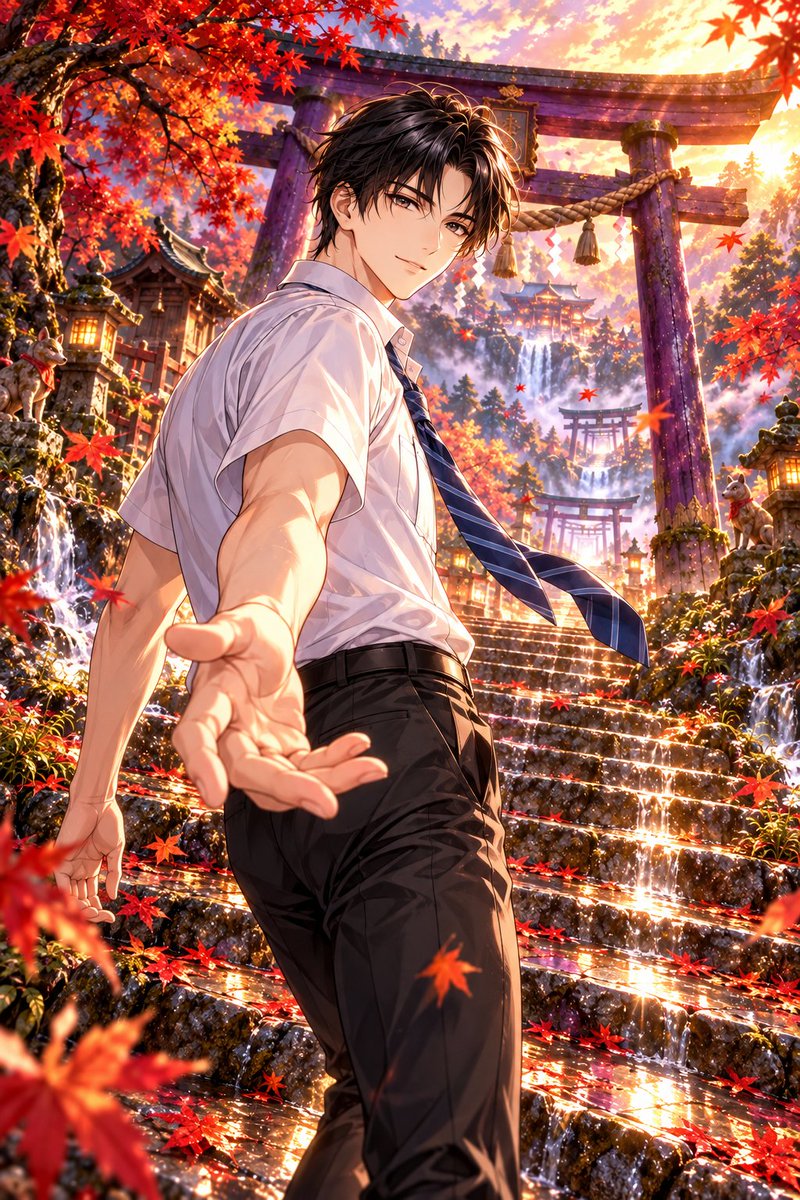
Autumn Shrine Background with Purple Torii
Detailed background prompt for generating a Japanese fantasy shrine scene with autumn leaves and a purple torii gate, optimized for ChatGPT/GPT Image 2.
Dies ist ein GPT Image 2 -Prompt für Illustration & Kunst . Verwenden Sie den unten stehenden, kopierfertigen Prompt, um ähnliche Grafiken zu erstellen, und überprüfen Sie vor der Wiederverwendung Awesome GPT Image 2 Prompts -Quellenangaben sowie die kommerziellen Nutzungsrechte.
Benötigen Sie den vollständigen Prompt-Satz? Verwenden Sie den Illustration & Kunst Weitere verwandte Beispiele finden Sie im Themen-Hub oder öffnen Sie die GPT Image 2 Prompt-Katalog für das vollständige Beispielverzeichnis, wiederverwendbare Strukturen und Quellenangaben.
Free 1K preview
Generate one preview image instantly, no sign-up required.
2411/4000
Eingabeaufforderung
Kopierfertige Eingabeaufforderung
An otherworldly shrine path surrounded by autumn leaves, standing in a Japanese fantasy world. A background illustration without people. A horizontal screen, looking up at gentle stone steps from a slightly low angle. The main subject is a large purple torii gate standing slightly to the right of the center. The torii is lacquered in deep Kyoto purple, receiving faint wisteria-colored light on its edges, showing wood grain and fine cracks aged by time. Precisely describe the curved kasagi, modest gold ornaments, thick shimenawa rope, and white shide paper streamers. Behind the torii, smaller torii gates continue at intervals, guiding the gaze toward an ancient shrine sinking into pale mist.

Large maple trees extend branches from left and right. Deep red, vermilion, orange, and golden leaves overlap in layers, with leaf veins delicately floating out under transmitted light. Foreground branches and fallen leaves are sharp down to the outlines, mid-ground is detailed, and background is softly rendered with atmospheric perspective. Thin water films from after-rain remain on mossy stone steps, reflecting purple pillars and autumn leaves intermittently. Small grasses and white autumn flowers peek out from stone gaps, and fallen leaves gather at the water's edge.

Place weathered stone lanterns, fox statues wrapped in moss, branches tied with old wooden tags, and shrines hanging small bells along the path. Only inside the stone lanterns glow warm amber light, while faint blue-purple spiritual light drifts at the foot of the torii. Several autumn leaves float on the thin clear stream flowing at the edge of the screen, revealing small stones at the bottom. Props blend naturally as part of the landscape, not burying the main torii.

Time is just before sunset. Golden sunlight shining diagonally from behind illuminates the edges of autumn leaves, casting long shadows of pillars onto the stone steps. Contrast between cold pale-blue mist and warm light. Add quiet movement with a few leaves dancing in the wind, expressing mystery and reverence as if another world continues beyond the torii. Exquisite hand-drawn lines, transparent coloring, different brushstrokes for each material, cinematic light and depth. Highest quality background art balancing vividness and tranquility. Do not include excessive glow, uniform detailing, distorted architecture, people, text, logos, or watermarks.
Best for
- - Illustration & Kunst visual exploration
- - Image generation and reference-image edits
- - Reusable briefs that keep source attribution visible
Change these parts
- - Subject, product, character, or scene
- - Aspect ratio, camera, lighting, and background
- - Brand, text, color, and output constraints
Recommended model and settings
- - Model: gpt-image-2
- - Input mode: Text zu Bild
- - Aspect ratio: source
- - Commercial status: review original source
How to use this prompt
- 1. Copy the prompt and preserve its structure for the first test.
- 2. Replace the subject, context, and publishing channel.
- 3. Change one camera, lighting, or style variable per iteration.
- 4. Inspect the output, source, text, and rights before reuse.
Limitations, source, and reuse cautions
- - Generated output is an editable draft, not factual, legal, or rights evidence.
- - Review the linked source, people, brands, logos, text, and third-party media before commercial use.
Importiert von Awesome GPT Image 2 Prompts . Quellenangabe erforderlich. Status der kommerziellen Nutzung: allowed ; Rechte an der Quelle vor kostenpflichtiger Nutzung prüfen.
Weitere Fälle in dieser Kategorie
Priorisiert nach Kategorie, Kompatibilität der Eingabemodi, Qualität und geringerem Risiko.

Hinweise zur Wiederverwendung und Quellenangabe
Verwenden Sie diese Eingabeaufforderung sicher, nachdem Sie den Fall in der Vorschau angezeigt haben.
- 1.Kopieren Sie die Eingabeaufforderung oder öffnen Sie sie direkt in Dovoo mit der Schaltfläche „Generieren“.
- 2.Passen Sie Variablen, Seitenverhältnis und Referenzbilder an Ihren Anwendungsfall an.
- 3.Vor der Veröffentlichung oder kostenpflichtigen Nutzung sollten Sie die Rechte an der Quelle, die Anforderungen an die Namensnennung sowie die Risiken für die Marke oder das Abbild prüfen.